

Fastest and Cheapest Ways to Get a CS2 Knife
A particular knife is easiest to get when you select it before paying. In practice, that means buying first and trading second. Trade Up Contracts and cases can also produce knives, but neither offers the same control over the final model, finish, wear, or value. The Weekly Care Package is another step removed because it may provide a case, not the knife itself.
| Method | Control | Cost | Main Catch | Best Fit |
|---|---|---|---|---|
| Buy directly | Highest | Known before purchase | Listings and prices move | A particular model, finish, or wear |
| Trade skins | High | Items from your inventory | Valuation and scam risk | Players with skins to exchange |
| Five-Covert contract | Limited | Five eligible Coverts | Collection-based random result | Carefully planned trade-ups |
| Open a case | Very low | Container plus opening requirement | Rare special item odds | Players spending money for the opening experience |
| Earn a case | Lowest | Prime, play time, then opening cost | The weekly offer is not a knife | Regular Prime players |
“Cheapest” needs some care here. A low-priced case isn’t a cheap knife. It is one inexpensive attempt at a random result. A direct purchase costs more upfront, but the transaction ends with the item you selected. Repeated case openings or a poorly planned trade-up can consume more value without producing anything close to the knife you had in mind.
A newly acquired knife may appear in your inventory while remaining unavailable for another trade, market listing or modification. CS2 Trade Protection lasts seven days after a trade. Account-level access restrictions and other item restrictions are separate; read the notice Steam displays for the item and account.
Method 1: Buy a Knife Directly
Buying removes the biggest unknown: the result. You can inspect the knife before committing funds, right down to its finish, exterior, float, pattern template, StatTrak status, and any Name Tag.
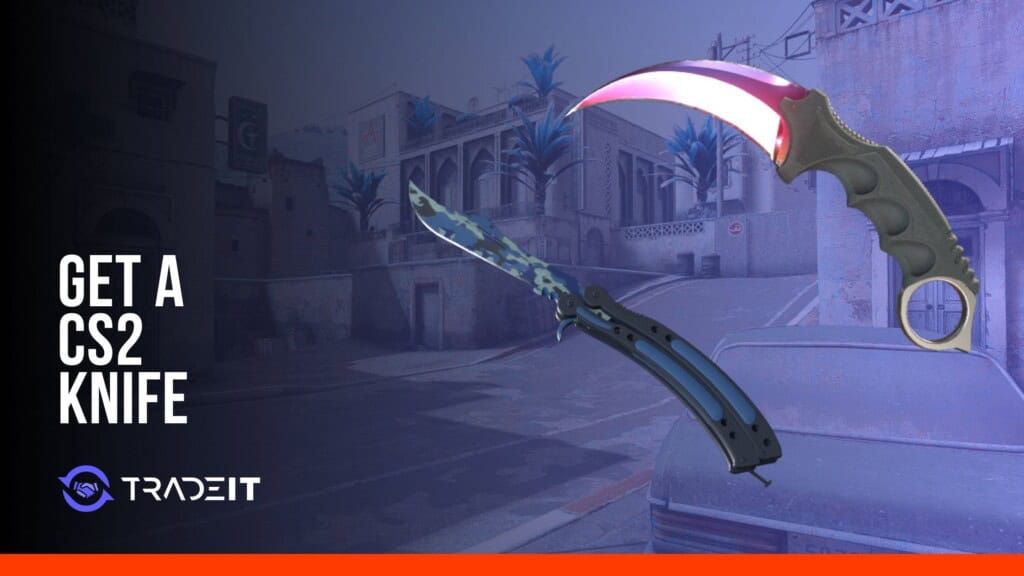
Start with the model. The different CS2 knives vary in shape, draw and inspect animations, supply and price. A budget knife is still worth choosing for its model and finish rather than price alone.
- Settle on a model. Decide which shape and animations you actually want. This prevents a cheap listing from pulling you toward a knife you won’t enjoy using.
- Choose the finish and exterior. Factory New, Minimal Wear, Field-Tested, Well-Worn, and Battle-Scarred are broad bands. Numeric wear can separate two examples within the same band.
- Inspect the individual item. Pattern placement can matter on some finishes. StatTrak status and a Name Tag may also distinguish listings. Knives do not accept stickers or charms.
- Read the transaction status. Note any current restriction before planning to sell, trade, or modify the knife again.
A CS2 knife marketplace lets you select the item rather than roll for one. Still, don’t confuse a visible asking price with a completed sale. Sellers can list at almost any amount. Recent sale activity and comparable individual items give a more useful picture than the highest listing on the page.
What You Control
You know the knife model, finish, exterior, wear, pattern, and StatTrak status before you pay. That certainty is the main advantage when only one or two combinations actually appeal to you.
What Can Still Change
Supply, player demand, Valve updates, and the pool of realistic buyers all matter. A knife can carry a high theoretical value yet still take time to sell at that price.
The Steam Community Market settles purchases and sales in Steam Wallet funds. Those funds can’t be withdrawn as cash or transferred to another Steam account. Steam also discloses transaction fees before completion. Market access depends on account security and activity requirements described in the Community Market FAQ.
No price is ever really permanent. Wear, pattern, finish, liquidity, collection supply, everything is relevant, and a game update can change assumptions rapidly. Use an up-to-date check when it comes time to buy, not an undated price from a guide.
Method 2: Trade Existing Skins for a Knife
A trade is converting inventory (already owned) into all or some of the payment. It can be an efficient way to do a deal (if those skins are liquid and easy to value) but can also disguise a poor deal in a mountain of items.
Compare both sides as they are, not as someone describes them in chat. Ten slow-selling skins with optimistic listing prices may not match one knife that changes hands regularly. Exterior, float, pattern, StatTrak status, stickers, and current demand can alter the useful value of every item in the offer.
Inventory-based CS2 knife trading and direct Steam trades both require a fresh review at the final Steam confirmation. The offer you discussed earlier isn’t necessarily the offer now waiting for approval.
Read the final confirmation: Check the recipient’s profile, the exact knife, its finish and exterior, StatTrak status, any Name Tag, and everything leaving your account. A familiar avatar or display name proves very little.
Cash promises require particular caution. Steam Wallet credit, PayPal, cryptocurrency, bank payments, and gift cards can’t be placed inside a Steam trade offer. Steam’s Trade Offers guidance is explicit about Wallet funds. If the Steam offer shows your items leaving and nothing coming back, a message promising later payment doesn’t make the offer balanced.
Protection, Cooldowns, and Holds
These terms are often bundled together, which causes bad advice. Steam currently says CS2 items received in trade are Trade Protected for seven days. That protection starts after the traded item arrives and is specific to supported game items.
CS2 items are no longer subject to trade holds or trade escrow: the items transfer immediately when the trade completes, even without the Mobile Authenticator. The seven-day Trade Protection period starts after transfer. Account access restrictions and market requirements can still apply separately.
- Confirm the profile URL, not only the account name.
- Open the offer inside Steam instead of an unsolicited link.
- Reject any request to send the knife away for verification or a price check.
- Stop when the recipient or item list changes in a way that wasn’t expected.
Method 3: Use a Covert Trade-Up Contract
Valve added two five-Covert Trade Up Contract recipes on October 22, 2025. The eligible input collections determine which rare-special items can result; Covert rarity alone does not unlock every knife.
Collection eligibility determines the possible results.
Valve says the output comes from a collection of one of the items provided. The contract doesn’t ignore those collections and roll across the complete CS2 knife catalog. Each Covert input brings its collection into the contract, and only applicable rare special items connected to represented collections can be relevant outcomes.
Five random Covert skins are not enough to target a Karambit, Butterfly Knife, or pair of gloves. Red rarity tells you the item grade. It does not identify the special-item family above that collection, or guarantee that the collection produces an applicable contract outcome.
Build the Contract Backward From Its Outcomes
Begin with the knife or glove family you’d accept. Then identify the relevant collections and the Covert inputs tied to them. This is safer than buying whichever red skins happen to look cheap and checking the output pool afterward.
- Pick the correct branch. Five regular Coverts lead to a regular knife or regular gloves. Five StatTrak Coverts lead to a StatTrak knife.
- Check every input collection. Confirm that each represented collection has an applicable rare special item outcome.
- Use the live contract preview. Old calculators and screenshots can miss collection or inventory changes.
- Total the real input cost. Exterior, StatTrak status, and sudden demand for trade-up materials can all raise it.
- Price the weak outcomes too. A contract only makes sense when you understand what happens if the least desirable valid result appears.
Before committing valuable inputs, check the possible outputs for that exact contract. Do not infer the chance of a specific finish or phase merely by counting the collection names or knife models. A guarantee of the model, such as a Breakout-only Butterfly recipe, is not a guarantee of the finish, wear or market value.
The name can mislead: A Trade Up Contract advances the item category under the contract rules. It does not guarantee a financial upgrade. The five submitted skins are consumed, and the output can be worth less than their combined cost.
Wear complicates the calculation further. Producing the right model doesn’t ensure the preferred exterior or float, and a less popular finish may be difficult to sell. Input prices can also climb once traders notice an attractive collection route. A contract that looked reasonable yesterday can become poor value after its Covert inputs rise.
Trade-ups to knives and gloves depend on the input collections. Identify the eligible results before buying five expensive Coverts.
Method 4: Open Cases That Contain Knives
Opening cases brings excitement, not precision. Choosing the case can limit the special item pool, but the result remains unpredictable. You cannot choose the model, finish, condition, pattern, or StatTrak status.
Case contents also differ. A container associated with gloves can’t produce the knife you saw in another case. Different case generations carry different knife models and finishes. Before spending anything, inspect the rare special item pool attached to that exact container.
- Name the knife family you’re chasing. Then find the containers linked to it.
- Read the current case contents. Don’t infer them from the case price or artwork.
- Get that case. Buy it from an existing listing, arrange a trade, or take it as a weekly reward when offered.
- Meet its opening requirement. Ordinary weapon cases generally use a matching key. Newer container systems may work differently.
- Accept the result as independent. Previous misses don’t improve the next roll.
Where the 0.26% Figure Comes From
Perfect World’s official disclosure lists the rare-special probability for standard keyed weapon cases as 0.256%, approximately 1 in 391 openings. It is commonly rounded to 0.26%; taking the reciprocal of that rounded figure gives about 1 in 385 instead. These are two levels of precision for the same rare tier, not different case odds.
The percentage applies to the specified container category, not every souvenir, collection redemption or Terminal. The case’s rare-special pool determines whether that tier contains knives or gloves, and which models and finishes are eligible.
Roughly 1 in 391 also doesn’t mean a knife must appear by opening 391. Probability isn’t an appointment. A run of bad openings can go on indefinitely. There is no published pity system in standard keyed cases, and a dry streak does not change their per-opening odds.
Budget for the attempt, not the dream result: A case and key buy one random opening. They don’t buy a fraction of a guaranteed knife. Repeating the process can cost more than purchasing the knife directly, with no rare special item at the end.
Even the Gold slot is a pool, not a single item. In a glove case it gives gloves, not a knife. Different models, finishes and levels of wear have different prices; float and pattern also separate copies of the same finish. StatTrak adds another distinction for eligible knives, but gloves never have it.
The knife drop rate cannot be turned into a price tag. There is no number of paid openings that buys you a guaranteed particular knife.
Method 5: Get Cases From the Weekly Care Package
The Weekly Care Package is often called a free knife route, but that is misleading. The package can give you a case, and that case may contain a rare special item. The Weekly Care Package does not normally give you a knife directly.
- Hold Prime Status. Weekly Care Package access is a Prime benefit.
- Earn the qualifying weekly profile-rank increase. Progress comes from eligible CS2 play and XP.
- Review the four offers. Their contents can include cases and other active rewards.
- Select two items. A case may be among them, but the same container isn’t promised every week.
- Open it separately. The case keeps its normal opening requirement and random contents.
A case can leave weekly rewards without disappearing from the game. Existing CS2 cases can still be bought and traded; the four offers in your client show what you can select from that package.
Keep the two events separate: Your weekly XP unlocks a choice of rewards. Taking the case puts a sealed container in your inventory, not its contents. The chance at a rare special item comes from opening that compatible container separately.
Playing can save you the purchase price of the case. The key or other opening requirement still applies, and the contents have the same odds as a case bought from a listing. There is another catch: your weekly choices might not include the container linked to the knife you want.
Can You Get a CS2 Knife for Free?
Not by a standard guaranteed inventory reward. All players own a default knife and this is not a tradable skin. Prime players can receive weekly drops, can potentially opt for a case, but opening a case is indirect and may still incur a paid opening cost.
Giveaways do exist, but unsolicited “free knife” offers deserve suspicion. Fake tournament votes, team invitations, sponsor pages, and giveaway forms often mimic Steam sign-in screens. They may be designed to steal credentials, capture a QR approval, install malware, or gain the access needed to redirect a trade.
Console commands don’t provide a loophole. They can spawn or change a weapon entity in an offline or controlled server, often with server cheats enabled. The model exists for that session. It isn’t added to your Steam inventory, can’t be sold or traded, and can’t be submitted to a Trade Up Contract.
Knife-testing commands let you inspect supported models in a private session. They do not create a tradable Steam inventory item.
How to Avoid CS2 Knife Scams
Take your time. It is the simplest advice for staying safe when trading knives.
Scammers create urgency because the Steam confirmation screen gives you a final chance to catch the problem. They may claim a buyer is waiting, an account report is about to become a ban, a price is available for minutes, or an item must be “verified” first. None of those stories changes what the offer actually transfers.
Fake Profiles
Names, pictures and text on profiles can look the same. Check the full profile URL and the history of the account on your own. A Valve employee will never ask you to send a knife to fix a report.
Dangerous Links
Open Steam yourself. Don’t sign in through a link sent for voting, joining a team, claiming a giveaway, checking a price, or accepting a supposed sponsorship.
Trade Redirection
A scammer with access to your account may cancel the intended offer and send another from an imitation account. Check the recipient’s profile in the mobile confirmation, even if the first offer looked right.
Outside Payment
Cash, crypto, PayPal, gift cards, and Wallet credit aren’t embedded in a Steam trade offer. Don’t send an item first because a stranger promises to pay afterward.
Steam’s trade-redirection warning says to stop talking to the scammer and secure both your account and your computer. Do not ask that same person to explain why the recipient changed.
- Do not hand over a knife for a ‘clean item’ or authenticity check.
- A transfer to the other trader’s chosen friend is not a safety measure.
- Software that supposedly validates your knife is a red flag. Do not install it.
- Use Steam’s QR sign-in only from a page you opened yourself and checked, never from an unsolicited message.
- An edited or replacement offer needs a fresh check of both the item list and the account receiving it.
- Never treat a matching name and avatar as identity proof.
Steam Support’s item restoration policy is separate from CS2 Trade Protection. Eligible protected trades can be reversed through Steam’s self-service process within seven days. A reversal returns all protected trades from that period and gives the initiating account a 30-day trade and Community Market restriction. It is not a way to undo every market purchase, deletion or expired trade.
If a stranger has got into your account, moving skins around is not the next step. Get onto a trusted device and reset the Steam password first, then secure the email connected to it. Check Steam’s authorized devices and API access for anything unfamiliar and remove it. Steam Support can help with account recovery. Resume trading only after you have control of the account again.
Frequently Asked Questions
What is the most reliable way to get a specific CS2 knife?
Buy or trade for the exact knife you can already inspect. You can choose the model, finish, wear, float, pattern and StatTrak status in advance. A random case opening or trade-up cannot offer that control.
Can five Covert skins produce a knife?
Yes. Five regular Covert inputs may produce one regular knife or regular gloves. Five StatTrak Covert inputs may produce one StatTrak knife. The outcome comes from a collection represented by an input.
Do any five red skins unlock every knife?
No. Covert rarity does not define the output pool by itself. The collections represented by the submitted items determine which applicable knife or glove families can appear, so check every collection and the live contract preview.
Can StatTrak Covert items be used to make gloves?
Valve’s StatTrak recipe includes one StatTrak knife made from five StatTrak Covert items. It does not include StatTrak gloves. Regular gloves are part of the five-regular-Covert group.
Are knife case odds 0.26% today?
For standard keyed weapon cases, the disclosed rare-special probability is 0.256%, or about 1 in 391. The familiar 0.26% version is rounded; dividing by that rounded figure gives the slightly different shorthand of 1 in 385. The rare-special pool may contain knives or gloves, and other container categories can use different probability tables.
Does a Weekly Care Package give you a knife?
Not as a normal direct reward. The package presents selectable items and may offer a case. You must open that case separately, under its own rules, for a random chance at the rare special item tier.
Why can’t I trade a knife that I just got?
The knife may be within its seven-day Trade Protection period or have another item or account restriction. CS2 trade items transfer immediately rather than entering trade escrow, but protected items cannot be traded again during that protection period. Read the exact notice in Steam.
Is there a console command which can place a knife in my inventory?
No. Commands can create a temporary weapon or model in an offline or controlled session. They don’t create Steam inventory ownership, so the result can’t be traded, marketed, or used in a contract.