If you have Rust skins sitting in the Steam inventory that you no longer use, you can turn them into real money instead of letting them sit there. On this page, you will learn how to sell Rust skins safely on Tradeit, cash out with different payout methods, and fix common Steam issues that can block trades.
Below, you can see why many Rust players choose Tradeit to sell Rust skins and how the instant cashout flow works from start to finish.
Tradeit: Best site to sell Rust skins
Tradeit is a trusted place to sell Rust skins for real money or crypto. You get low fees, secure trades, instant cashout options, and a strong reputation, so you do not need to wait for random buyers or worry about scams.
Item prices follow supply and demand. Rare or high-demand Rust skins usually sell for more, while common items go for less. Our system shows you a clear suggested price so you always know what your skins are worth before you sell.
If you want to learn more about valuable items before selling them, you can check our guide on expensive Rust skins and browse our other Rust skins guides to understand the market better.
Here is what one of our users said about selling with us:
"Fast trade, checkout by Stripe so I know it is legit. I was skeptical at first, but it worked perfectly. Very good." - Ardelean Mina
- Instant cashout for Rust skins
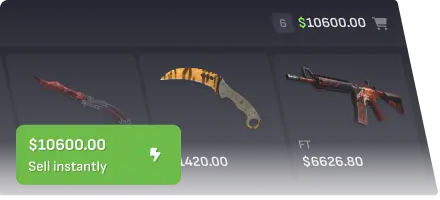
Tradeit lets you sell Rust skins instantly instead of waiting for a buyer to accept your offer. Select the items you want to sell, choose the instant sell option, confirm the trade in Steam, and your payout is processed as soon as the trade is completed.
If you prefer to spend your earnings on new cosmetics instead of withdrawing cash, you can use your balance in our Rust store to pick new Rust skins.
- Secure transactions
All trades run through our bots and the official Steam API, with automatic checks plus manual reviews on suspicious activity. This reduces the risk of scams, chargebacks, or fake buyers, so you can focus on selling your Rust skins safely.
If you run into account or payment issues on the Steam side, you can follow our step-by-step guide on how to contact Steam Support to get help from Valve.
- Recommended prices
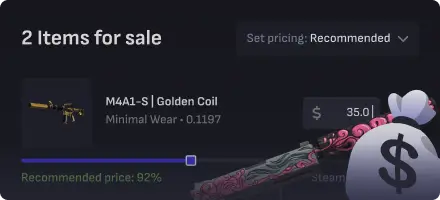
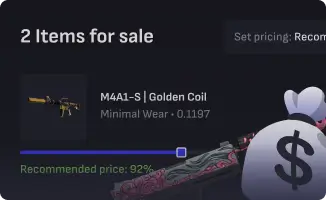
Pricing your Rust skins by hand can be time-consuming. Tradeit suggests a price for every item based on current market data, so you can quickly see a fair value for each skin.
You can accept the suggested price or set your own amount. If you want to cash out faster, you can also choose to sell Rust skins for a specific percentage below the recommended price to make your offer more competitive.
- Low fees
Fees on Tradeit are transparent and usually range from 0% to 30% of the item's sale value, depending on the skin and current promotions. There are no hidden fees, so you always see what you will receive before you confirm the sale.
You can also add "tradeit.gg" to your Steam profile name to get a 3% discount on the fee we charge when you sell Rust skins.
- Multiple cash-out options
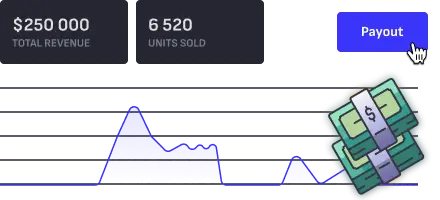
When your Rust skins are sold, you can cash out using several payout methods, such as crypto, bank transfer, debit card, or Trade balance. Choose what fits you best and withdraw your money when you are ready.
If you keep your balance in Tradeit, you can later use it to buy more items, upgrade your loadout, or wait for better deals.
- Top rated on Trustpilot
When you sell Rust skins for real money, you need a site you can trust. Tradeit has thousands of user reviews and a high rating on Trustpilot, which shows that real players have successfully sold and cashed out their skins with us.
If you would rather swap items instead of cashing out, you can also trade Rust skins with other players through our trading page.
How to sell Rust skins for real money instantly
Selling Rust skins for real money on Tradeit is simple. After you connect your Steam account and trade URL, you can list items for sale or use instant sell for crypto or cash payouts.
Here is how it works:
- Log in to Tradeit with your Steam account.
- Open the Sell Rust Skins page to load your Steam inventory.
- Select the Rust skins you want to sell and choose either instant sell or set your own cash price.
- Confirm the Steam trade and pick your payout method, such as crypto, bank transfer, debit card, or Trade balance.
After the Steam trade protection period ends, your payout is released according to the method you chose.
- Preparing your Steam account to sell Rust skins
Before you sell Rust skins, make sure your Steam account is ready. Any limits, bans, trade holds, or security changes can block your items from being sold.
- Add your Steam Trade URL to your Tradeit profile.
- Activate Steam Guard on your account.
- Make your inventory public so our bots can see your Rust skins.
To reduce the chance of items getting locked right when you want to sell them, we also recommend reading our article on how to avoid Steam trade holds.
Once these steps are done, your Steam account is read, and you can start selling Rust skins instantly on Tradeit.
Frequently asked questions
Here are quick answers to common questions about how to sell Rust skins, cash out, and fix issues with Steam trades.
How do you sell Rust skins fast?
The fastest way to sell Rust skins is to use the instant sell option on the Sell Rust Skins page. Select your items, pick instant sell for crypto or cash, confirm the trade, and your payout is processed as soon as the trade goes through.
If you are still building your inventory and want more items before cashing out, you can read our guide on how to get Rust skins and our tips on how to get free Rust skins.
Where can I cash out my Rust skins?
You can cash out Rust skins on Tradeit using several payout methods, such as crypto, bank transfer, debit card, or Trade balance. Check the fees and payout options, then choose the one that fits you best before you confirm the sale.
Why can't I sell my Rust skins?
If you cannot sell Rust skins, there is usually a Steam restriction or technical issue blocking the trade. Common reasons includeA
- a trade cooldown on new items
- Steam Guard is not being active long enough
- Recent password or security changes on your account
- VAC or game bans, or a limited account status
Read any error messages from Steam carefully and make sure your account has no holds or penalties before you try to sell again. If trades keep failing, our guides on how to avoid trade holds and how to contact Steam Support, which are linked above, can help you fix account-side problems.
Can you sell Rust skins for real money?
Yes. You can sell Rust skins for real money on third-party sites like Tradeit. Log in with Steam, select the skins you want to sell, choose a cashout method such as crypto or bank transfer, and complete the trade to receive your money.
If you are unsure which skins to keep and which ones to sell, you can look at our Rust skins guides (linked above) to learn more about different item types and prices before you cash out.
Can you sell Rust skins for PayPal?
It is possible to end up with money in PayPal after selling Rust skins, but the exact flow depends on which payout methods are currently available on Tradeit and in your region. First, check the list of cashout options on the Sell Rust Skins page, then use the payout method that lets you move the funds to PayPal after cashout if that is what you prefer.