
Valve’s minimum CS2 requirements are Windows 10, four hardware CPU threads, 8 GB RAM and 85 GB of free space. The Windows graphics requirement is at least 1 GB VRAM with DirectX 11 and Shader Model 5.0 support. Linux has its own Vulkan requirements, listed below.
The 2 GB RAM and DirectX 9 figures you may remember were for CS:GO. CS2 runs on Source 2. Checking whether an old PC meets the new minimums is the first step; getting it to hold your preferred frame rate is another.
Counter Strike 2: CS2 System Requirements
CS2 Minimum Specs for Windows
| Component | Valve’s minimum |
|---|---|
| OS | Windows 10 |
| CPU | Four hardware CPU threads; Intel Core i5-750 or higher |
| RAM | 8 GB |
| GPU | At least 1 GB VRAM; DirectX 11-compatible with Shader Model 5.0 support |
| DirectX | Version 11 |
| Storage | 85 GB available |
Check the GPU model, not just its memory capacity. “1 GB graphics card” leaves out the required graphics features. Likewise, the thread count isn’t a promise that two processors with four threads will perform equally.
CS2 Recommended Specs for Windows
Valve doesn’t list a separate recommended build. For a PC you’re buying or upgrading, we’d start with 16 GB RAM and an SSD, then choose the CPU and GPU from CS2 benchmarks at your intended resolution. That’s our practical advice, not an extra official requirement.
| Part | What we’d check before buying |
|---|---|
| CPU | CS2 benchmarks showing frame-time consistency as well as average FPS |
| GPU | Results at the resolution and graphics preset you’ll use |
| RAM | 16 GB as a starting point, with headroom for your normal background apps |
| SSD | Enough free space for CS2, workshop content and updates |
| Monitor | A refresh rate your system can use consistently |
Don’t choose a whole PC from a promised “144 FPS” label. A quiet practice session and a busy fight aren’t the same workload. The game’s FPS and frame-time display helps you spot slow frames that an average can hide.
Minimum System Requirements for SteamOS and Linux
| Component | Valve’s minimum or recommendation |
|---|---|
| OS | Ubuntu 20.04 |
| CPU | Four hardware CPU threads; Intel Core i5-750 or higher |
| RAM | 8 GB |
| GPU | AMD GCN or newer, or NVIDIA Kepler or newer, with up-to-date Vulkan drivers |
| Driver feature | VK_EXT_graphics_pipeline_library support is highly recommended |
| Storage | 85 GB available |
| Sound card | Highly recommended |
For CS2 on Linux, the driver matters as much as the distribution label. The Windows DirectX requirement doesn’t replace the Linux Vulkan requirement.
Can CS2 Run on a Mac?
There is no native macOS build of CS2. CS:GO’s old Mac specifications no longer apply. Running Windows on suitable hardware or using a cloud service is a separate setup, with restrictions you’ll need to check for that route.
How Many GB Is CS2?
Allow 85 GB of free space for CS2. Don’t confuse that with the number in the download queue. Download compression, patches and extra workshop maps all affect the size you see on your PC.
Steam shows the installed size under Settings > Storage. Keep some room beyond the installation itself for updates to unpack and replace files.
Do Rush Mode and New Updates Change the Requirements?
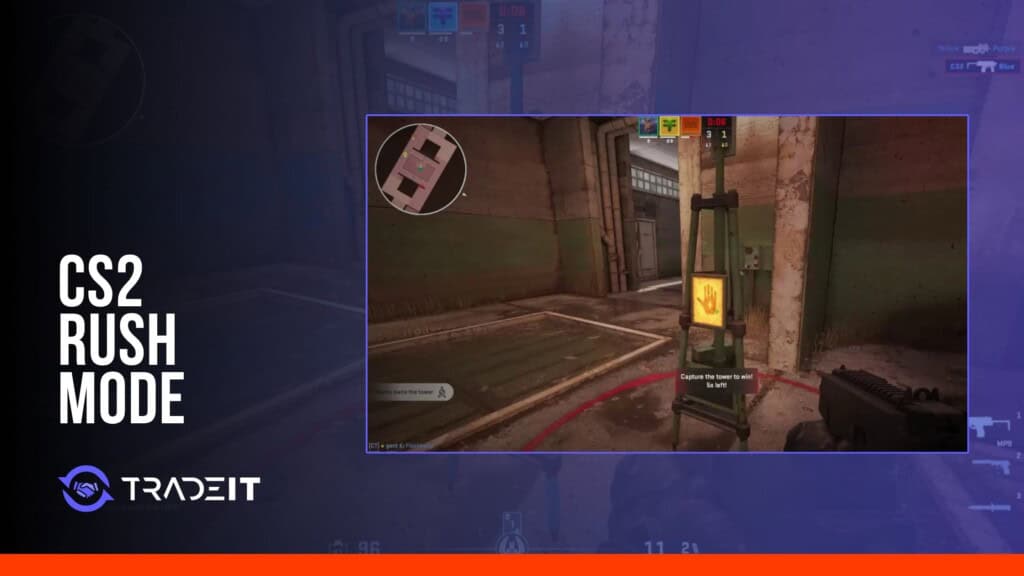
Rush mode doesn’t have a separate published minimum or installation. Use the CS2 specifications above, while allowing for different performance on different maps.
A slower session after a patch isn’t enough to identify a failed part. Go back to a scene you can repeat with the previous settings before comparing results.
What Are Recommended Specs for a CS2 Server?
For a dedicated server, you’re sizing match simulation and network traffic, not the graphics on each player’s screen. The client GPU specification above isn’t a server requirement.
- CPU: check whether simulation work stays consistent with players connected.
- RAM and storage: allow for the server build, maps, plugins, logs and updates.
- Network: check upload capacity, latency and routing to the players.
- Workload: size for your actual player count and plugins. A private match isn’t equivalent to a heavily modified public server.
There isn’t a reliable “this many MHz per player” rule. Monitor the intended workload before adding capacity. If several people suddenly lose access together, also check for a CS2 service outage.
What Should Be the Best Computer Hardware for CS2?
Choosing between a new CPU and GPU? Lower the resolution for a comparison first, with everything else unchanged. If FPS improves sharply, less graphics work is helping. If it barely moves, investigate the CPU, frame cap and background activity too.
- Record the resolution, preset and FPS cap.
- Repeat the same map route, including a busy scene.
- Note slow frames alongside the average.
- Watch for temperature or clock changes as the session goes on.
- Check CS2 hardware reviews for the part you’re considering.
It’s an imperfect test: players, smoke and background work won’t be identical every time. Check your video settings too before buying.
What Setups Do Professional CS2 Players Use?
Pro players’ PCs and high-refresh displays can show what a competitive setup looks like, but they’re not Valve’s recommended specifications. A tournament PC may also differ from a player’s home setup.
Use pro settings to understand the workload. Copying a resolution doesn’t copy the player’s CPU, RAM, drivers or FPS.
Frequently Asked Questions
Can CS2 run with 4 GB RAM?
That’s below the 8 GB minimum. The older CS:GO requirement isn’t a suitable target for a CS2 build.
Are the minimum specs enough for 144 FPS?
They don’t guarantee 144 FPS. You need performance results for the complete system, resolution and settings.
How much drive space does CS2 need?
85 GB available is Valve’s requirement. Your installed files and workshop content are shown in Steam’s Storage menu.
Does the CPU matter for CS2?
Yes. When the CPU is limiting frame rates, a faster GPU won’t remove that limit.
Is an SSD mandatory?
Valve doesn’t specify an SSD in the minimums. We’d choose one for loading and updates, not promise a fixed in-match FPS gain from it.
Does CS2 support macOS?
No native macOS version is available. The listed desktop platforms are Windows and Linux.
Summary
Use Valve’s minimums for compatibility. Choose upgrades from measured CS2 performance, including slow frames, at the settings you’ll actually play.