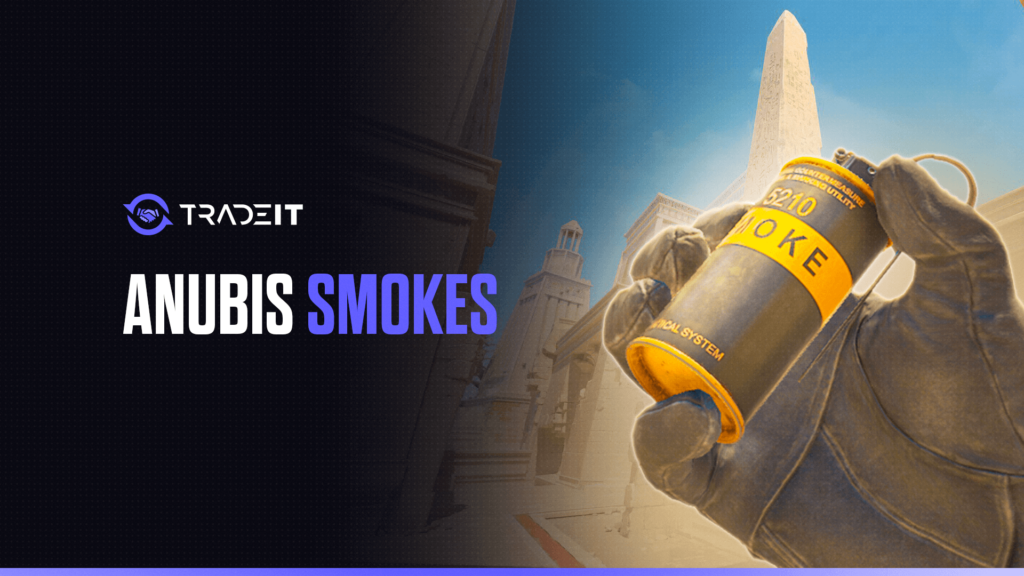


Learning the best Anubis smokes in CS2 makes taking mid and executing onto either bombsite much easier.
Anubis has several long sightlines and important connector routes, so a few reliable lineups can dramatically reduce the number of angles you need to clear.
Here are the most useful smokes to learn, plus practice commands and tips for making your throws more consistent.
Quick Answer: Best Anubis Smokes in CS2
E-Box, A-Connector, Arches, Deep Mid, Heaven, A-Main, B-Gate, Long, and Palace.
Prioritize smokes that isolate defenders and block important rotation paths during site executes.
E-Box and Deep Mid are particularly useful for limiting vision and creating safer routes through the center of Anubis.
Key Anubis Callouts to Know
Before practicing lineups, familiarize yourself with the areas involved. Important Anubis callouts for these smokes include: Mid, E-Box, A-Connector, Arches, A-Main, Heaven, B-Gate, Long, Palace, and B-Site.
Knowing exactly where a CS2 smoke needs to land is more important than memorizing the lineup itself. Callouts also make team coordination easier because teammates immediately understand which sightline or rotation route you are blocking.
Best Mid Smokes
Here are the best Mid smokes in CS2:
E-Box Smoke 1
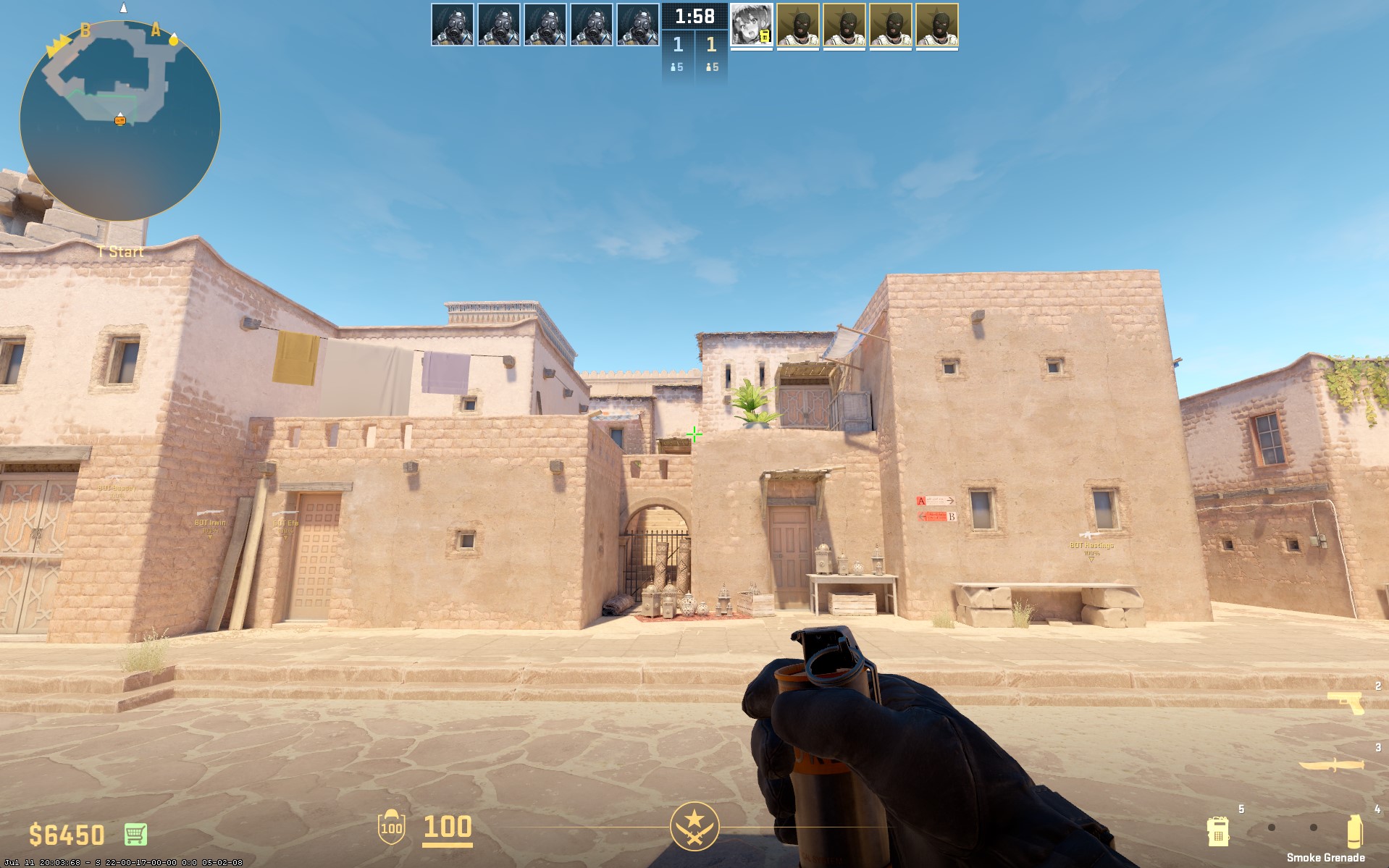
Technique: Jump-throw
This smoke blocks the E-Box area and limits vision toward mid. It is useful when taking early control because defenders have fewer opportunities to hold or peek the center from a comfortable position.
E-Box Smoke 2
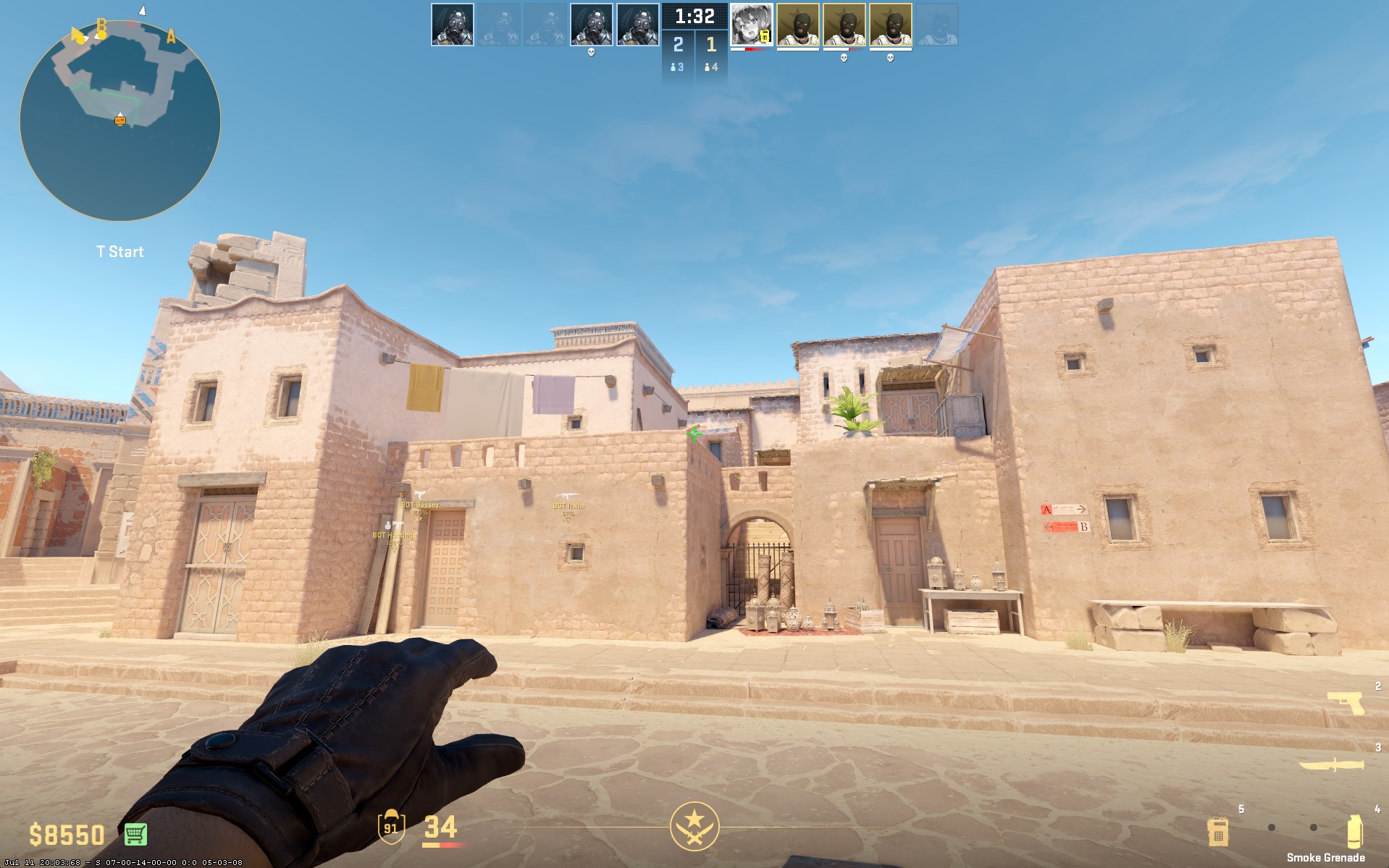
Technique: Jump-throw
The second E-Box lineup provides an alternative throwing position. Having multiple ways to smoke the same area makes your mid setups less predictable and gives you flexibility depending on your spawn.
A-Connector Smoke
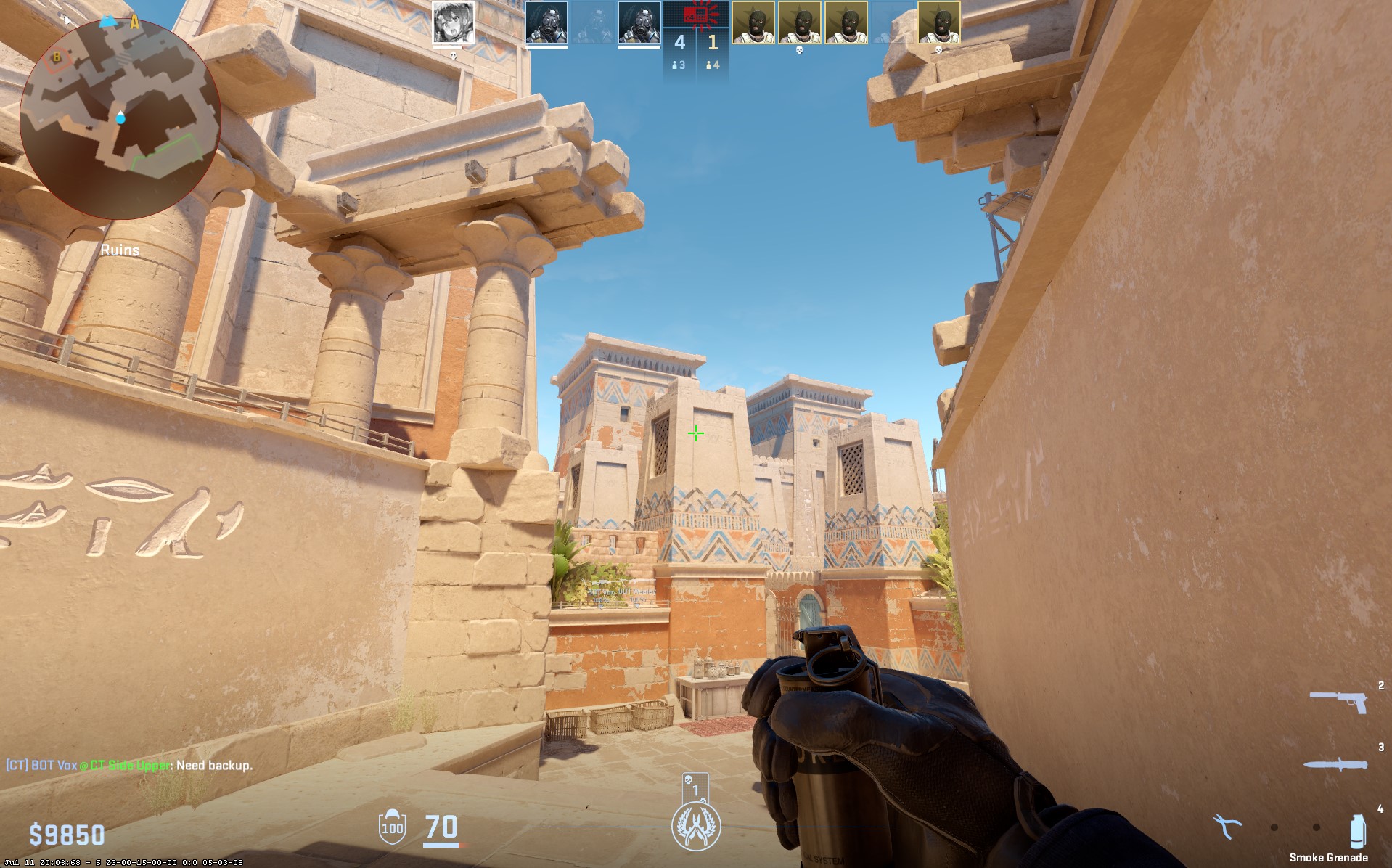
Technique: Jump-throw
Smoking A-Connector can prevent defenders from supporting mid or quickly rotating toward A. It is especially useful when your team plans to transition from mid control into an A execution.
Arches Smoke
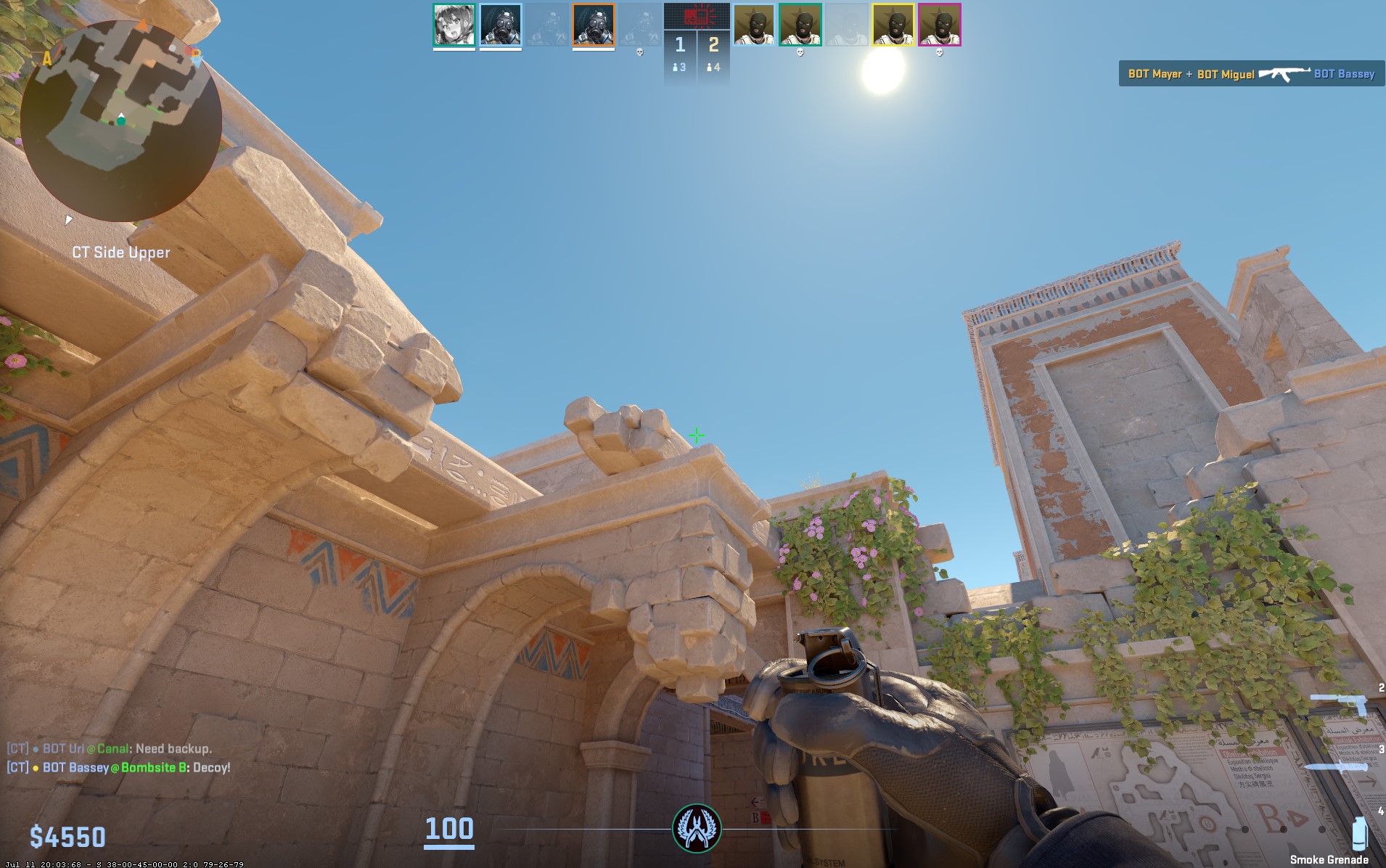
Technique: Jump-throw
The Arches smoke blocks an important set of angles and makes moving through mid safer. Use it to limit long-range fights while your team establishes control or prepares a site execute.
Deep Mid Smoke
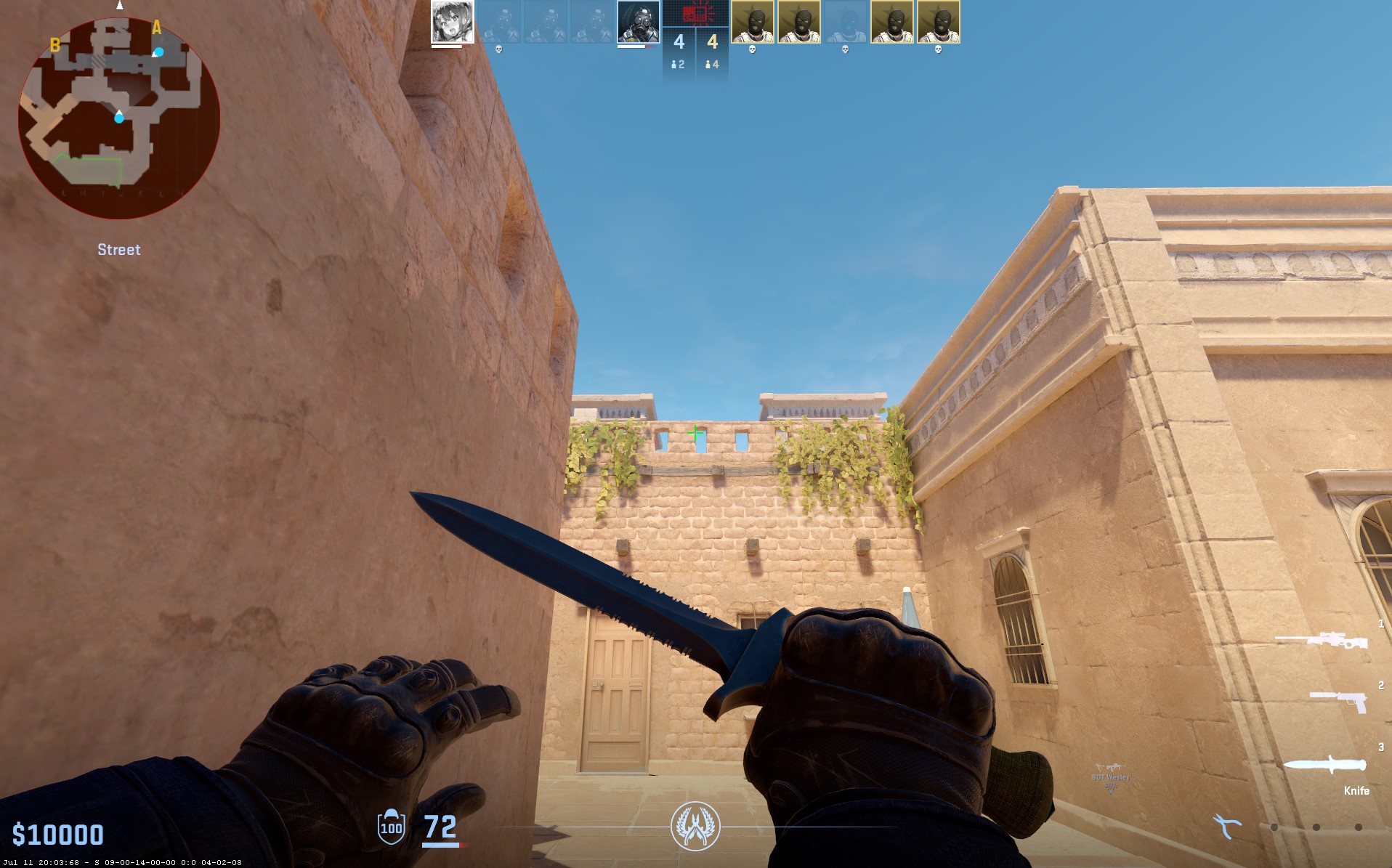
Technique: Jump forward
A deeper mid smoke pushes the defensive line back and reduces the amount of information opponents can gather. It can create space for your team to advance or rotate without immediately exposing yourselves.
Best A Execute Smokes
Here are the best A-execute smokes in CS2:
Heaven Smoke
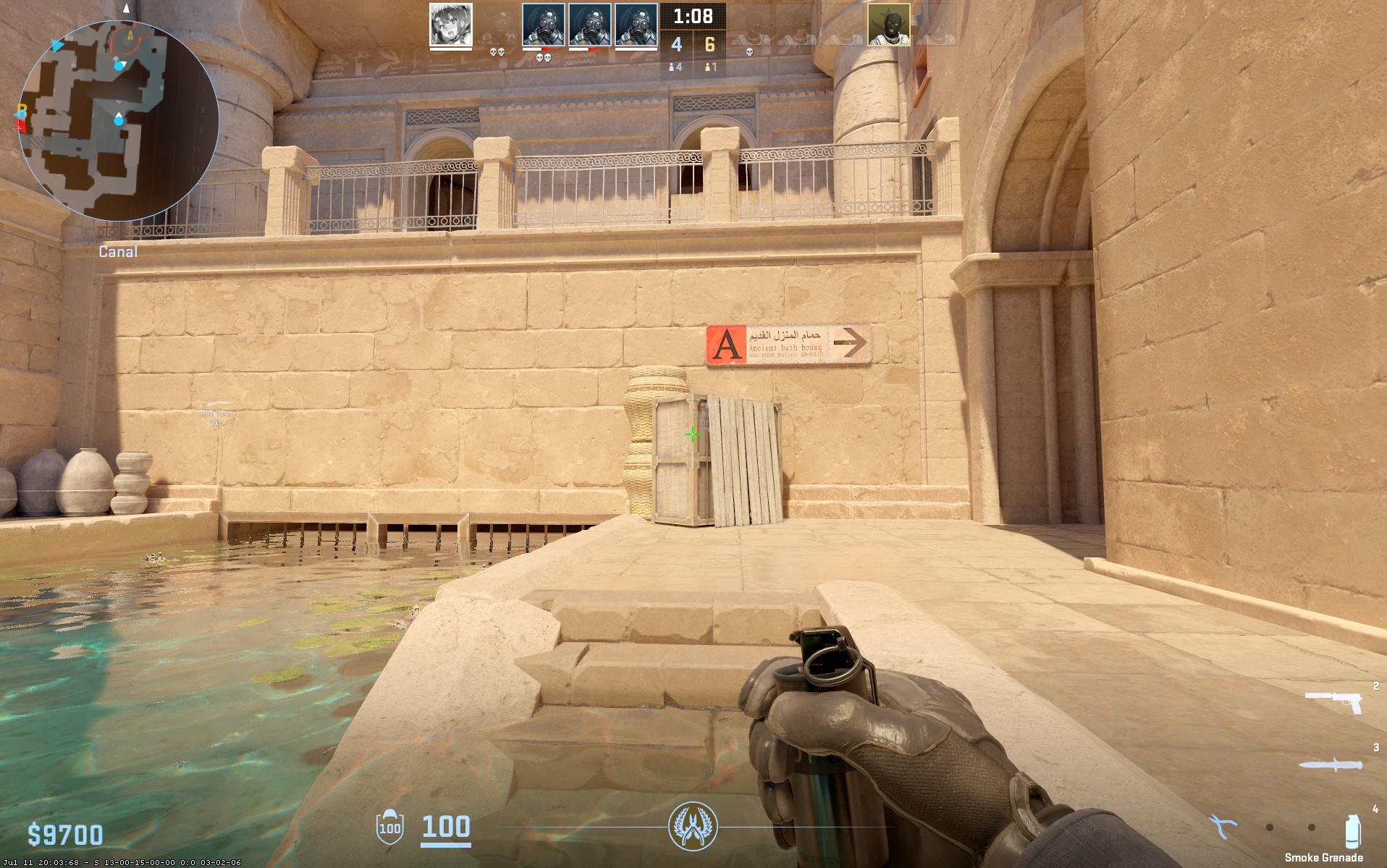
Technique: Jump-throw
The Heaven smoke removes an elevated defensive angle and makes entering A safer. It is particularly valuable when combined with other A-site smokes that isolate the remaining defenders.
Connector Smoke
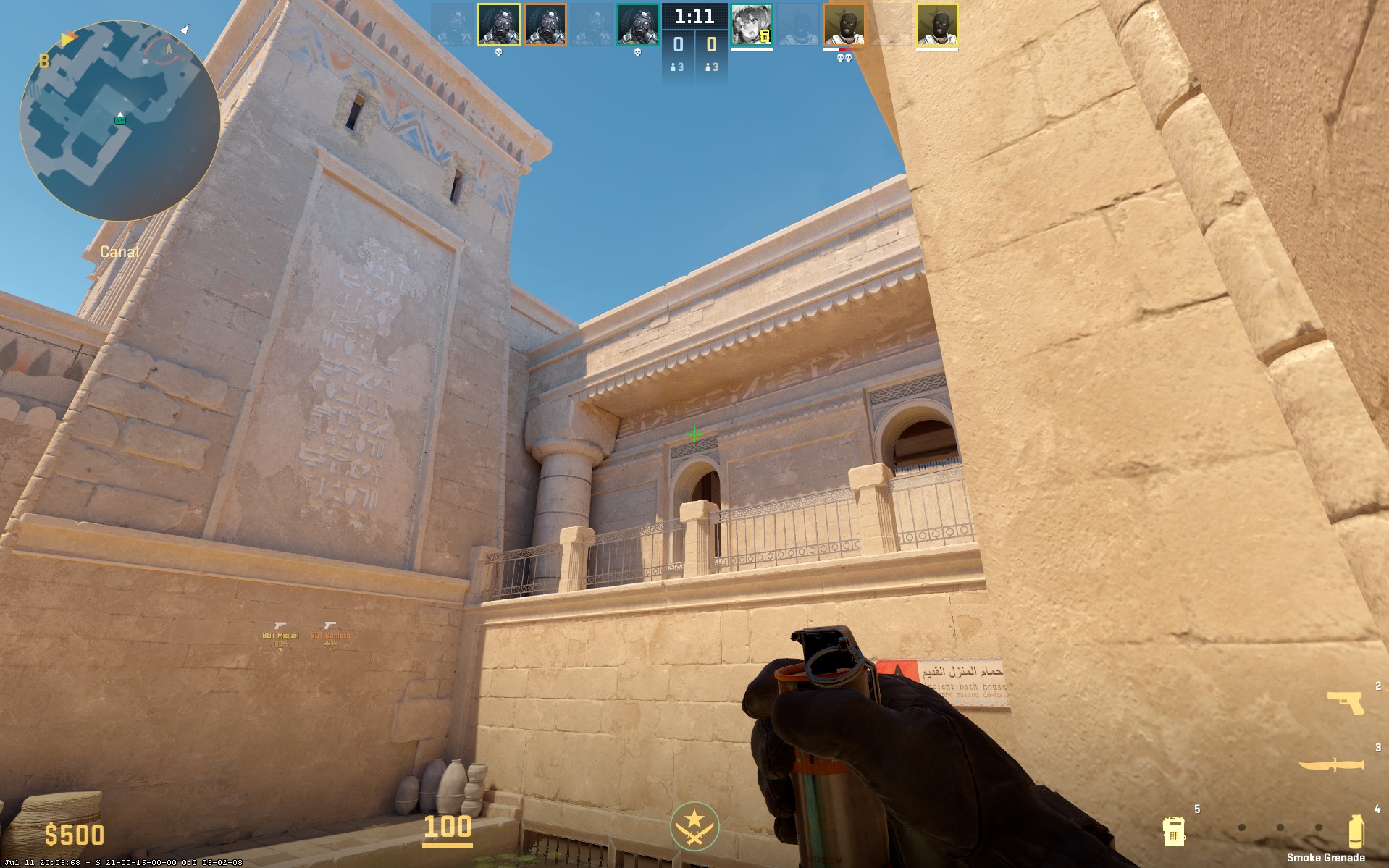
Technique: Standard throw
Blocking Connector limits fast rotations and can help your team secure the site after entry. It also makes post-plant positioning easier because defenders have fewer direct routes into the site.
A-Main Smoke
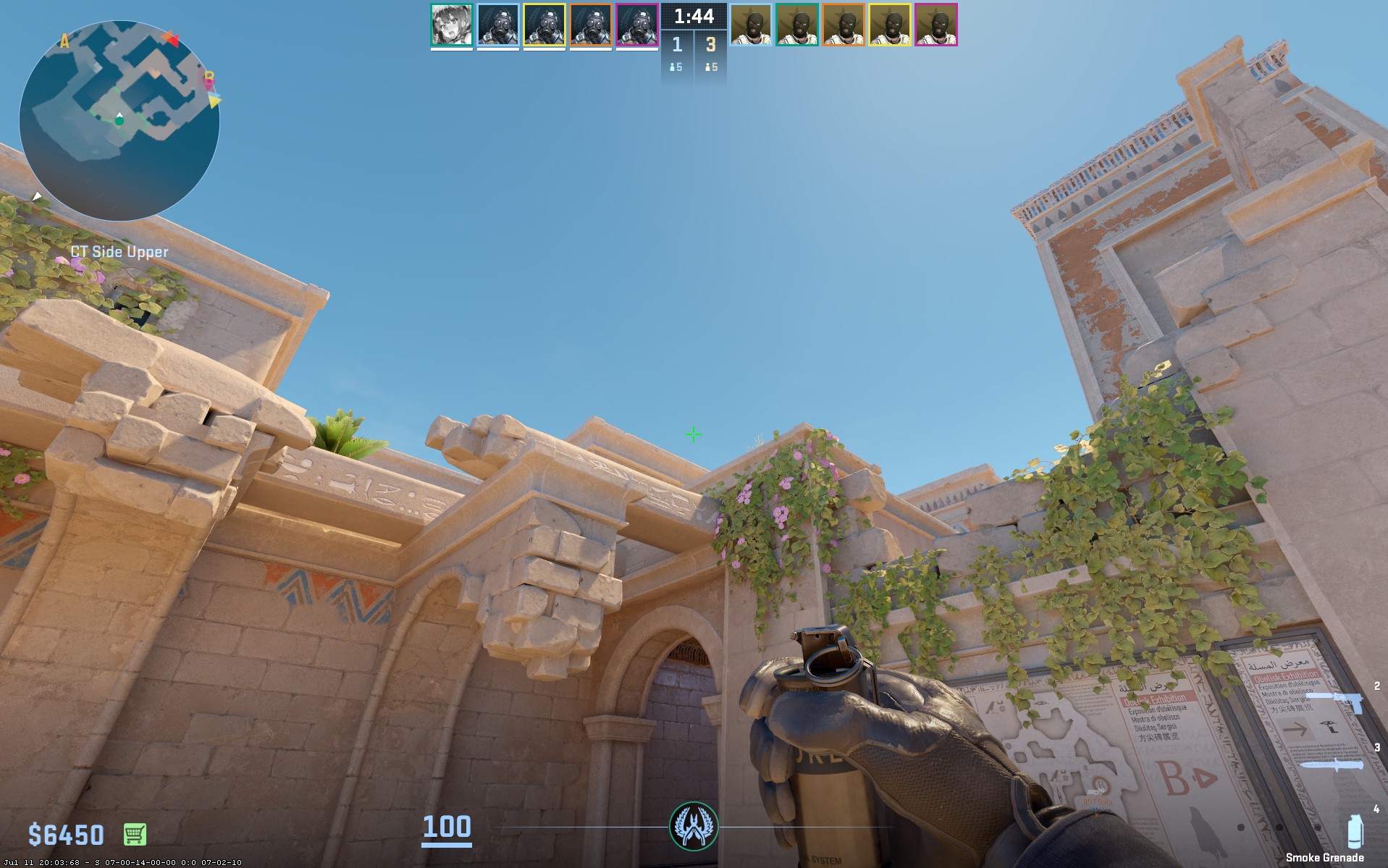
Technique: Jump-throw
A-Main can be smoked to reduce visibility around the entry route and simplify the execution. This gives your team more freedom to focus on the angles that are still open.
Main-End Smoke
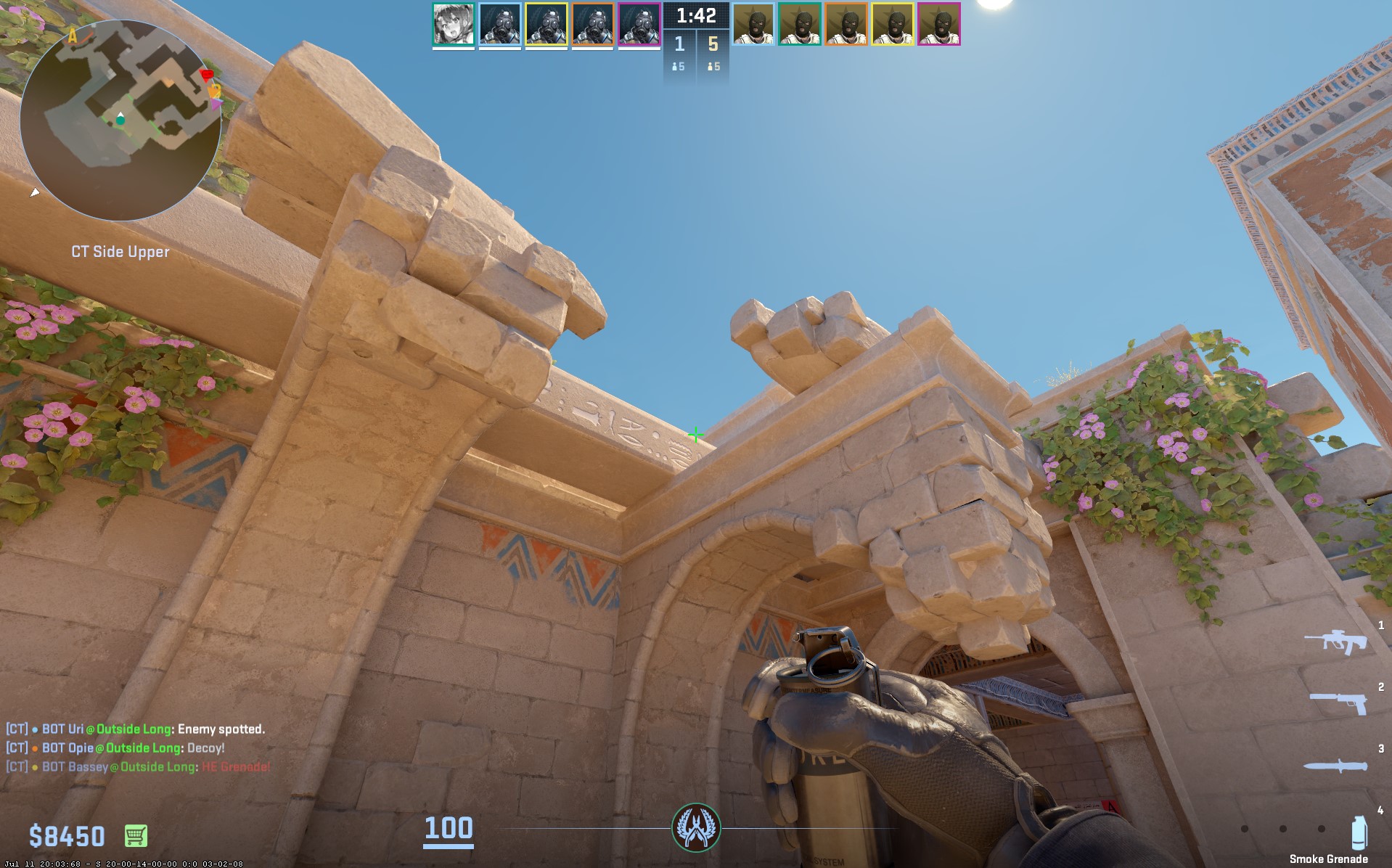
Technique: Jump-throw
This variation provides broader coverage around the end of A-Main. It can be useful when you need additional space to move through the execute or want to deny defenders a wider set of sightlines.
Best B Execute Smokes
Here are the best B-execute smokes in CS2:
Long Smoke
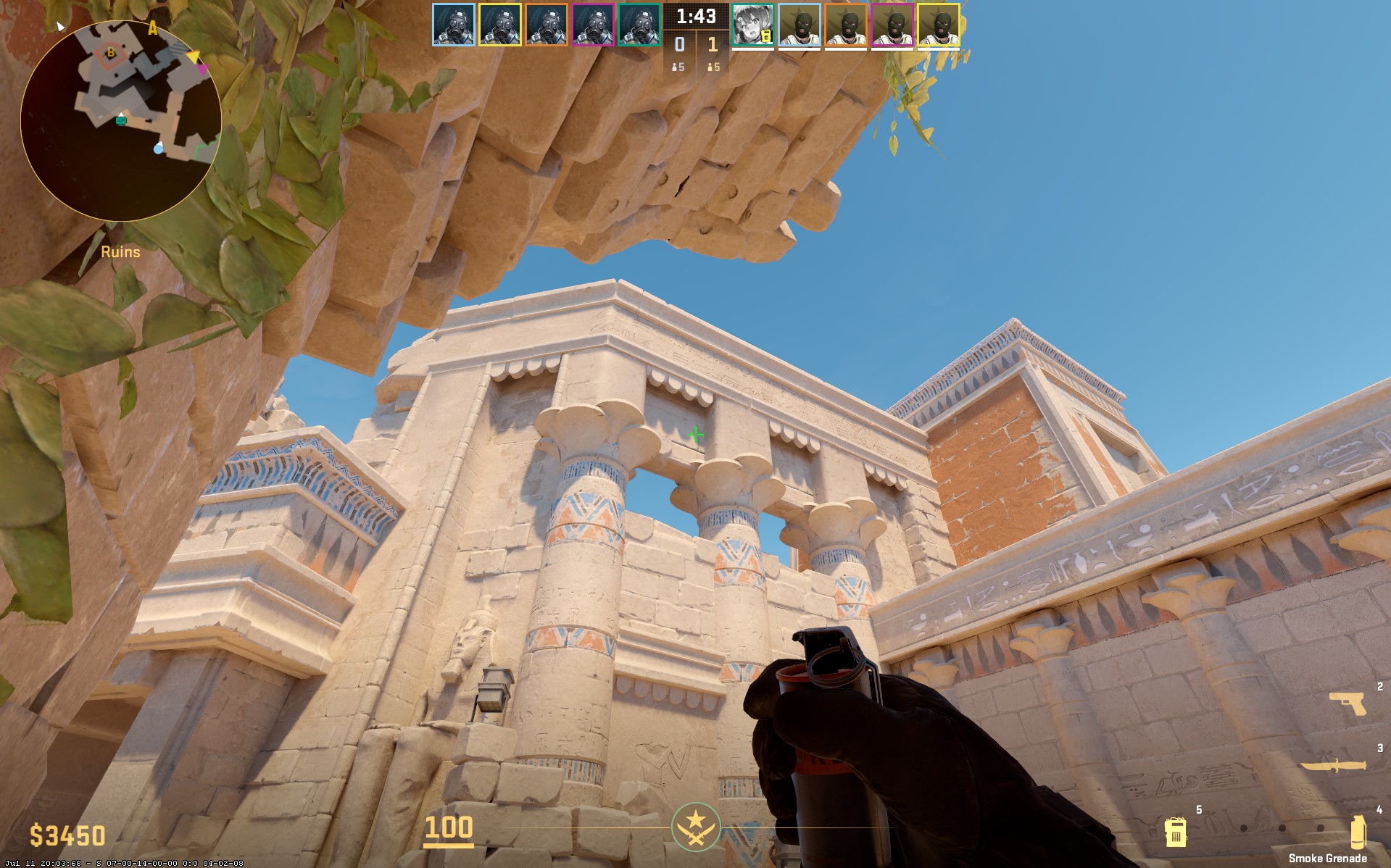
Technique: Long-throw
The Long smoke cuts off an important sightline and makes the approach toward B less exposed. It is useful for forcing defenders into closer engagements.
Palace Smoke
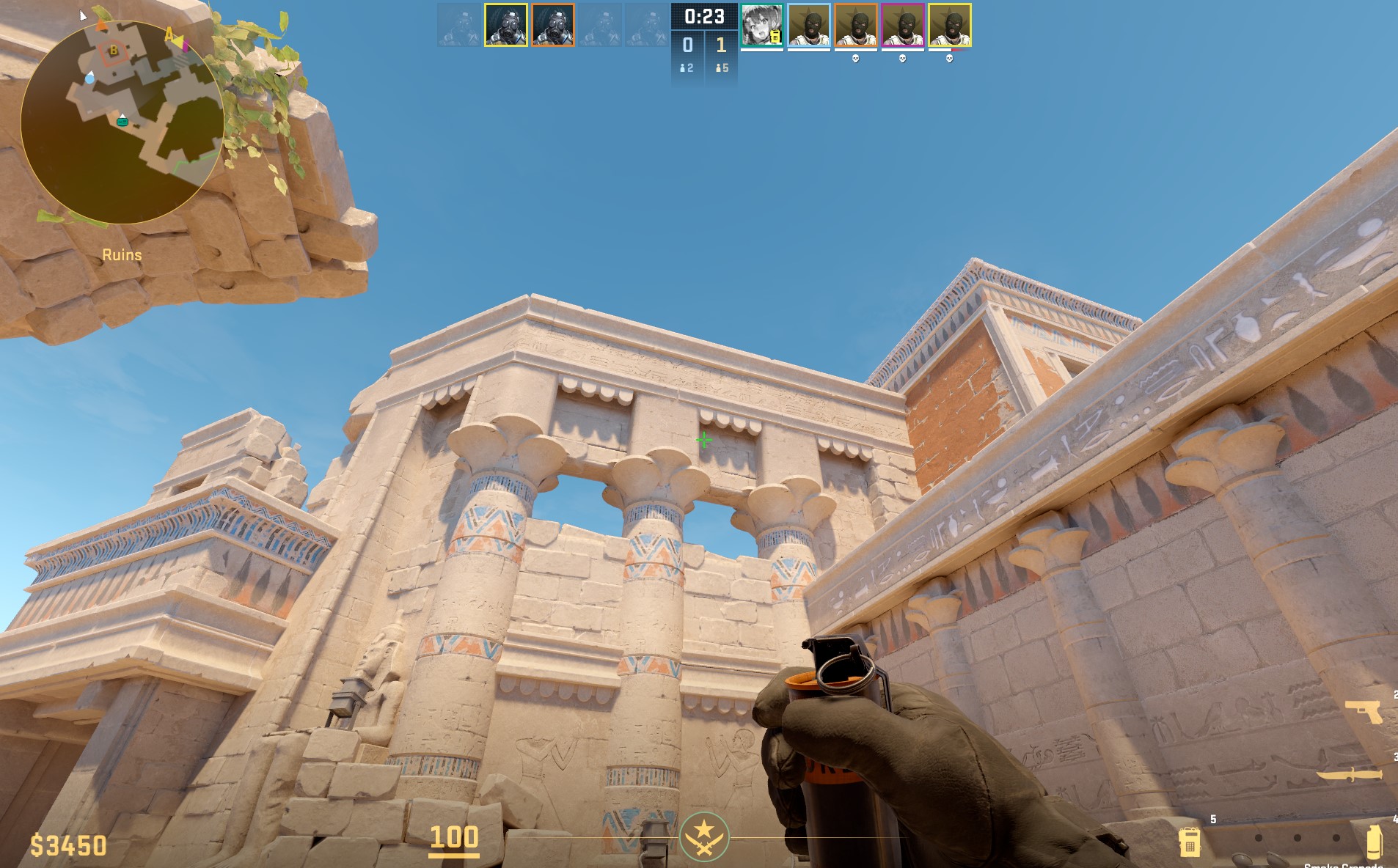
Technique: Simple throw
Smoking Palace denies defenders another useful position during the B execute. It can help isolate the site and reduce the number of angles your entry players need to check.
E-Box Smoke
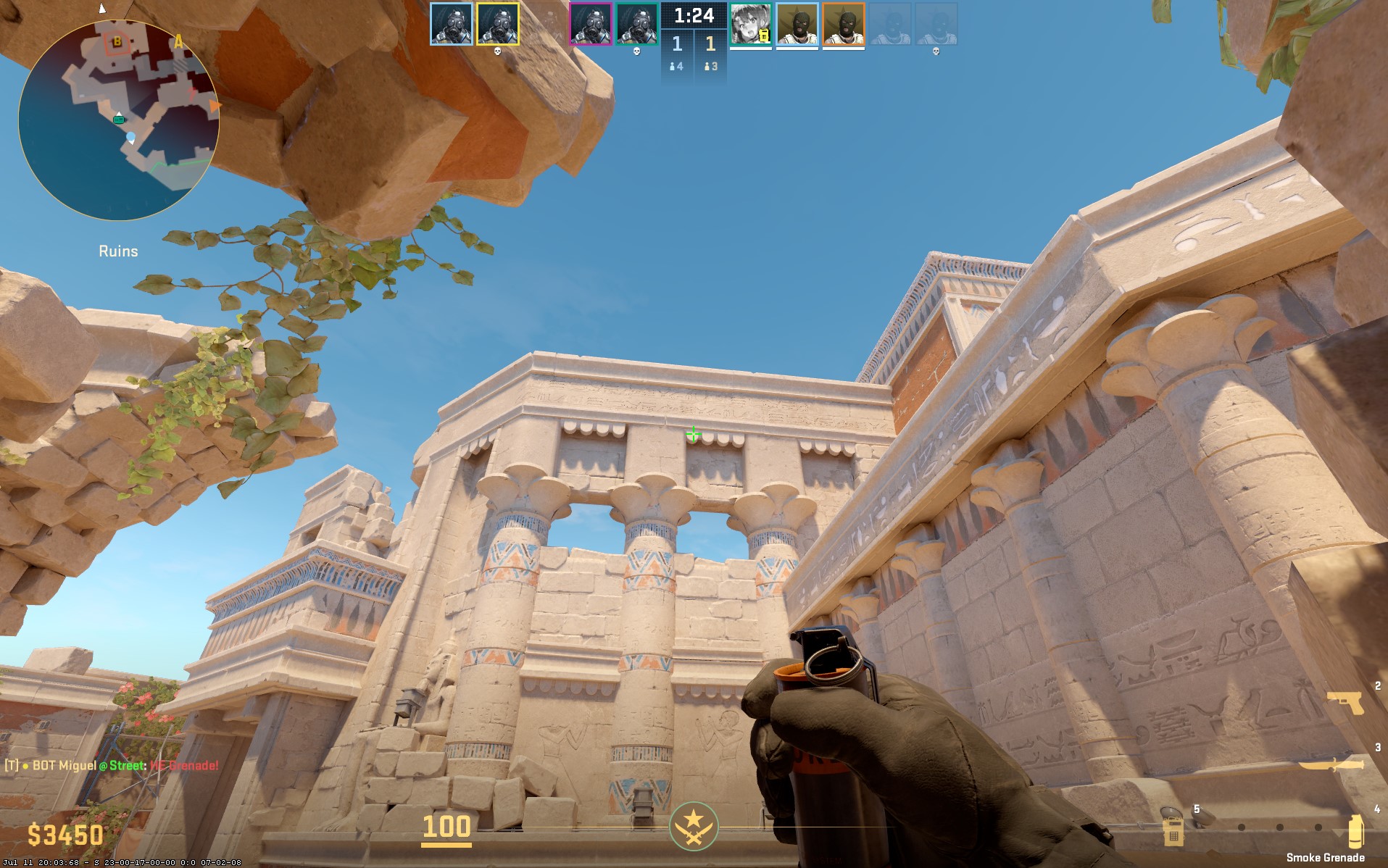
Technique: Simple throw
This B-side E-Box smoke blocks a key area and helps isolate defenders. Use it alongside other B smokes to create a more controlled path onto the site.
B-Gate Smoke
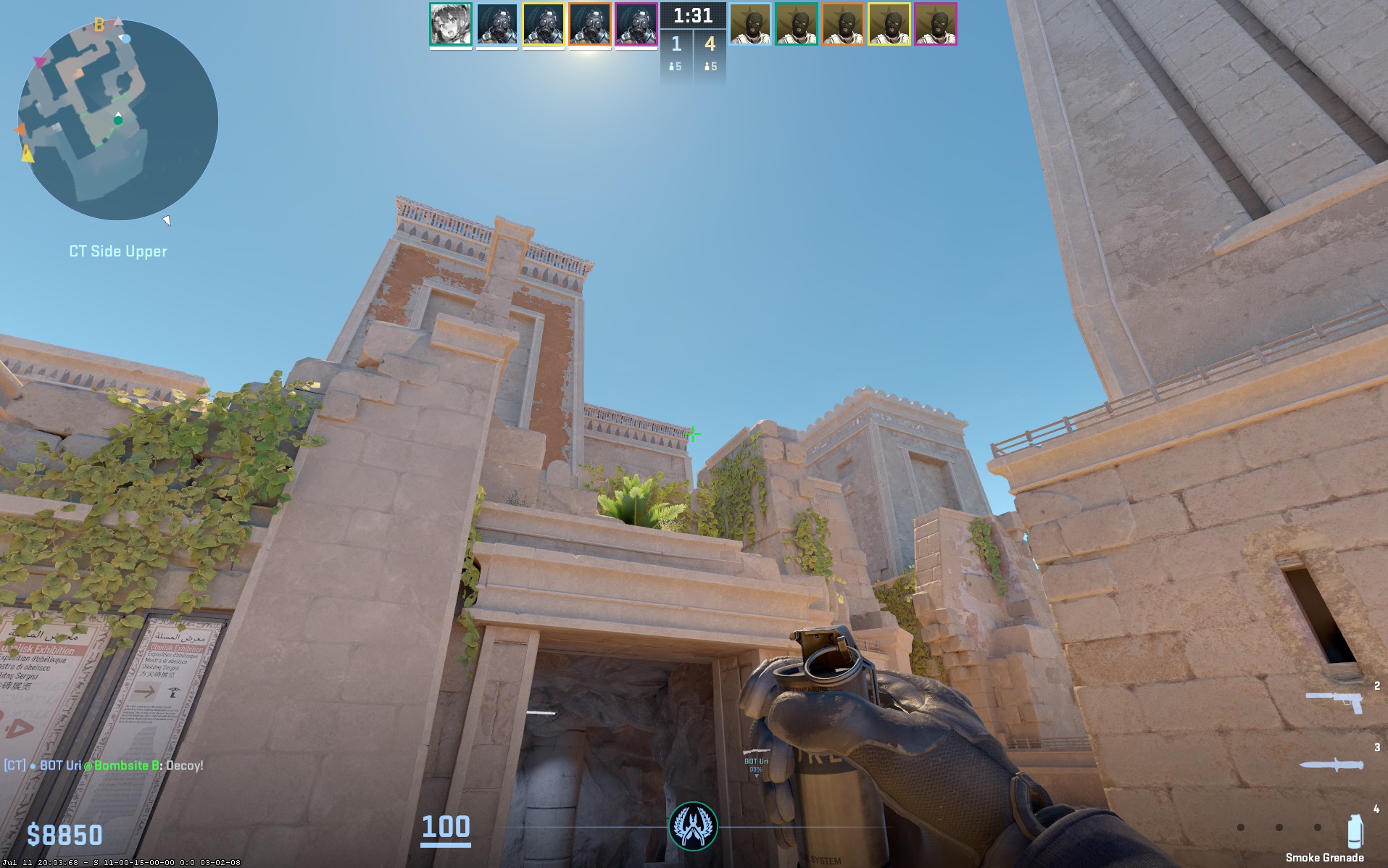
Technique: Jump-throw
B-Gate is an important route for rotations and retakes. Smoking it can delay defenders and give your team additional time to plant and establish post-plant positions.
Once you’ve mastered your lineups, browse CS2 skins on Tradeit and find something new for your loadout. →
Buy CS2 SkinsBest Retake Smokes
Smokes are also valuable when retaking a site. Rather than throwing them automatically, use them to divide the site into smaller sections and isolate defenders.
A well-placed Connector, Heaven, or B-Gate smoke can force enemies into unfavorable positions while your team moves together.
Remember that CS2 smokes typically last around 18 seconds, so timing matters. Throwing too early can leave your team exposed before the actual execute or retake begins.
Practice Commands for Lineups
Use an offline practice server to learn your Anubis lineups. Commands such as sv_cheats 1, sv_infinite_ammo 1, and grenade practice settings can give you unlimited utility and make repeated attempts much faster.
You can also use grenade trajectory and practice-time commands to see where each smoke lands and quickly reset your position. This is much more efficient than trying to learn lineups during live matches.
Tips for Consistent Throws
Practice each lineup from the exact same starting position. Use recognizable map landmarks, walls, corners, and textures to establish your reference points.
If a lineup requires a jump-throw, practice the movement until the timing becomes automatic.
Also learn the result of the smoke rather than relying exclusively on a pixel-perfect crosshair position. This makes it easier to reproduce the lineup after map updates or minor positioning differences.
FAQs
What are the best Anubis smokes in CS2?
The most useful lineups include E-Box, A-Connector, Arches, Deep Mid, Heaven, A-Main, Long, Palace, and B-Gate. The best choices depend on whether you are taking mid, executing A or B, or attempting a retake.
Do I need a jump-throw bind for Anubis lineups?
Not necessarily. Many lineups use jump-throws, but you can perform them manually. Learning the required timing is useful even if you do not use a dedicated bind.
How do I practice Anubis smokes fast?
Create an offline practice server, enable cheats, use unlimited ammunition, and use grenade practice commands. This lets you repeatedly throw the same smoke without waiting for another round.
How long does a smoke last in CS2?
A CS2 smoke typically lasts around 18 seconds. This gives teams a temporary way to block sightlines, cross dangerous areas, or execute onto a bombsite.
How should I smoke on Anubis?
Use a consistent lineup position, aim at the appropriate landmark or skybox reference, and perform the required throw. The A-Connector smoke is particularly useful for blocking rotations during an A execute.
How to smoke Heaven on Anubis in CS2?
Find a consistent lineup position and use a jump-throw toward the appropriate skybox or building reference. The resulting smoke blocks the elevated Heaven angle and makes the A entry safer.
How do you make smoke infinite in CS2?
On an offline or private practice server, enable cheats with sv_cheats 1 and use grenade practice commands to give yourself unlimited utility. This allows you to repeatedly practice smoke throws without running out of grenades.
How do you get infinite smokes in CS2?
Enable sv_cheats 1 in a practice or private server and use sv_infinite_ammo 1. This provides unlimited ammunition and utility for practicing lineups without needing to restart rounds constantly.