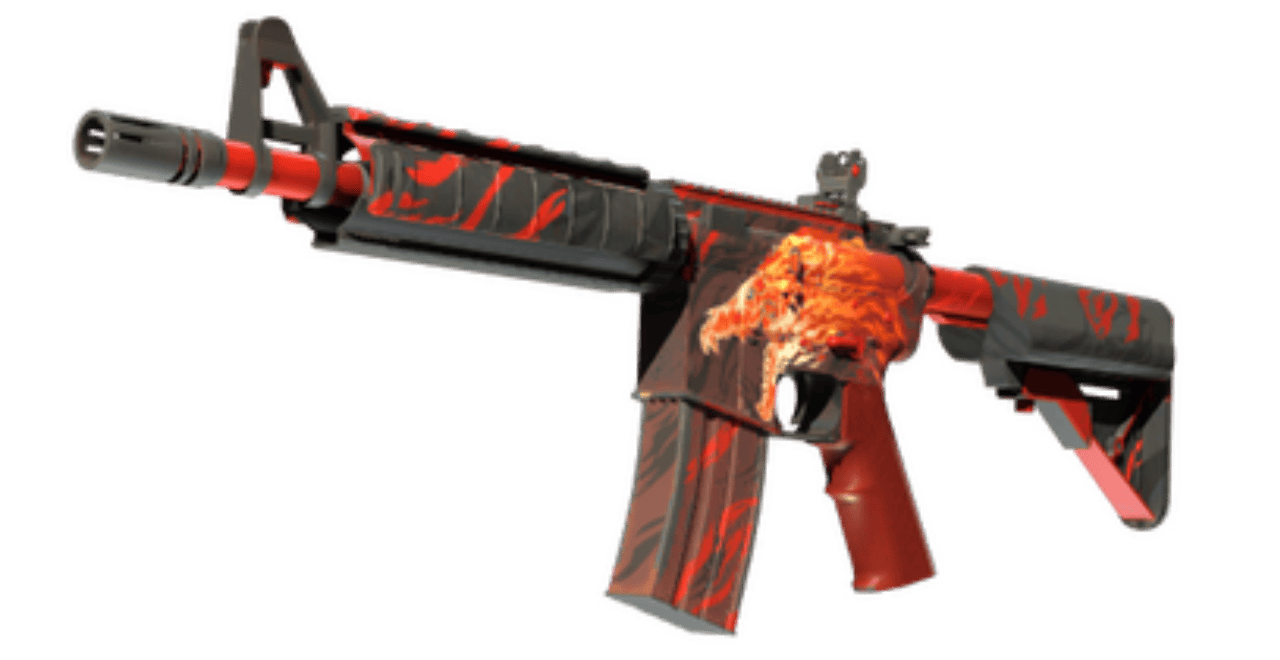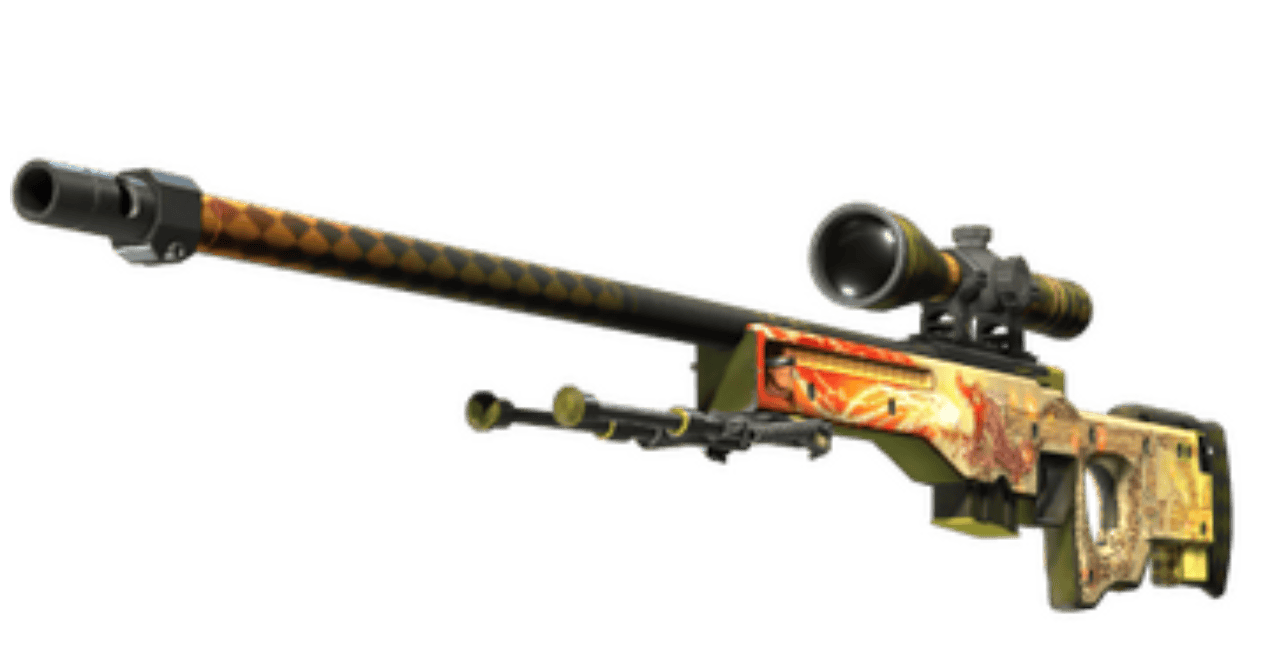


You have just traded, and this skin has a yellow shield on it. Or someone phished your account, and you’re trying to get your skins back. Both are about the same Steam feature.
Steam Trade Protection is a safety feature developed by Valve that marks every CS2 item you receive in a trade as Trade Protected for 7 days. You can equip this item right away, but you cannot trade, sell, modify, or store it until the 7 days end. During this time, you can reverse any protected trades from your Steam Trade History. Doing this puts a 30-day trade and Market cooldown on your account.
| Key fact | Answer |
|---|---|
| Protection window | 7 days |
| Applies to | CS2 items received in trades |
| What a reversal undoes | All protected trades from the last 7 days |
| Cooldown after reversing | 30 days, only for the account that reverses |
| Can Steam Support remove it | No |
| Live since | July 2025 |
What Is Steam Trade Protection?
Trade Protection is a system that gives you a 7-day safety window on every CS2 item you receive from a trade. Valve added this so you can get items back if they were stolen from your account or got lost because of malware or phishing. Before its invention, a trade was final the moment both parties accepted it.
If an item is trade protected, you will see a yellow shield on your Steam inventory and in the trade window. You still have this item and you can use it straight away in the game. You cannot sell or transfer items while the protection time lasts.
Trade Protection is only available on CS2 right now. Valve says it wants to bring the system to other games, but hasn’t said which ones. There is no way to turn it off.
Which Items Are Trade Protected?
Every CS2 item you receive through a trade offer is Trade Protected. It does not matter who the other side is, whether it is a friend, a stranger or a bot from the marketplace. The item is delivered in real time and comes with the 7-day shield.
There is a second, older rule that often gets mixed up with this one. From October 2, 2024, items you receive from the in-game store, the Armory, trade offers or the Steam Community Market cannot be traded again or put back on the Steam Community Market for 7 days. Our support team has confirmed that the Trade Protection runs at the same time as the lock, so you don’t need to wait 7 days and then another 7.
Trade Protection does not cover Steam Community Market purchases or sales. They are final and cannot be reversed. Only items that were received through a trade offer are able to be pulled back. Check the table further down to see every type of lock, side by side.
What Can You Do With a Trade Protected Item?
You can equip this item and use it, but that’s all. Valve says that a protected item cannot be consumed, modified or transferred, so that means a protected item cannot be moved into a Storage Unit.
| Allowed | Blocked until the 7 days end |
|---|---|
| Equip it on your loadout | Trade it to another player or a site |
| Use it in matches | Sell it on the Steam Community Market |
| Inspect it in game | Move it into a Storage Unit |
| See it in your inventory | Apply or scrape stickers, charms or name tags |
| Open it, if it is a case or capsule | |
| Use it in a trade-up contract |
How Long Does Trade Protection Last?
The trade protection is active for 7 days from the moment the trade went through. After the window ends, the shield goes away, the item can be traded and sold again, and the trade becomes final.
When you hover over an item in your Steam inventory, you will see the exact time when it unlocks. The item description shows the time and date at which it becomes tradable. Valve suggests using the date on the item rather than counting the days yourself.
How to Reverse a Trade on Steam
If you want to reverse the trade, you must open your Steam Trade History within 7 days of the trade and reverse your protected trades. Before you reverse any of them, you should know that it will reverse all of them at once and place a 30-day trade and Market cooldown on your account.
Before You Reverse: Secure Your Account
If your account was compromised, make sure to lock it down first. Otherwise, this person will just do it again.
- Change your password on Steam to make sure that nobody can access your account.
- Make sure you have deauthorized all other devices in your Steam Guard settings.
- Check the email address and phone number on your account are still yours.
- Revoke any Steam Web API keys you did not create yourself. If you do not remember when and where you created a key, just revoke all of them. The Steam API scam steals items from players using their Steam API key.
- Make sure to scan your computer for malware.
- The Steam Guard Mobile Authenticator is a good way to protect your account. You can turn it on right now, if you have not done it yet.
If you are unable to get the account back, contact Steam Support before doing anything else.
Step-by-Step: Reversing Your Protected Trades
Reversing a trade undoes all the protected trades made in the last 7 days and locks your account for 30 days.
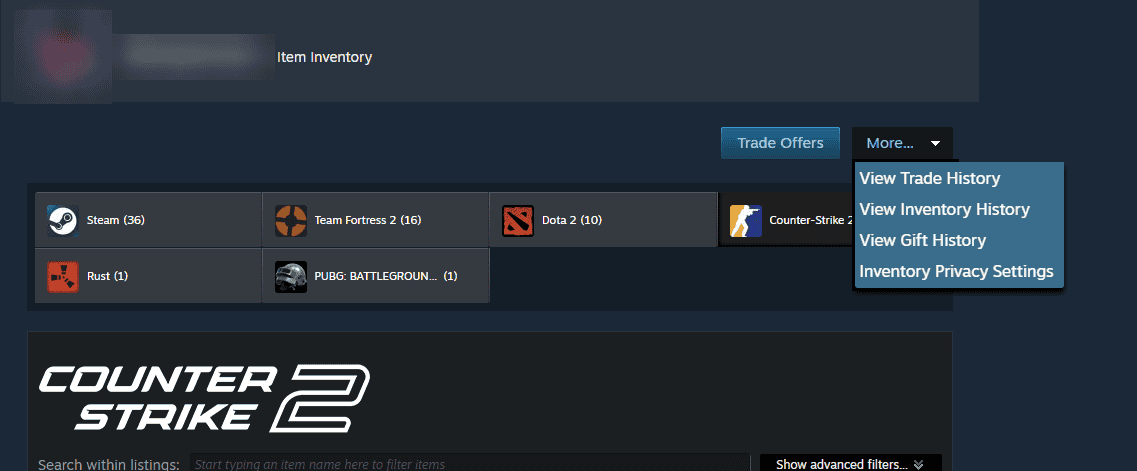
- Open your Trade History. If you want to see your trade history, you need to go to your Steam inventory, click More… and then View Trade History. Our guide also has other ways to view your Steam trade history.
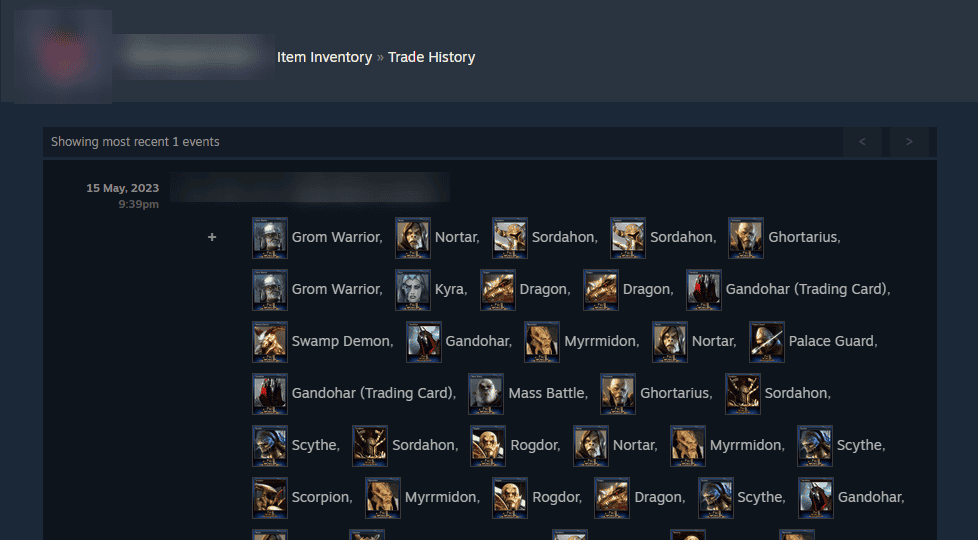
- Find your trades from the last 7 days. Only trades with a yellow Trade Protected shield can be reversed. Valve lets you review them and start the reversal from this page.
- Go to the Steam Support page “My items were stolen or traded without my authorization”. “My reversible trades” shows you every trade you’re currently able to reverse, plus any trades on hold. If you have none, it will inform you that you have none.
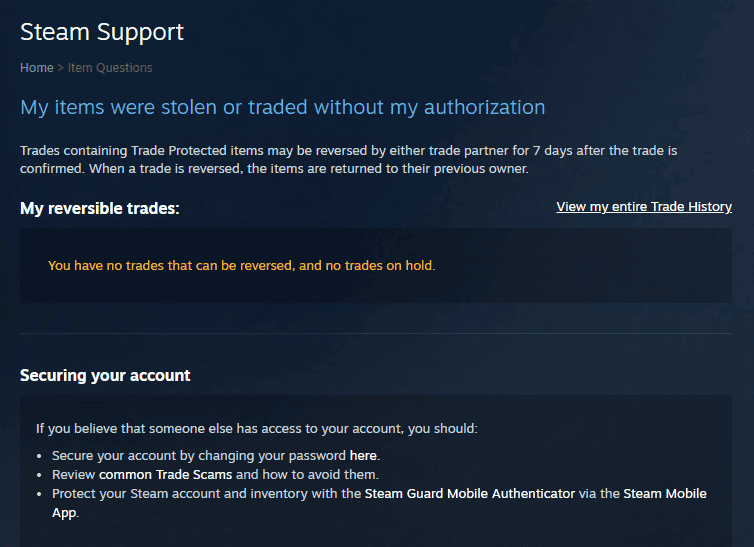
- Start the reversal and read the summary. Steam reverses all protected trades in the last 7 days together and blocks you for 30 days from trading or the Market.
- Confirm only if you are sure. The items will be returned to their original owners, and your account will not be able to trade or use the Market for 30 days.
What Happens After You Reverse a Trade?
Once you confirm, Steam will do the following:
- Each trade that was made with Trade Protected items in the last 7 days is reversed. Not just the one you care about.
- All items from these trades go back to their previous owners.
- The items you listed for sale in the Steam Community Market return to your inventory.
- Your pending trade offers will be automatically cancelled.
- Trading and using the Market is prohibited for 30 days.
- Your trade partners do not get the cooldown. The account that began a trade reversal is restricted.
Can Steam Support Undo a Reversal or Remove the Cooldown?
No. Steam Support cannot undo a reversal and cannot shorten or remove the 30-day cooldown. You cannot reverse trades older than 7 days or trades from before Trade Protection launched in July 2025. You can contact Steam Support only if you need help getting your account back.
Trade Protection vs Trade Hold vs Market Cooldown
Steam displays four different locks. It displays some of them in similar ways. Trade Protection is about getting items back, a trade hold delays delivery on non-CS2 items, and the other two are cooldowns.
| Lock | Triggered by | How long | Applies to | Can it be reversed | Can it be removed early |
|---|---|---|---|---|---|
| Trade Protection | Receiving a CS2 item in a trade | 7 days | CS2 items | Yes, within the 7 days | No |
| 7-day store and Market cooldown | Getting an item from the store, Armory, a trade offer or the Market | 7 days, at the same time as Trade Protection | CS2 items | No | No |
| Steam trade hold | Trading without a Mobile Authenticator active for 7 days | Up to 15 days | Items from other games, such as TF2, Rust and Dota 2 | The trade can be cancelled while on hold | No |
| Reversal cooldown | Reversing your protected trades | 30 days | Your whole account | No | No |
CS2 items are not subject to trade holds or trade escrow at all, whatever your account protection is. To find out all the details about holds, read our guide to Steam trade holds and market holds.
How Trade Protection Affects Buying and Selling Skins
Trades between players are not final until the 7-day window closes. That changes who carries the risk. Sellers in player-to-player marketplaces usually have to wait 7 days to receive payment, and buyers in direct trades have the risk of reversals until then.
Can a Seller Reverse a Trade After You Pay?
Yes. In a direct trade, either party can reverse a trade within 7 days. The seller can take the skin back after you have paid them. It is so dangerous to pay for a skin through PayPal, crypto or gift cards now. You get the item, they get the money, and a few days later the item is gone again.
Traders keep posting this exact story on Reddit and the Steam Community forums. The solution is simple: never pay outside a marketplace. Marketplaces hold the payment or refund the buyer if a seller reverses.
How Tradeit Handles Trade Protection
Tradeit is not able to reverse trades once both parties have accepted the trade. However, in many cases Tradeit is able to refund a purchase that is still trade locked instead. If you trade on Tradeit, you make a real Steam trade. Before you accept a trade offer, you can either decline it or let it expire.
- Refund instead of reversal: if the item you bought is still trade locked in your Tradeit Inventory and you bought it within the last 14 days, support can refund it. You get the exact amount you paid for the skin. Message support with the item name and the reason for the refund. You can read more about getting a refund instead of reversing.
- If you reverse a trade on Steam: Steam puts a 30-day cooldown on your Steam account, which Tradeit cannot lift. Tradeit also bans your Tradeit account for 30 days. Tradeit reviews real cases, including hijacked accounts, scams and items that were not as described, and works to lift its own ban. Reversing to make a profit or to scam is treated as abuse.
- Before you reverse anything on Steam, be sure to contact Tradeit support.
- Trade Protection and Trade Lock timers run at the same time, not one after the other.
- Items that are still locked wait in My Tradeit Inventory. You can withdraw trade-locked items as soon as the lock period ends.
You can trade CS2 skins on Tradeit or sell CS2 skins just the same as before. The locks only change when the items can move again.
Why Can’t You Trade CS2 Items for Items From Other Games?
The items in one trade need the same protection level. CS2 is the only game with the trade protection system. That means one trade cannot have CS2 items together with TF2 keys, Rust skins or Dota 2 items. The old trick of using CS2 skins for TF2 keys no longer works on Steam, and Tradeit stopped cross-game trades for the same reason.
Trade Protection Update Timeline
Valve has changed CS2 trading several times since 2024, and we’ll add a row here each time they do.
| Date | Change |
|---|---|
| October 2, 2024 | Items from the store, Armory, trade offers and the Market get a 7-day re-trade and re-market restriction |
| July 15, 2025 | Trade Protection launches with the update that starts Premier Season 3 |
| April 22, 2026 | Trade offers with CS2 items are limited to 1,000 items |
| Late June 2026 | Traders and marketplaces report that items unlock at the hour of the trade instead of one fixed time each day. Valve has not posted a note about it |
If you’re not sure what else has changed, see our detailed list of CS2 updates.
Is Trade Protection Good for Traders?
It is good for safety, but not for speed. If you get phished, you have a whole week to get your items back. This was impossible before July 2025. Trading is slower, because nothing you receive can move for a week.
| Good for traders | Bad for traders |
|---|---|
| Stolen items can be recovered within 7 days | Items you receive are stuck for 7 days |
| Scammers have a harder time cashing out quickly | A seller in a direct trade can take the item back |
| Marketplace bots are no longer an easy exit for stolen skins | Trading CS2 items for other games’ items is gone |
| No action needed, it works on every CS2 trade | Reversing costs you a 30-day cooldown |
FAQ
Can you remove Trade Protection from an item early?
No. Trade Protection cannot be turned off or shortened, and Steam Support cannot remove it. An item becomes tradable when the 7-day window for this item ends.
Can the other person reverse a trade after I receive the items?
Yes. If the other party reverses the trade within 7 days, you will lose the items you received. This is why you should never pay outside a marketplace for a direct trade.
Can you reverse a Steam Community Market purchase?
No. Every sale and purchase made in the market is final and cannot be covered by Trade Protection. Only items obtained in trade offers can be reversed.
Does Trade Protection apply to Rust, TF2 or Dota 2 items?
No. CS2 is the only game where Trade Protection is used, so items from other games still use regular Steam trade holds.
Can you open a Trade Protected case or use it in a trade-up?
No. Protected items cannot be consumed or modified, so the cases stay closed and the skins cannot go into a trade-up contract until the 7 days end.
Why are my items still Trade Protected after 7 days?
Steam unlocks items at the exact time shown on the item, which can be a little later than 7 days after the trade. If the item is still locked after that time, you may be subject to a different restriction such as the 30-day reversal cooldown.
Bought a skin that you do not want? Tradeit may refund trade-locked purchases made within the last 14 days.