İsmailcan “XANTARES” Dörtkardeş is one of the best known players in Counter-Strike 2.
Playing as a rifler for top teams and known for his explosive aim and wide-peek style, many CS2 players look to his settings as a benchmark for competitive performance.
Below is a complete breakdown of his CS2 configuration, including sensitivity, crosshair, video, monitor, and config settings, presented in clear tables for easy replication.
Table of Contents
Sensitivity and Mouse Settings

Mouse control is at the core of XANTARES’ playstyle. His settings are built around precision, consistency, and reliable tracking, especially during fast rifle engagements.
| Setting | Value |
|---|---|
| DPI | 400 |
| In-Game Sensitivity | 2.3 |
| eDPI | 920 |
| Zoom Sensitivity | 1.1 |
| Polling Rate | 1000 Hz |
| Windows Sensitivity | 6 |
This sensitivity setup offers a strong balance between micro-adjustments and fast reactions, making it well-suited for aggressive rifling while maintaining accuracy at medium range.
Crosshair Settings
XANTARES uses a clean, static crosshair focused on visibility and consistency. It avoids unnecessary visual elements, helping maintain focus during intense firefights.
| Setting | Value |
|---|---|
| Style | Classic Static |
| Follow Recoil | No |
| Center Dot | No |
| Length | 3 |
| Thickness | 0.5 |
| Gap | 0 |
| Outline | Disabled |
| Color | Green |
| Alpha | Enabled |
| Alpha Value | 200 |
This crosshair remains stable during sprays and flicks, making it ideal for players who rely on muscle memory rather than dynamic indicators.
Monitor and Video Settings
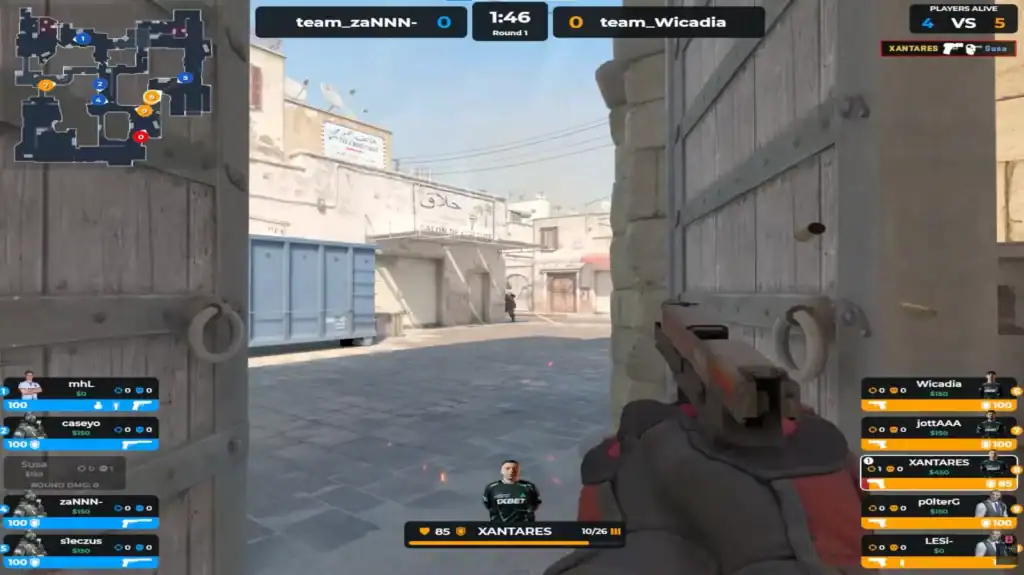
XANTARES prioritizes clarity and performance over visual fidelity. His monitor and video settings are optimized to maximize FPS and minimize distractions.
Monitor Settings
| Setting | Value |
|---|---|
| Resolution | 1024×768 |
| Aspect Ratio | 4:3 |
| Scaling Mode | Stretched |
| Display Mode | Fullscreen |
| Brightness | 100% |
| Refresh Rate | 240Hz or higher |
The stretched 4:3 resolution makes enemy models appear wider, which many professional players prefer for improved target visibility.
Advanced Video Settings
| Setting | Value |
|---|---|
| Boost Player Contrast | Enabled |
| V-Sync | Disabled |
| NVIDIA Reflex Low Latency | Disabled |
| G-Sync | Disabled |
| Max FPS | 600 |
| MSAA | 4x |
| Global Shadow Quality | Low |
| Model / Texture Detail | Low |
| Texture Filtering | Anisotropic 4x |
| Shader Detail | Low |
| Particle Detail | Low |
| Ambient Occlusion | Disabled |
| HDR | Quality |
| FidelityFX Super Resolution | Disabled (Highest Quality) |
These settings ensure smooth gameplay with minimal input lag, even during high-intensity moments.
Viewmodel and Config Settings
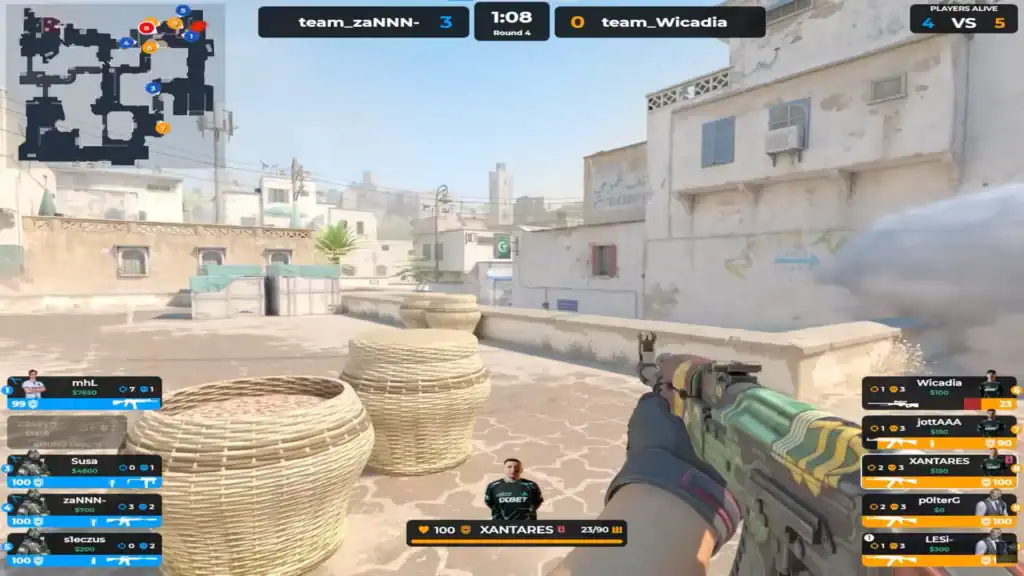
Weapon positioning or viewmodel plays a subtle but important role in maintaining visibility and comfort.
| Setting | Value |
|---|---|
| Viewmodel FOV | 60 |
| Viewmodel Offset X | 1 |
| Viewmodel Offset Y | 1 |
| Viewmodel Offset Z | -1 |
| Viewmodel Preset | 1 |
This configuration keeps the weapon model out of the way without feeling unnatural or detached.
Launch Options
-noforcemaccel -noforcemspd -noforcemparms -freq 240 -novid -console -tickrate 128
These launch options disable mouse acceleration, set the correct refresh rate, skip startup videos, enable the console, and ensure competitive-ready server settings.
Summary
XANTARES’ CS2 settings are a strong example of a performance-focused professional setup. Every choice, from his moderate sensitivity and static crosshair to low-detail video options, is designed to reduce distractions and maximize consistency.
While copying pro settings won’t instantly improve aim, this configuration provides an excellent foundation for players who want a competitive, no-nonsense CS2 setup.
FAQs
1. What sensitivity does Xantares use in CS2?
XANTARES plays with 400 DPI and an in-game sensitivity of 2.3, resulting in an effective DPI (eDPI) of 920. This provides a balanced mix of precision and speed, well-suited for aggressive rifling.
2. Why does XANTARES use a 4:3 stretched resolution?
The 4:3 stretched resolution makes player models appear wider on the screen, which many professional players believe helps with target acquisition and close-range duels.
3. Does XANTARES use mouse acceleration?
No. Mouse acceleration is disabled both in Windows and via launch options, ensuring consistent and predictable mouse movement based purely on physical input.
4. Is XANTARES’ crosshair static or dynamic?
XANTARES uses a static crosshair. It does not move or expand while firing, allowing for better muscle memory and consistent spray control.
5. Are XANTARES’ settings good for beginners?
While optimized for professional play, XANTARES’ settings can be a solid starting point for beginners. However, new players should adjust sensitivity and resolution to match their comfort level and hardware.