Robin “ropz” Kool is widely regarded as one of the most mechanically consistent riflers in Counter-Strike 2. His CS2 settings reflect a strong focus on precision, visibility, and performance stability.
Below is a complete breakdown of ropz’s setup, structured into clear sections with tables for easy reference and practical use.
Table of Contents
Mouse and Sensitivity Settings
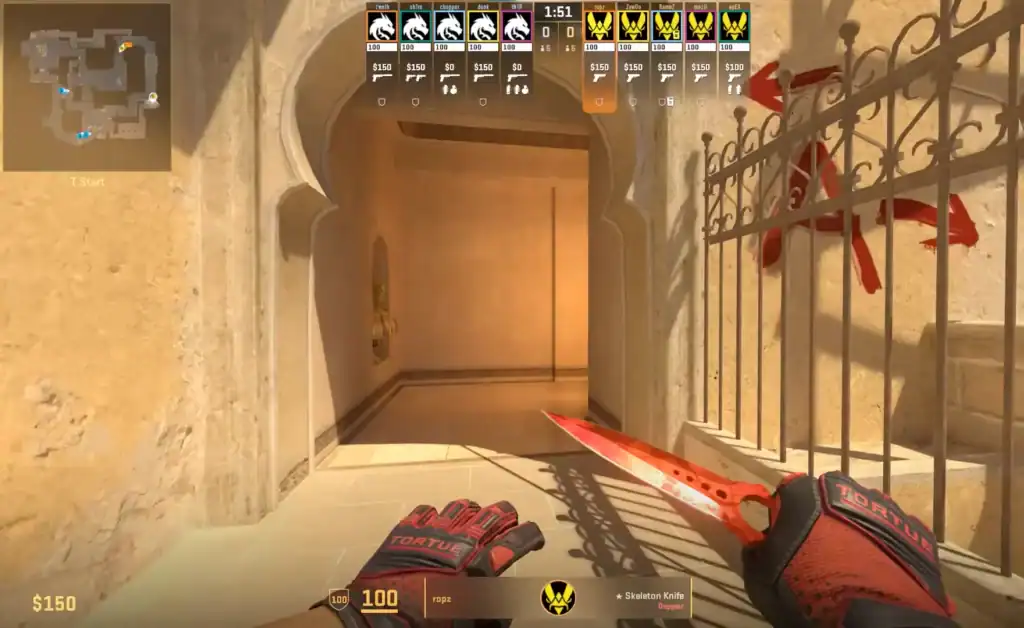
Ropz plays with a low sensitivity, allowing for precise crosshair placement and excellent spray control. This setup favors controlled movements over fast flicking, which suits his disciplined playstyle.
| Setting | Value |
|---|---|
| DPI | 400 |
| In-game Sensitivity | 1.77 |
| eDPI | 708 |
| Zoom Sensitivity | 1.00 |
| Polling Rate | 8000 Hz |
| Windows Sensitivity | 6 |
| Raw Input | Enabled |
This sensitivity range is popular among professional riflers and offers a strong balance between accuracy and consistency.
Crosshair Settings
Ropz uses a clean, static crosshair designed to remain visible on all maps without distracting the player. It emphasizes clarity and precision, especially for head-level aiming.
| Crosshair Option | Value |
|---|---|
| Style | Classic Static |
| Follow Recoil | No |
| Dot | No |
| Length | 2 |
| Thickness | 0.5 |
| Gap | -3 |
| Outline | No |
| Color | Green |
| Red / Green / Blue | 50 / 250 / 154 |
| Alpha | 255 |
| Sniper Width | 0 |
This minimal crosshair helps maintain focus during both close-range fights and long-distance duels.
Viewmodel Settings
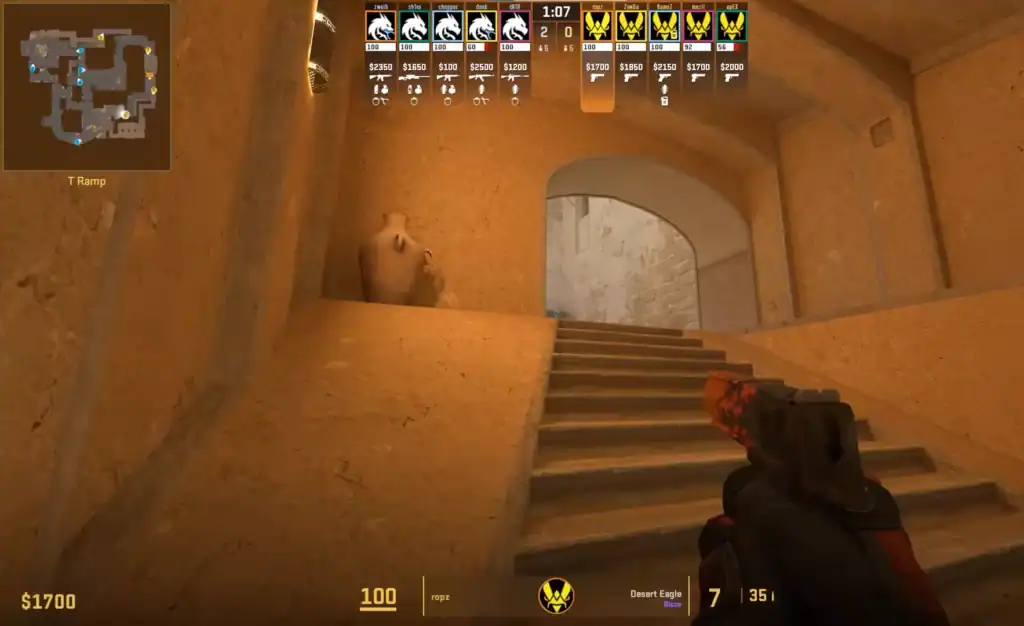
The viewmodel controls how the weapon is positioned on screen. Ropz opts for a setup that maximizes screen visibility while keeping the weapon comfortably in view.
| Viewmodel Setting | Value |
|---|---|
| Field of View (FOV) | 68 |
| Offset X | 2.5 |
| Offset Y | 0 |
| Offset Z | -1.5 |
| Preset Position | 2 |
| Weapon Bob | Minimal / Disabled |
This configuration reduces visual obstruction and keeps enemy models clearly visible during engagements.
Video Settings
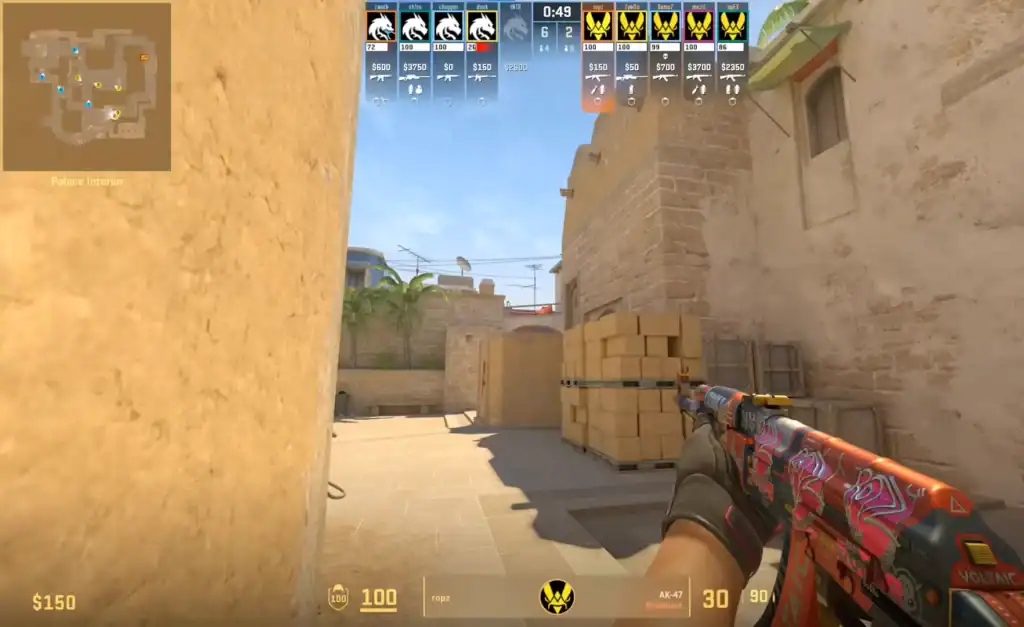
Ropz’s video settings are tuned for maximum performance and enemy visibility. Most visual effects are lowered or disabled to ensure high and stable FPS during competitive matches.
Basic Video Settings
| Setting | Value |
|---|---|
| Resolution | 1920×1080 |
| Aspect Ratio | 16:9 |
| Scaling Mode | Native |
| Display Mode | Fullscreen |
| Brightness | 93% |
Advanced Video Settings
| Setting | Value |
|---|---|
| Boost Player Contrast | Enabled |
| V-Sync | Disabled |
| NVIDIA Reflex Low Latency | Enabled |
| Maximum FPS | 999 |
| Anti-Aliasing | 2x MSAA |
| Global Shadow Quality | Low |
| Dynamic Shadows | All |
| Model / Texture Detail | Low |
| Shader Detail | Low |
| Particle Detail | Low |
| Texture Filtering | Bilinear |
| Ambient Occlusion | High |
| HDR | Quality |
| FidelityFX Super Resolution | Disabled |
These settings reduce visual clutter while improving contrast, making enemy models easier to spot.
Monitor and Display Preferences
While exact hardware models can change, ropz’s configuration suggests a competitive-focused display setup optimized for responsiveness.
| Display Feature | Preference |
|---|---|
| Resolution | 1920×1080 |
| Refresh Rate | 240 Hz or higher |
| Display Mode | Fullscreen |
| Aspect Ratio | 16:9 |
High refresh rate monitors significantly improve motion clarity and reaction time in CS2.
Summary
Ropz’s CS2 settings provide an excellent professional baseline for players looking to improve aim consistency, visibility, and overall performance.
His low sensitivity, clean crosshair, and optimized video settings are especially suitable for riflers who rely on positioning and precision rather than raw speed.
While copying pro settings won’t instantly improve skill, using ropz’s setup as a foundation can help create a more controlled and reliable gameplay experience in CS2.
FAQs
1. Are ropz’s CS2 settings good for beginners?
Yes. Ropz’s low sensitivity and clean crosshair provide a solid foundation for beginners who want to build good aim habits and consistent crosshair placement.
2. Should I copy ropz’s sensitivity exactly?
It’s best to use his sensitivity as a starting point. Hand size, desk space, and mousepad size can affect comfort, so small adjustments may be needed.
3. Why does ropz use low video settings?
Lower settings improve FPS stability and reduce visual clutter, making enemies easier to spot and track during fights.
4. Does ropz use a stretched resolution in CS2?
No. He plays on a native 16:9 resolution⓲ resolution, which preserves accurate model proportions and visual clarity.
5. Will using pro settings instantly improve my gameplay?
No. Pro settings help with consistency and visibility, but improvement comes from practice, positioning, and game sense.