Looking to gain a strategic edge in Counter-Strike 2 with precise smoke grenade plays? Learning how to practice CS2 smokes is essential for controlling vision and securing tactical advantages on the battlefield.
This article offers step-by-step instructions on setting up a practice server, key console commands for an efficient practice session, and strategies to perfect both basic and advanced smoke throws.
Table of Contents
Console Commands for CS2 Smoke Practice
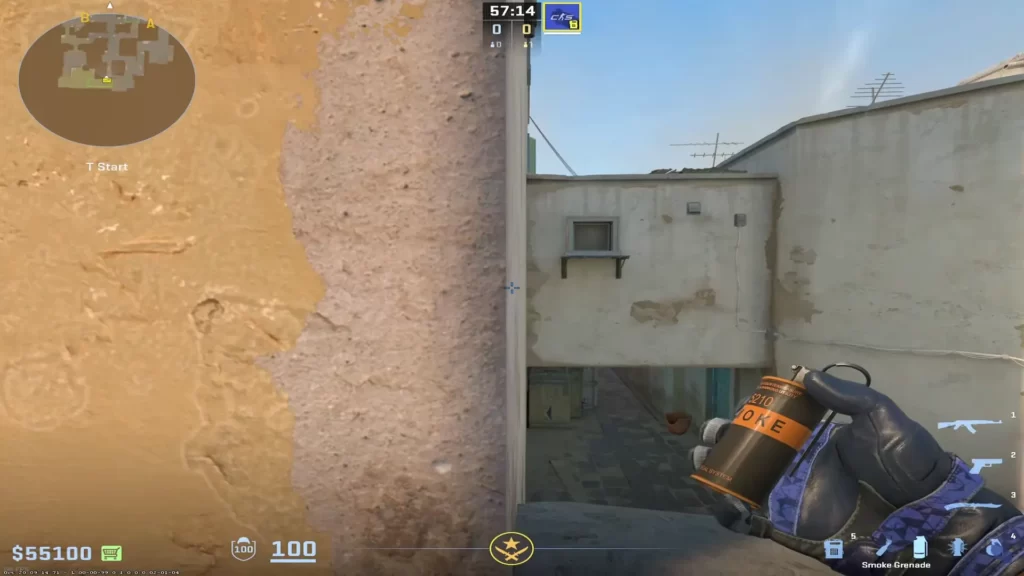
The first step towards mastering smoke grenades in Counter-Strike 2 is setting up your smoke practice server. Here’s how to do it:
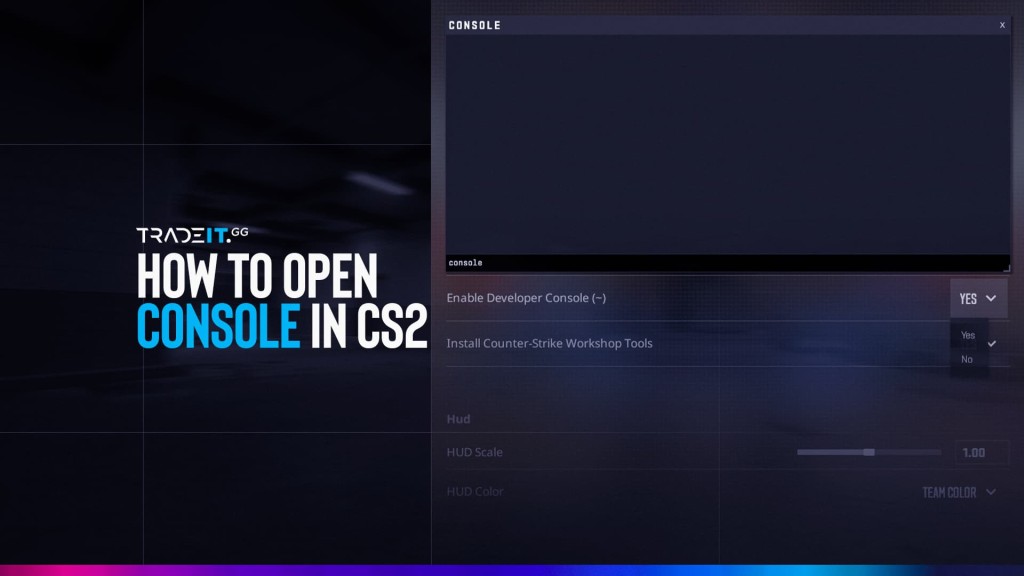
Ensure that your developer console is enabled in Settings under the Game tab.
Press the tilde (~) key to access the console and prepare for commands.
Type the command “map [map name]” to launch a custom server with your chosen map.
Use the custom server to freely practice smoke grenade throws without interruptions.
After your custom server goes live, several console commands should be executed to enhance your practice. Here are some of the most valuable CS2 smoke practice commands that you can use:
| Command | What It Does | Notes |
|---|---|---|
sv_cheats 1 | Enables cheat commands | Required for most practice commands |
mp_startmoney 60000 | Sets starting money | Use before restarting the game |
mp_maxmoney 60000 | Sets max money | Ensures you always have full money |
mp_buytime 9999 | Extends buy time | Better than 1 for practice |
mp_buy_anywhere 1 | Allows buying anywhere | Important (newer command) |
mp_freezetime 0 | Removes freeze time | Instant movement at round start |
mp_roundtime 60 | Sets round time (minutes) | For non-defuse modes |
mp_roundtime_defuse 60 | Sets round time (defuse maps) | Essential for long practice |
mp_warmup_end | Ends warmup | Start immediately |
mp_restartgame 1 | Restarts the game | Apply settings quickly |
sv_infinite_ammo 1 | Infinite ammo (no reload) | Use 2 for infinite ammo with reload |
ammo_grenade_limit_total 5 | Max grenades carried | Allows full utility set |
sv_grenade_trajectory 1 | Shows grenade path | Core for lineup practice |
sv_grenade_trajectory_time 10 | Duration of trajectory | More practical than spectator version |
sv_showimpacts 1 | Shows bullet impacts | Less useful in CS2 than before |
sv_showimpacts_time 1 | Duration of impacts | Still works but optional |
mp_respawn_on_death_ct 1 | Instant CT respawn | Great for solo practice |
mp_respawn_on_death_t 1 | Instant T respawn | Same for T side |
bot_add | Adds a bot | Simulate players |
bot_kick | Removes bots | Clean server |
god | Invincibility | Prevent accidental death |
noclip | Fly through map | Essential for positioning |
sv_gravity 800 | Sets gravity | Default = 800 |
TIP: Learn more about creating an autoexec file in CS2.
How to See the Grenade Camera in CS2
In CS2, the “grenade cam” (following your smoke/flash/molly in the air) is not enabled by default. You need to activate it using commands in a practice session.
Open the console and type:sv_cheats 1
Type:sv_grenade_trajectory 1
Use:sv_grenade_trajectory_time 10
(or higher for longer tracking)
You’ll now see the full trajectory line and landing point in real time.
How to Practice Smokes in CS2
Enable cheats and set up initial conditions. Load the desired map using the command map [map name].
Use static reference points to throw basic smokes on popular maps like Dust 2. Visualize and adjust your throws using trajectory commands.
Progress to more complex smoke throws and lineups. Use noclip to quickly reposition and practice from different angles.
Analyze the impact points and trajectories. Adjust your throws based on the visual feedback to improve accuracy and consistency.
Fundamental CS2 Smoke Throws for Beginners
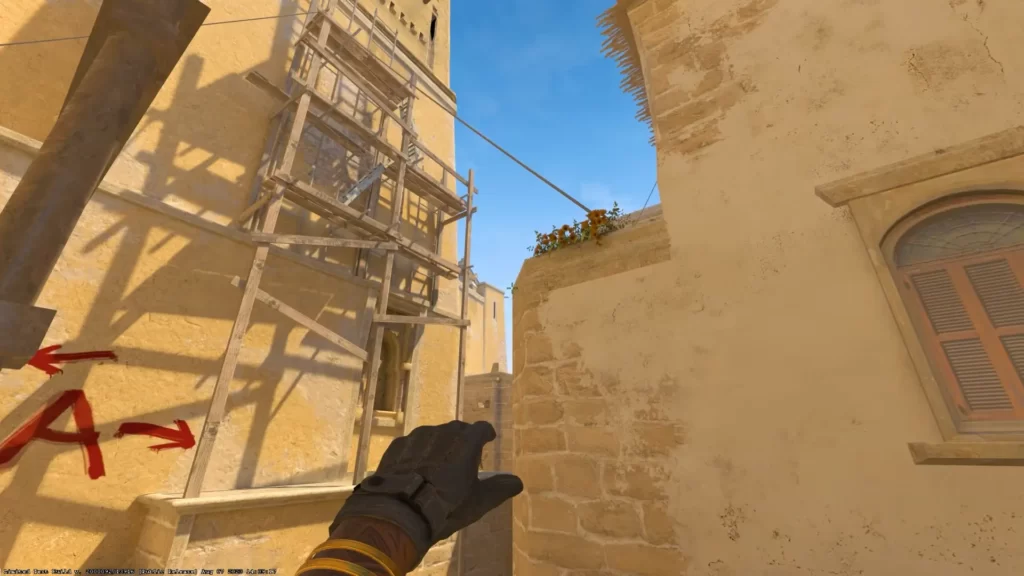
Learning smokes begins with understanding fundamental throws. Start by using static reference points, such as the tip of a palm tree leaf for A-Long smoke on Dust 2.
These static reference points ensure consistent results, helping you build confidence in your throws.
Take the time to practice easy-to-remember smoke strategies, like the X-Box smoke. This smoke can be performed by aligning the crosshair with the end of an antenna and throwing without any jump binds.
Remember, the focus here is to learn the essential lineups and gain a solid understanding of the smoke mechanics.
CS2 Smoke Training: Beginner to Advanced Roadmap
Follow this learning path to master smoke throws:
Start with static reference points on popular maps like Dust 2 to practice consistent basic smoke throws.
Progress to more complex throws and start incorporating movement techniques to simulate realistic game scenarios.
Master advanced lineups and adapt them in real match conditions to gain a competitive edge in gameplay.
Map-Specific Strategies
Learn key smoke tactics for each map:
Focus on A-Long and B-Tunnels smokes to control key choke points and improve team strategies.
Practice smokes for Connector and Jungle to gain map control and block enemy sightlines effectively.
Master Banana and A-Site smokes to control aggressive angles and support your team’s pushes.
CS2 Smoke Training on Key Competitive Maps

With your practice server ready, let’s focus on our main objective: mastering smoke grenades. Always start with the basics. Basic smoke throws lay the foundation for mastering more complex smoke strategies later on.
For beginners, Dust 2 is an ideal map to commence smoke practice due to its popularity and the need to master fundamental throws.
As you progress, your structured practice should guide you from simpler throws to intricate lineups. This ensures a robust understanding and application of smoke tactics, including the use of practice smokes.
Remember, practice makes perfect, and the more you practice throwing smokes, the better you’ll get at executing these smoke throws under different conditions.
CS2 Dust 2 A Smokes
CS2 Dust 2 B Smokes
CS2 Nuke Garage + Secret Smoke
CS2 Inferno Smokes
CS2 Mirage Mid Smokes
Advanced Smoke Lineups for Competitive Play
As you graduate from the fundamentals, it’s time to step up your game and master advanced smoke lineups. These lineups can significantly elevate your competitive gameplay.
For instance, mastering five to seven key smoke spots on each map can give you a significant edge over your opponents without needing to reach a professional level.
Take, for example, the X-Box smoke on Dust 2. This smoke can be executed by aligning your crosshair with specific reference points and requires a simple throw without the need for jump binds.
Similarly, the CT Smoke from X-Box is essential for a successful B-Split on Dust 2, demonstrating the importance of strategic smoke use.
Avoid mistakes like standing in the wrong position or not using proper reference points when throwing smokes.
Experiment with advanced techniques such as jump throws and running smokes to add unpredictability to your gameplay.
In-Game Practice: Using CS2 Smoke Grenades in Real Scenarios
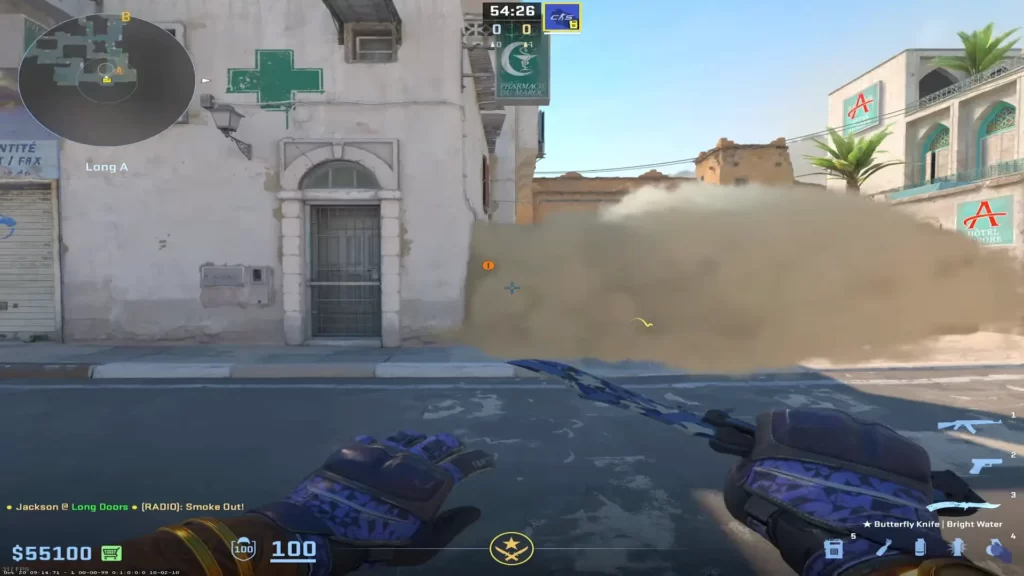
Establishing a practice server and learning the commands only accounts for half of the battle. The real test comes when you have to apply your smoke strategies in real, dynamic game scenarios.
Unlike your practice server, real matches are unpredictable. Players must be able to adapt their strategies, including smoke deployments, to the ever-changing conditions of the gameplay.
Successfully applying smokes under pressure requires not just practice but also a deep understanding of the game’s mechanics, map layouts, and timings. You need to develop the ability to modify your smoke tactics on the fly, such as when:
Standard smoke lineups are not always possible due to dynamic in-game situations. Adapt to the enemy’s movements and strategies to gain an advantage.
Use unexpected smoke placements to confuse and outplay your opponents, creating opportunities for your team to push or rotate effectively.
By being flexible and adaptable with your smoke usage, you can make all the difference and gain a significant advantage in the game.
You also need to consider your positioning before a smoke throw, as a poorly placed smoke can disadvantage the opposing team and compromise a round.
Furthermore, understanding the map geometry can help you find spots for effective smoke lineups that remain consistent under match conditions.
Lastly, it’s crucial to adapt your smoke tactics based on in-game factors like enemy positioning, player movement, or unexpected strategic changes.
Adapting Smoke Tactics on the Fly
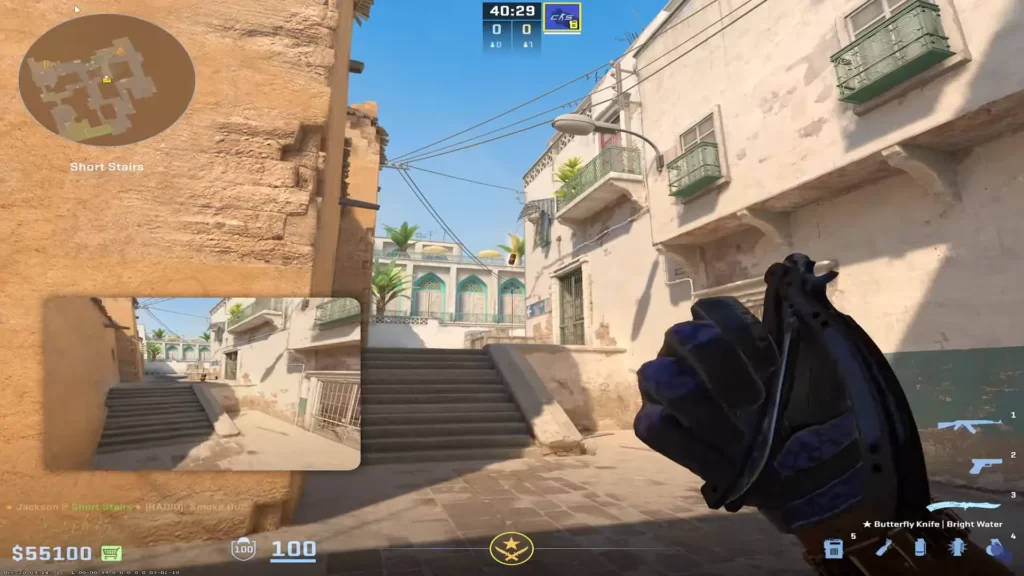
In the heat of a match, standard smoke lineups may not always be applicable. That’s where your ability to adapt your smoke tactics on the fly comes into play.
This skill involves closely observing opponent tactics and making snap decisions based on real-time information.
Learning how to quickly decide on smoke placements is critical, especially when standard positions are compromised by enemy actions or team strategies, and your CS2 callouts are only going so far.
Also, being aware of your own team’s movements and strategies is crucial when improvising smokes to ensure you are supporting team plays.
Reflecting on improvised smokes that successfully aid the team can lead to the development of new standard smokes for future matches.
CS2 Workshop Maps for Smoke Practice
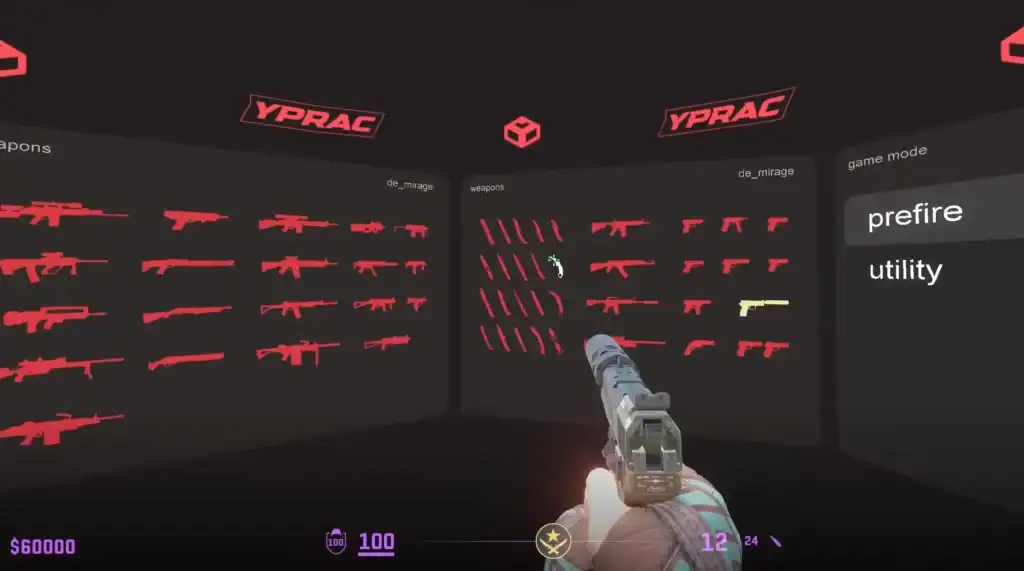
Workshop maps are one of the most effective ways to practice smokes in Counter-Strike 2.
Created by community map makers, these custom maps allow players to learn grenade lineups in a controlled environment with clear visual guides.
Many of them show the exact standing position and crosshair placement required to land a smoke correctly, making it much easier to memorize important utility for competitive matches.
Another major advantage is the ability to repeat throws instantly. Instead of waiting for a new round, you can reset the lineup and practice the same smoke dozens of times until it becomes muscle memory.
This structured practice is especially useful for mastering execute smokes on maps like Mirage, Inferno, or Dust2.
Popular CS2 smoke practice workshop maps include:
Practice essential Mirage smokes and utility with updated CS2 mechanics and visual lineup guidance.
Train key Inferno smokes, flashes, and executes—perfect for banana control and site takes.
Master Dust2 smokes for mid, long, and site executions with easy-to-follow lineup tools.
Using these maps regularly can significantly improve your smoke consistency and help you execute strategies more reliably in competitive matches.
Essential Binds for Smoke Practice in CS2
Efficient smoke practice in Counter-Strike 2 becomes much easier when you use proper binds. Instead of typing commands manually every time, binds let you instantly reset grenades, practice throws, or switch utility states.
This is especially useful when refining lineups or repeating throws hundreds of times in workshop or offline servers.
Below is a compact table of some of the most useful grenade-related bind commands for smoke training:
| Bind Command | What It Does |
|---|---|
bind "KEY" "sv_rethrow_last_grenade" | Replays your last thrown grenade (great for smoke practice) |
bind "KEY" "give weapon_smokegrenade" | Instantly gives you a smoke grenade |
bind "KEY" "give weapon_hegrenade" | Gives a HE grenade for utility practice |
bind "KEY" "give weapon_flashbang" | Gives a flashbang for flash lineup training |
bind "KEY" "give weapon_molotov" | Gives a molotov / incendiary for fire practice |
bind "KEY" "bot_kick" | Removes bots to clear the server for solo practice |
bind "KEY" "mp_restartgame 1" | Quickly restarts the round to reset practice scenarios |
Using these binds together lets you build a fast, repeatable training loop: throw, reset, reposition, and repeat, without breaking your focus or wasting time on console inputs.
Summary
Mastering smoke throws in Counter-Strike 2 is no small feat. It requires an understanding of game mechanics, map layouts, and a whole lot of practice. The journey begins with setting up your smoke practice server and adjusting its settings for optimal practice.
FAQs
How do you practice smoke commands in CS2?
To practice smoke commands in CS2, you can set up a custom server by enabling cheat commands, adjusting round time, and starting rounds immediately for sufficient practice.
How can I enable the developer console in CS2?
To enable the Developer Console in CS2, go to the in-game settings and enable the Developer Console setting. Set it to Yes.
What are the benefits of setting up a personal practice server in CS2?
Setting up a personal practice server provides a customized training environment to improve specific skills and boost gameplay performance.
How can I visualize the path of my CS2 smoke grenades?
To visualize the path of your smoke grenades, enable the grenade camera using the command ‘sv_grenade_trajectory_time_spectator 15’. This will allow you to visually track the trajectory of your smoke grenades.
How should I structure my CS2 smoke practice?
Start with basic smoke throws to lay a strong foundation, then progress to more complex strategies for a robust understanding and application of smoke tactics. Learn the key smoke tactics for each map.
What is the best command for smoke practice in CS2?
The most useful command is sv_grenade_trajectory 1
How do I clear smokes instantly in CS2?
You can bind a key using ent_fire smokegrenade_projectile kill; stopsound. With sv_cheats 1 enabled, this instantly removes all active smokes and stops smoke audio, making it useful for resetting practice scenarios quickly.
Do I need a jumpthrow bind in CS2?
Not strictly. CS2 has improved input timing compared to CS:GO, making manual jumpthrows more consistent. However, a bind still guarantees perfect consistency for long-distance smokes. It is allowed in Valve servers, Premier, and Faceit.
What’s the best map to start practicing smokes on?
Mirage and Dust 2 are the best starting maps because they are the most commonly played, have simple geometry, and use widely recognized smoke lineups.
How do I save my practice commands so I don’t have to type them every time?
Create a practice.cfg file in your cfg folder, add your commands, then load it in-game using:
exec practice
Can I get banned for using smoke practice commands?
No. These commands only work with sv_cheats 1, which is disabled on official Valve servers. They are safe for offline and private practice and do not affect your account or matchmaking status.