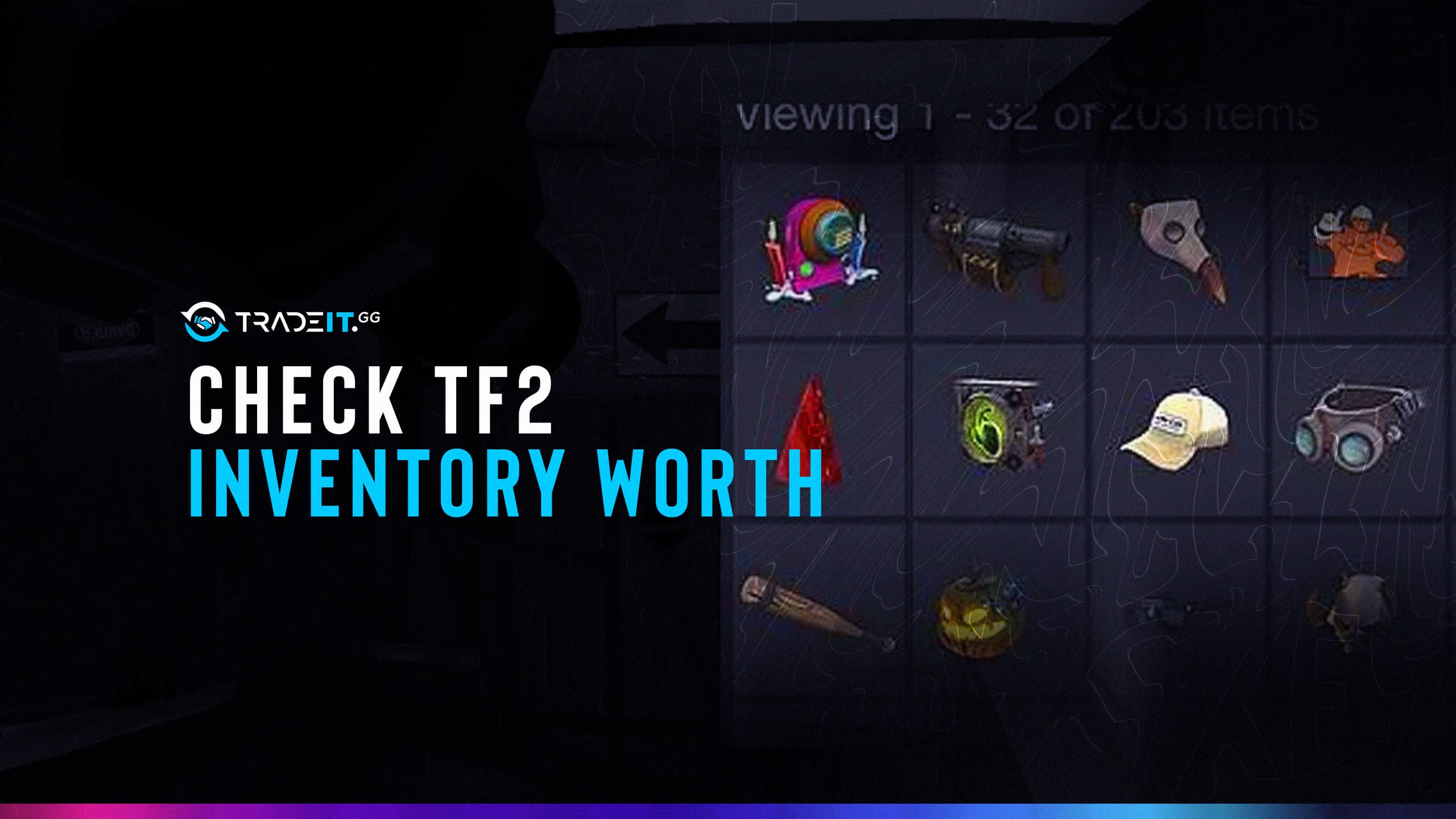


Want to know how much your TF2 backpack is worth? The fastest way is to load your inventory through a TF2 backpack viewer, then double-check your expensive items with community pricing and real marketplace offers.
The important part is understanding what each number means. A backpack viewer can give you a quick estimate. Steam’s market can show listing and buy-order activity for marketable items. A trading marketplace can show what someone is actually willing to pay or trade for your items right now.
Here are three practical ways to check TF2 inventory worth in 2026, how to find your Steam ID, how to check someone else’s public inventory, and why two tools can give very different values for the same backpack.
Start with the method that matches your goal. A quick checker is useful for triage, but a real offer is the closest answer when you actually want to sell or trade.
What Makes TF2 Inventory Value Complicated
TF2 inventory value is not as simple as adding up the names of your items. Two backpacks with the same number of cosmetics can be worth completely different amounts because TF2 prices depend on modifiers, demand, liquidity, and the type of price source you are using.
For example, an inventory checker might total your backpack using community prices in keys and refined metal. Steam shows prices in Steam Wallet currency. A third-party marketplace offer reflects cash or trade value, which can be lower than the theoretical listing price but more realistic if you want to sell quickly.
The biggest factors that make TF2 values difficult are:
- Different currencies: TF2 traders often price items in keys and refined metal, while marketplaces may show USD or local currency.
- Steam Wallet lock-in: Market sales through Steam create Steam Wallet balance, not withdrawable cash.
- Item modifiers: Strange, Unusual, Killstreak, Professional Killstreak, Australium, War Paint wear, spells, paint, parts, levels, craft numbers, and tradability can all change value.
- Low liquidity: Some expensive items have few buyers. A listing price is not the same as a sale price.
- Outdated estimates: Automated tools can use stale data, especially for rare Unusuals, War Paints, and low-volume items.
That is why the best approach is not “use one checker and trust it.” It is: get a fast estimate, verify the valuable items, then compare the result against real offers.
Use this table to decide which number to trust before you sell, trade, or price-check a rare item.
| Value source | Best for | Weak spot | How to use it safely |
|---|---|---|---|
| Backpack viewer Public inventory estimate |
Fast inventory triage | May use stale or broad prices for rare modifiers | Sort by value, then manually check the top items |
| Steam Community Market Listings and buy orders |
Marketable common items | Steam Wallet value is not the same as cash or trade value | Compare listings, buy orders, and recent activity |
| Community pricing database Keys, refined, classifieds, stats |
Unusuals, War Paints, Killstreaks, and older items | Suggested prices can be outdated when volume is low | Check price age, similar listings, and buyer demand |
| Live marketplace offer Real trade or sale value |
Selling or trading now | Can be lower than a theoretical listing price | Use it as the practical value floor before negotiating |
Method 1: Use a TF2 Backpack Viewer or Inventory Checker
A TF2 backpack viewer is the quickest way to check TF2 inventory worth. These tools read a public Steam inventory, display the items in your backpack, and estimate the total value based on pricing data.
This method is best when you want a fast overview of your own backpack or someone else’s public inventory. It is not the final word on rare items, but it helps you spot which items deserve a manual price check.
Here is the basic process:
- Find your Steam ID or Steam profile URL.
- Make sure your Steam inventory is public if the viewer cannot load it.
- Paste the Steam ID or profile URL into a reputable backpack viewer.
- Sort the inventory by estimated value.
- Manually verify the top-value items before selling or trading.
For normal craft hats, weapons, cases, metal, keys, and many common cosmetics, a backpack viewer can be close enough for a rough estimate. For Unusuals, War Paints, Australiums, Strange items with parts, and Professional Killstreak weapons, treat the number as a starting point.
How to Find Your Steam ID
The easiest method is to use the Tradeit Steam ID Finder. Paste your Steam profile URL, custom URL, SteamID, SteamID32, SteamID64, or SteamID3 into the search box, and the tool will show the Steam ID formats you need.
You can also find it manually from Steam:
- Open Steam in a browser or the desktop app.
- Click your username and open your profile.
- Look at the profile URL.
- If the URL contains
/profiles/followed by a long number, that number is your SteamID64. - If you use a custom URL like
/id/example, paste the whole profile URL into a Steam ID finder to convert it.
For checking someone else’s inventory, use their Steam profile URL or SteamID64. You do not need their login details, and you should never ask for them.
Any of these formats can be useful for a TF2 inventory lookup. When in doubt, paste the full profile URL into Tradeit’s Steam ID Finder and use the converted SteamID64.
https://steamcommunity.com/profiles/7656119XXXXXXXXXX
https://steamcommunity.com/id/your-custom-name
Never enter your Steam password into a random checker. A public inventory estimate should only need a profile URL or Steam ID.
What to Look For in a Reputable Backpack Viewer
A good TF2 inventory checker should make the estimate easier to verify, not hide the assumptions behind one large number.
Look for these signals:
- No Steam login required for a public estimate. A viewer should be able to read a public inventory from a Steam ID or profile URL. Logging in should only be necessary when you actually trade, sell, or authorize an action.
- Clear price source and timestamp. Recent price data matters, especially for Unusuals and new case items.
- Key, refined, and USD context. A useful checker should make it clear whether the value is based on keys/refined, Steam Wallet prices, or external cash value.
- Modifier detection. It should recognize Unusual effects, War Paint wear, Strange parts, Australium weapons, Killstreak tiers, spells, paint, and tradability.
- Item-level breakdown. You need to see which items create the total. If the tool only gives one number, you cannot audit it.
- A manual-check path. For rare items, the viewer should make it easy to compare the item against listings, buy orders, or community price data.
A good rule: if the backpack viewer says your inventory is worth a lot, spend extra time on the top five to ten items. Those few items usually explain most of the inventory value.
TF2 Backpack Viewer Loadout View: What It Shows
Some TF2 backpack viewers include a loadout view. This is useful when you want to inspect what a player is wearing or using rather than just calculating the whole backpack.
A loadout view can show:
- Equipped cosmetics for each class.
- Unusual effects attached to hats, taunts, or weapons.
- Weapons currently equipped in each slot.
- War Paints, wear levels, and item grades.
- Strange, Killstreak, Specialized Killstreak, or Professional Killstreak attributes.
- Painted cosmetics and other visible modifiers.
Loadout view is especially helpful for checking a player’s visible high-value items. But it does not always show everything valuable in the backpack. A player might have expensive items sitting unequipped, and some valuable traits are easier to confirm from the full item page or trading history.
Load your TF2 inventory on Tradeit and see real, live trade values, not estimates.
Method 2: Manual Item-by-Item Check via Steam Community Market
Steam’s market is useful for checking marketable TF2 items one by one. It works best for common items, cases, keys, some cosmetics, and items with enough recent activity.
To check an item manually:
- Open your Steam inventory.
- Select Team Fortress 2.
- Click the item you want to check.
- If the item is marketable, click “View Community Market Listings.”
- Compare current listings, recent sale history, and buy orders.
- Repeat this for the items that make up most of your backpack value.
This method is slower than using a backpack viewer, but it helps you see whether an item actually has active demand. If there are many listings and buy orders, the market price is usually more reliable. If there are only one or two listings, the price may be inflated.
That market has two major limitations:
First, not every TF2 item is marketable. Some items are tradable but not marketable, and some are neither. If Steam does not show a market listing option, you need another pricing method.
Second, Steam listing value is not the same as cash value. When you sell an item on Steam, the proceeds stay inside Steam Wallet. That balance can be used on Steam, but it is not the same as withdrawable money.
For rare items, use community pricing alongside Steam checks. Backpack.tf is useful as a TF2 pricing database: check the item’s stats page, classifieds, recent listings, buy orders, and how old the suggested price is. Do not rely only on a search dropdown or a single old suggested price.
Manual checking is especially important for:
- Unusual hats with specific effects.
- Unusual taunts.
- Unusual War Paints and weapons.
- Australium weapons.
- Strange items with valuable parts.
- Professional Killstreak weapons with desirable sheens and killstreakers.
- Painted cosmetics, Halloween spells, craft numbers, levels, and discontinued modifiers.
This does not price your inventory. It tells you whether an automated total is probably safe as a rough estimate or needs deeper manual checking.
Higher audit risk usually means the backpack value depends on Unusual effects, War Paint details, Professional Killstreak traits, Strange parts, or thin buyer demand.
Method 3: Get a Real-Time Offer from a Trading Marketplace
The most practical way to check TF2 inventory value is to see what a marketplace will actually offer for your items.
This is different from a backpack estimate. A viewer might say your backpack is worth a certain amount based on community prices, but a real offer reflects current demand, marketplace liquidity, and the fact that the buyer is taking on resale risk.
Use this method when your goal is to sell, trade, or compare your items against other skins rather than just satisfy curiosity.
Here is how to do it:
- Open the TF2 trade page.
- Log in through Steam only when you are ready to load and trade your actual inventory.
- Select your TF2 items.
- Compare the live trade value against your backpack viewer estimate.
- Decide whether you want to trade instantly, hold out for a private buyer, or manually list high-value items.
A real-time offer may be lower than the highest theoretical listing price, but it is often more useful because it answers the question most sellers actually have: “What can I get for this right now?”
For more on cross-game trading, the CS2-to-TF2 trading notes cover the practical details.
How to Check Someone Else’s TF2 Inventory Worth
You can check how much someone else’s TF2 inventory is worth only if their Steam inventory is public or visible to you.
Use this process:
- Open the person’s Steam profile.
- Copy their profile URL or SteamID64.
- Paste it into a Steam ID finder if you need to convert a custom URL.
- Load the Steam ID in a backpack viewer.
- Check whether the viewer can access the TF2 inventory.
- Sort by value and manually inspect the most expensive items.
If the inventory is private, a backpack viewer cannot reliably calculate its value. Screenshots are also not enough for a serious price check because screenshots can miss item details, tradability, marketability, Strange parts, killstreakers, spells, or whether the person still owns the item.
If you are checking a friend’s backpack before a trade, ask them to make their inventory public temporarily. They can set it back to private after the price check.
Any public Steam inventory can be loaded on Tradeit to see live trade values in seconds.
What Actually Makes a TF2 Item Valuable in 2026
TF2 prices are driven by demand, scarcity, and modifiers. The item name matters, but the details attached to the item often matter more.
Open these rows when an item has modifiers. These are the details most likely to make a simple item-name estimate wrong.
Unusual effect + base itemHigh impact
War Paint weapon, wear, grade, and effectManual check
Killstreak tier, sheen, and killstreakerManual check
Australium, Strange parts, spells, paint, and craft detailsInspect item
Unusual effect and base item
Unusual items have special particle effects. The value depends on both the effect and the base item. A popular hat with a desirable effect can be worth far more than the same hat with a weak or oversupplied effect.
Do not price an Unusual by hat name alone. Check the exact effect, the item’s class appeal, how many exist, active listings, buy orders, and recent sales.
War Paint, weapon, wear, and effect
War Paint value depends on the paint, weapon, grade, wear, and whether it is Strange or Unusual. For War Paint effects, check the exact effect and weapon combination. Isotope, Hot, Cool, and Energy Orb can produce very different prices depending on the weapon and wear.
Factory New is usually more desirable than Battle-Scarred, but weapon choice and effect can matter even more for unusual War Paints. A rare paint on an unpopular weapon may be harder to sell than a less rare paint on a highly used weapon.
Killstreak tier
Killstreak items come in three main tiers:
- Standard Killstreak: adds a kill counter.
- Specialized Killstreak: adds the counter and a weapon sheen.
- Professional Killstreak: adds the counter, sheen, and an eye particle effect after killstreak milestones.
Professional Killstreak kits and weapons are usually the most valuable, but only when the base weapon and sheen/killstreaker combination have demand.
Australium weapons
Australium weapons are rare golden weapon reskins from Mann vs. Machine Mann Up rewards. They are Strange by default and are among the easiest TF2 high-value categories for newer traders to recognize.
Still, “Australium” does not mean one fixed price. An Australium Rocket Launcher, Scattergun, or Minigun can have different demand than a less-used weapon. Always check the exact weapon and whether it has Killstreak, festivized, or other modifiers.
Strange items and Strange parts
Strange items track kills or other stats. Strange parts can add extra counters, and some parts are more desirable than others.
However, Strange does not automatically make an item expensive. A common Strange weapon may be cheap, while a Strange cosmetic, rare Strange part, or Strange Unusual can be much more valuable. Check the exact item and attached parts.
Paint, spells, craft numbers, and legacy details
Cosmetic paint, Halloween spells, retired effects, low craft numbers, special levels, and old event restrictions can all affect price. These details are easy for simple inventory checkers to miss.
If a checker gives a surprisingly high or low number, inspect the item description carefully before accepting the estimate.
For buying undervalued items, the cheap TF2 buying notes are the better companion piece.
Common Mistakes When Estimating TF2 Inventory Worth
Mistake 1: Treating a backpack viewer estimate as a guaranteed sale price
A viewer estimate is a starting point. It is not a promise that a buyer will pay that amount today.
For example, a checker might estimate a backpack at $500, but the best instant offer might be $180 if most of the value comes from slow-selling Unusuals, inflated listings, or items with no active buyers.
Use this when a backpack viewer number and a buyer or marketplace offer do not match. The gap is not automatically bad; it often reflects Steam Wallet lock-in, low liquidity, or inflated listings.
Use the output as a conversation starter, not as a final appraisal. Always inspect the item-level breakdown before accepting or rejecting an offer.
Mistake 2: Using Steam Market price as cash value
Steam prices are useful, but Steam Wallet balance is not the same as withdrawable cash. If your goal is cash, compare those values against marketplace offers, not just current listings.
Mistake 3: Ignoring the Unusual effect
The effect can matter more than the base item. Two copies of the same hat can have very different prices if one has a desirable effect and the other has a common or unpopular one.
Mistake 4: Forgetting Killstreak, paint, parts, and wear
Do not price only the item name. Check whether the item has a Killstreak kit, Specialized sheen, Professional killstreaker, Strange parts, cosmetic paint, Halloween spells, War Paint wear, or other modifiers.
Mistake 5: Trusting old or thin listings
If an item has one seller and no recent buyers, the listing price may be wishful thinking. Check buy orders, recent sales, and similar items.
Mistake 6: Counting private or hidden inventories
If an inventory is private, a checker cannot calculate the full value. Any result may be incomplete.
Mistake 7: Letting small items distract from the real value
Most TF2 backpacks are top-heavy. A few valuable items often create most of the total value, while dozens of weapons, crates, and low-tier cosmetics add very little.
Mistake 8: Forgetting trade holds before selling
You can check your inventory value without Steam Guard, but selling or trading smoothly usually requires Steam Guard Mobile Authenticator to be active ahead of time. If you only enable it when you are ready to sell, you may run into Steam holds or restrictions.
Sell or trade your TF2 items instantly on Tradeit. No Steam Wallet lock-in.
FAQ
Do I need to make my Steam profile public to check my TF2 inventory?
Are TF2 backpack viewer valuations accurate?
Why does one checker say my inventory is worth $500 and another says $200?
What is the difference between key value and USD value in TF2?
Is the Steam Market price the true value of my TF2 items?
How can I tell if my TF2 hat is Unusual?
Do I need Steam Guard Mobile Authenticator to sell my TF2 items?