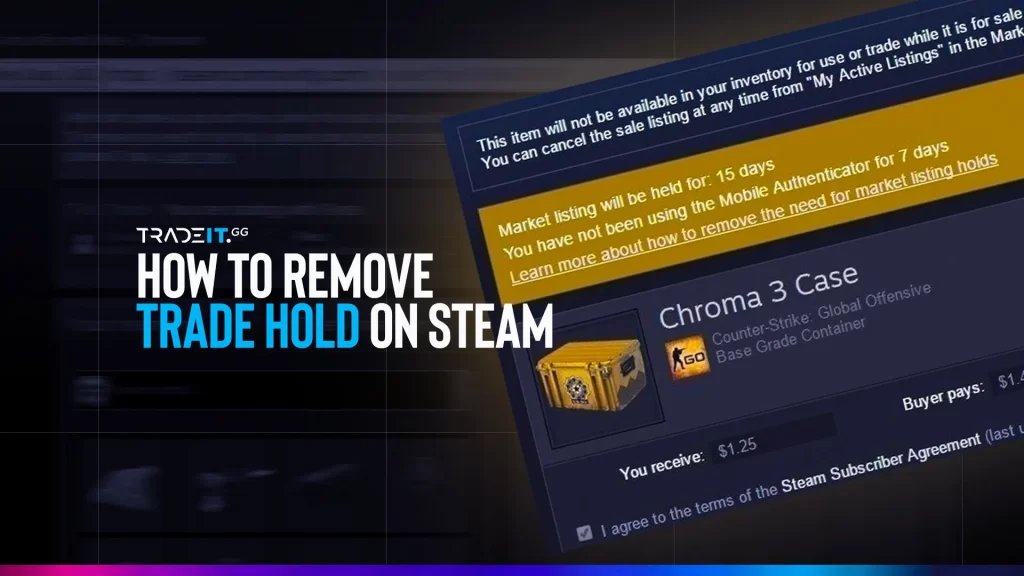
Steam trade holds can be frustrating, especially when you are trying to move CS2 skins, sell an item, or complete a trade quickly. The important thing to know is that you usually cannot remove a trade hold once it has already started.
The best way to avoid Steam trade holds is to set up Steam Guard Mobile Authenticator early, keep it active, avoid account-security changes before trading, and understand the difference between trade holds, market holds, market cooldowns, and CS2 Trade Protection.
This guide explains what triggers Steam trade holds, how to prevent future holds, what changed for CS2 item trading, and what to check before using Steam Market or trading CS2 skins.
Steam Trade Holds – Simple Answer
You cannot directly remove most Steam trade holds after they start. You normally have to wait for the timer to expire.
To avoid future Steam trade holds:
- Enable Steam Guard Mobile Authenticator.
- Keep the mobile authenticator active before trading.
- Avoid changing your password, email, phone, or authenticator before trading.
- Do not use a new device without confirming it properly.
- Avoid suspicious links, fake login pages, and API key scams.
- Check the item’s tradable date before buying, selling, or trading.
For CS2 items, also remember that some items may be affected by CS2-specific Trade Protection or market cooldowns, even when your Steam account security is set up correctly.
What Is a Steam Trade Hold?
A Steam trade hold is a temporary delay placed on a trade before the items fully move between accounts. Steam uses these holds to give users time to recover from hijacked accounts, unauthorized trades, or suspicious activity.
If your account is not protected by Steam Guard Mobile Authenticator, or if your account security was recently changed, Steam may delay trades instead of completing them instantly.
How Long Do Steam Trade Holds Last?
The exact hold depends on the restriction type. Some account-security-related trade holds can last up to 15 days, while market and CS2 item cooldowns may use different timers.
If you are new to Steam trading, read our guide on how to send a Steam trade offer to a non-friend before sending items to someone outside your friend list.
Once your Steam item hold expires, you can trade, buy, or sell CS2 skins through Tradeit.
Trade CS2 SkinsWhat Triggers Steam Trade Holds?
Steam trade holds usually happen because of account-security checks. The goal is to prevent stolen items from being moved too quickly after an account is compromised.
Common triggers include:
If Steam Guard is not enabled, your account is more likely to face trading and market restrictions.
Enabling Steam Guard Mobile Authenticator right before a trade may not prevent an immediate hold.
Changing your password can trigger account-security restrictions for a period of time.
Logging in from a new device or browser can create temporary Steam restrictions.
Removing or changing your authenticator can trigger a cooldown before trading normally again.
Items bought from the Steam Market may not become tradable immediately, even if your account is secure.
How to Avoid Steam Trade Holds
The safest way to avoid Steam trade holds is to prepare your account before trading.
- Enable Steam Guard Mobile Authenticator Early
Install the Steam mobile app, enable Steam Guard Mobile Authenticator, and keep it active. Do this before you plan to trade, not after you already have a hold.
- Avoid Security Changes Before Trading
Do not change your password, email, phone number, or authenticator right before you plan to trade. These changes can trigger temporary restrictions.
- Confirm Trades From Your Phone
Use mobile confirmations properly. If a trade needs confirmation and you ignore it, the trade may not process as expected.
- Check Item Tradability Before Trading
Before listing, selling, or trading a CS2 skin, check the item details in your Steam inventory. Steam will usually show when an item becomes tradable or marketable.
Before trading expensive skins, check the item’s float value so you understand its condition and real market appeal.
- Do Not Trust “Hold Removal” Services
Anyone claiming they can remove a Steam trade hold manually is likely trying to scam you. Steam holds are controlled by Steam, not by third-party users.
Can You Remove Steam Trade Holds?
You usually cannot remove an active Steam trade hold. If the hold is already applied, the normal solution is to wait until it expires.
What you can do is prevent the same issue from happening again.
Steps to take:
- Enable Steam Guard Mobile Authenticator.
- Stop making account-security changes before trading.
- Confirm future trades through the mobile app.
- Avoid new-device logins before important trades.
- Check item-specific tradable dates.
- Avoid suspicious trade links and fake login pages.
If your account was hijacked, secure the account first. Change your password, revoke suspicious sessions, check your Steam API key, and contact Steam Support if needed.
Trade Hold vs Market Hold vs Trade Protection
| Restriction Type | Where It Happens | What It Means | Can You Remove It? |
|---|---|---|---|
| Trade Hold | Steam trades | A delay on a trade, usually connected to account security or Steam Guard status. | Usually no. You wait for it to expire. |
| Market Hold | Steam Community Market listings | A delay before a listed item is released or sold through the market. | Usually no. You must fix the cause for future listings. |
| Market Purchase Cooldown | Items bought from Steam Market | A cooldown before the purchased item becomes tradable again. | No. You wait until the item becomes tradable. |
| CS2 Trade Protection | CS2 item trades | A 7-day protection window where eligible CS2 trades can be reversed, and protected items cannot be transferred or modified. | No. It expires after the protection window. |
Do not mix these terms. A trade hold, market hold, market cooldown, and CS2 Trade Protection can all stop you from moving an item quickly, but they are not the same thing.
New CS2 Trading Update
A recent CS2 community post reported a small but important Steam Market timing detail: items bought from the Steam Market may show a tradability timer of 7 days plus whatever minutes are left to round up to the nearest hour.
Example:
If you buy a CS2 item at 10:57 AM, the item may show as tradable in 7 days and 3 minutes.
This is useful because players often expect the item to become tradable exactly 7 days after purchase. In practice, the timer may round to the next clean hour depending on Steam’s item timer display.
Important publishing note:
I would phrase this as a community-reported behavior, not as a confirmed Valve changelog rule, unless Valve or Steam Support publishes the exact timer-rounding detail.
Steam Guard Checklist
Use the official Steam app to manage Steam Guard and mobile confirmations.
Turn on Steam Guard Mobile Authenticator before you need to trade or sell items.
After enabling or changing security settings, wait for Steam’s required validation period before trading.
Approve trade confirmations only when you recognize the item, account, and trade details.
Never log in through unknown links. Always verify that you are on the real Steam domain.
If you suspect a scam, check whether an unknown Steam Web API key was created on your account.
You can also use Tradeit’s CS2 Float Checker to verify skin float before accepting a trade.
CS2 Trade Protection vs Steam Trade Holds
CS2 Trade Protection is different from a normal Steam trade hold. With Trade Protection, eligible CS2 items from a protected trade can be delivered immediately, but they remain protected for 7 days.
During that 7-day window, the items may be usable in-game, but they cannot be transferred, consumed, or modified. If a user reverses protected trades, Steam can return items to the previous owners and apply a 30-day trading and market restriction to the account.
Why This Matters for CS2 Traders
This matters because a CS2 item can look available in your inventory but still not be movable in the way you expect.
Before trading again, always check:
- Is the item trade-protected?
- Is it tradable after a specific date?
- Is it marketable?
- Was it bought from Steam Market recently?
- Was it received from a recent protected trade?
Can You Trade Trade-Protected CS2 Items?
Not until the protection window expires. You can use protected items in-game, but you cannot freely move them again during the protection period.
Once your items are unlocked, you can use Tradeit to trade CS2 skins instead of relying on random DMs or risky private offers.
Common Steam Trading Mistakes
Turning on Steam Guard after a hold appears usually will not remove the active hold.
Some CS2 items have their own tradable date even if your Steam account is secure.
Security changes can trigger temporary restrictions, so avoid them right before planned trades.
Steam Support will not contact you through random Discord, Telegram, or Steam chat accounts.
Fake Steam login pages are one of the most common ways users lose CS2 skins.
Always verify the account, item names, float values, stickers, and trade confirmation screen.
If you are verifying a trader, use a SteamID Finder to double-check the profile before sending items.
How to Improve Steam Account Security
Use these steps:
- Use a strong, unique Steam password.
- Enable Steam Guard Mobile Authenticator.
- Do not share your Steam login or recovery codes.
- Do not scan unknown QR codes.
- Avoid fake Steam login pages.
- Check your Steam Web API key if you suspect a scam.
- Revoke access from suspicious devices.
- Keep your email account secure too.
- Be careful with browser extensions that interact with Steam.
- Never trust “Steam admin” impersonators.
Your Steam account is only as safe as your email and mobile device. If someone controls your email or phone, they may be able to attack your Steam account too.
Final Takeaway
You usually cannot remove a Steam trade hold once it has already started. The best strategy is prevention. Once your trade hold expires, you can sell CS2 skins through Tradeit instead of relying on risky private offers.
Enable Steam Guard Mobile Authenticator early, avoid account-security changes before trading, confirm trades carefully, and always check the item’s tradable date before planning a sale or trade.
For CS2 players, also remember that Steam Market purchases and CS2 Trade Protection can create extra waiting periods. A skin may be visible in your inventory but still not fully tradable yet.
If you trade regularly, make Steam account security part of your routine. It protects your skins, your balance, and your future trades.
Frequently Asked Questions
Can I remove a Steam trade hold?
Usually no. Once a Steam trade hold has started, you normally have to wait until it expires. Steam Guard helps prevent future holds but usually does not remove an active one.
How do I avoid Steam trade holds?
Enable Steam Guard Mobile Authenticator, keep it active before trading, avoid account-security changes before trading, and confirm trades through the Steam mobile app.
How long do Steam trade holds last?
Some trade holds can last up to 15 days, depending on your account security and Steam Guard status. Other item cooldowns, market holds, and CS2 Trade Protection timers may use different durations.
Does Steam Guard remove an active trade hold?
No. Enabling Steam Guard after a hold appears usually will not remove the current hold. It helps prevent future holds after Steam’s required waiting period.
Why is my CS2 item not tradable after buying it?
Items bought from the Steam Market can have a cooldown before they become tradable again. Check the item details in your Steam inventory for the exact “Tradable After” time.
What is the new CS2 Steam Market timing update?
A recent community report says Steam Market purchases may show a timer of 7 days plus the remaining minutes needed to round up to the nearest hour. Treat this as a community-reported timer behavior unless Valve confirms it publicly.
What is CS2 Trade Protection?
CS2 Trade Protection is a 7-day protection window for eligible CS2 trades. During that time, protected items can be used in-game but cannot be transferred, consumed, or modified.
Can I trade CS2 items during Trade Protection?
No. You need to wait until the protection window expires before freely transferring those protected CS2 items again.
Is a market hold the same as a trade hold?
No. A trade hold affects trades between Steam accounts, while a market hold or market cooldown affects Steam Community Market listings or purchases.
How do I keep my Steam account safe for trading?
Use Steam Guard Mobile Authenticator, avoid fake login pages, never share recovery codes, check your Steam API key if you suspect a scam, and confirm every trade carefully.