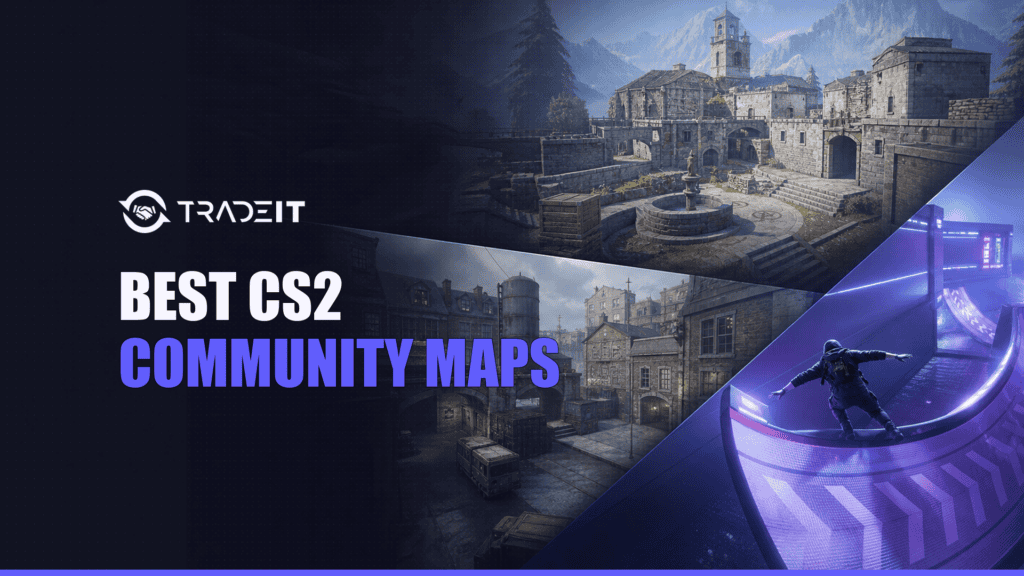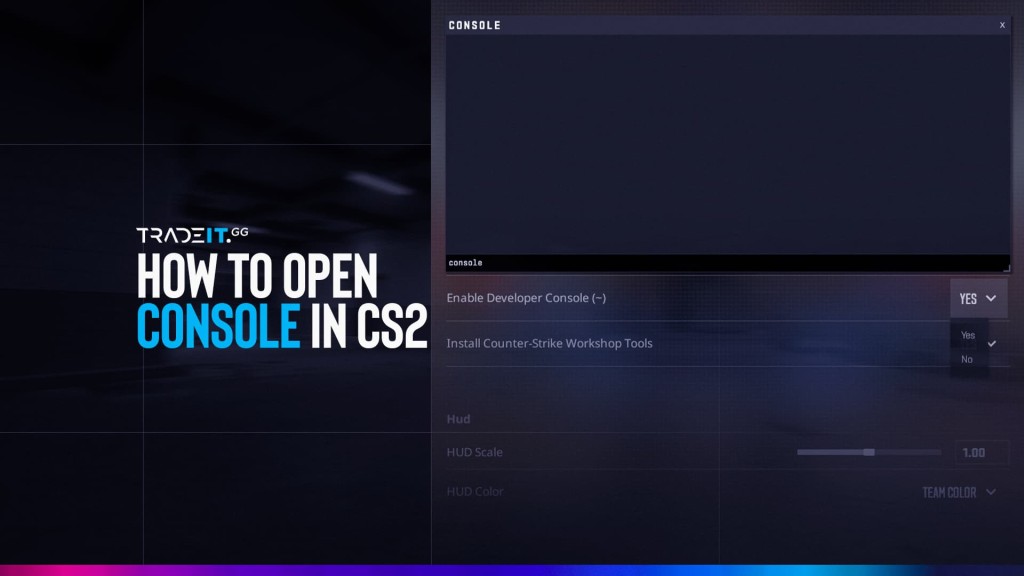


CS2 community maps now mean two different things. Some community-made maps are selected by Valve and placed in official queues. The rest stay in the Steam Workshop, where you subscribe to them directly for aim practice, movement, custom modes, or a relaxed game with friends.
As of July 20, 2026, six community-created maps are playable through Valve’s official CS2 queues: Boulder, Fachwerk, Shelter, Debris, El Dorado, and Poseidon. The first five arrived with the July 2026 Season 5 rotation; Poseidon carried over in Wingman. None of the five Season 5 additions is in Premier.
For Workshop practice, the strongest starting points are Aim Botz for raw aim, Recoil Master for sprays, Movement Hub for match-relevant jumps, surf_utopia_njv for surf, and Only Up! when winning is less important than not falling for the fourth time. This guide separates every category, explains how to load each one, and links directly to the correct Workshop item.
6 current maps
Boulder, Fachwerk, Shelter, Debris, El Dorado, and Poseidon.
13 direct picks
Aim, recoil, prefire, utility, movement, surf, bhop, KZ, and party modes.
2 separate paths
Queue Valve-selected maps normally, or subscribe to a Workshop item first.
0 Season 5 additions
The five July community additions did not enter the Premier veto.
Jump to a section:
- What counts as a community map?
- Current official community maps
- Aim and practice maps
- Surf, bhop, and KZ maps
- Fun and party maps
- How to install and play
- How maps reach official queues
- FAQ
What Counts as a Community Map in CS2?
A community map is a map created outside Valve’s in-house map team and released by its creator through the Steam Workshop. What happens after publication creates the two categories players see in 2026.
Official-queue community map
Valve chooses a Workshop creation for a live rotation, packages it with CS2, and makes it available in specified official modes. You queue through the normal Play menu.
Steam Workshop map
You subscribe on Steam, let the game download the file, and launch it from Play > Workshop Maps. These cover training, surf, bhop, KZ, minigames, ports, and experiments.
Community server is a separate term. It means a player-operated server. The server may run Workshop maps, official maps with plugins, or custom modes. The server is the host; the map is the level.
Valve-authored official maps are not community maps, even though the Workshop may contain thousands of practice variants built around them. For the broader rotation, see Tradeit’s guide to all CS2 maps and the active duty pool.
| Question | Valve-selected community map | Direct Workshop map |
|---|---|---|
| How do you access it? | Choose its supported official mode in CS2 and queue normally. | Subscribe on Steam, then open Play > Workshop Maps. |
| Do you need the Workshop page? | No. The live game distributes the official version. | Yes, unless a custom server handles the download for you. |
| Who hosts the match? | Valve when played through official matchmaking. | Your local session, lobby host, or a community server. |
| Official progression? | Normal official-server XP and mode-specific rank rules apply. | Local Workshop sessions do not award profile XP, rank progress, or Weekly Care Package progress. |
| Can it rotate out? | Yes. Valve changes community rotations. | It stays subscribed until you unsubscribe, although creators can update or remove an item. |
Choose your goal, group, and available time. The recommendation updates automatically.
Community Maps Currently in the Official CS2 Pool
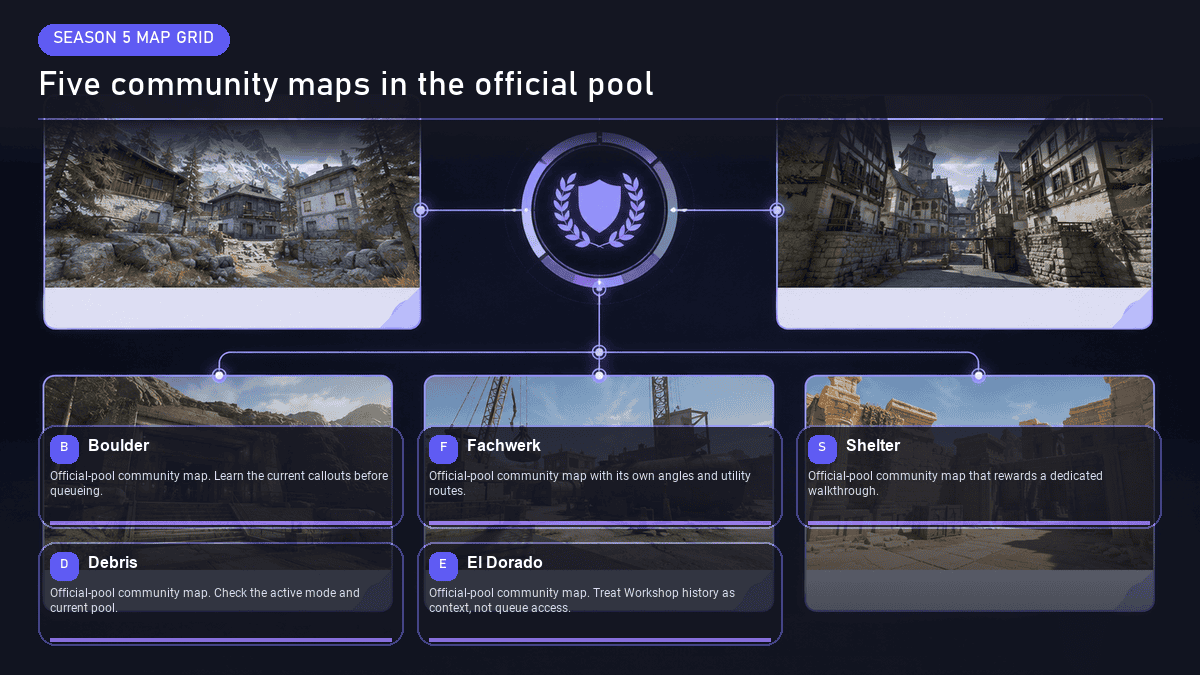
Valve’s July 9, 2026 map rotation added five community maps. Boulder, Fachwerk, and Shelter joined Competitive, Casual, and Deathmatch. Debris and El Dorado joined Wingman. Poseidon, introduced in the previous rotation, stayed available in Wingman.
That produces a current total of six community-created maps in official queues. The detailed release context is covered in Tradeit’s CS2 Season 5 update.
The five Season 5 community additions are available in Competitive, Casual, Deathmatch, or Wingman. They did not enter Active Duty or the Premier veto. Cache was the Season 5 map added to Active Duty.
Valve removed Warden, Stronghold, Alpine, and Sanctum in the same July rotation, so every current community-map list needs a date.
| Map | Format | Official modes | What makes it distinct | July 2026 status |
|---|---|---|---|---|
| Boulder | 5v5 bomb defusal | Competitive, Casual, Deathmatch | A defusal layout set around a Greek monastery on an ancient rock formation. | Season 5 addition |
| Fachwerk | 5v5 bomb defusal | Competitive, Casual, Deathmatch | A compact town framed by the half-timbered buildings that give the map its name. | Season 5 addition |
| Shelter | 5v5 hostage rescue | Competitive, Casual, Deathmatch | A suburban animal shelter with canine hostages and a different objective rhythm from defusal. | Season 5 addition |
| Debris | 2v2 bomb defusal | Wingman | A French town in Madagascar reshaped by a military aircraft crash. | Season 5 addition |
| El Dorado | 2v2 bomb defusal | Wingman | A short-round setting built around ruins inspired by the mythical city of gold. | Season 5 addition |
| Poseidon | 2v2 bomb defusal | Wingman | A Mediterranean resort on a sunny Greek island, tuned for compact Wingman rounds. | Carried over |
Which Official Community Map Should You Play First?
Boulder or Fachwerk
Both use bomb defusal, so the objective is familiar even while the callouts, timings, and sightlines are new.
Shelter
The rescue objective changes rotations, space control, and what saving a round looks like.
Debris, El Dorado, or Poseidon
Wingman is the quickest route when two players want short, focused rounds.
Casual is the lowest-pressure first look for the 5v5 maps; Competitive is the better test once your group knows the layout. For Wingman, select the community-origin maps in the Wingman pool rather than looking for them in Premier or the 5v5 Community group.
Best CS2 Workshop Maps for Aim and Practice
The best practice map is the one that isolates a skill, gives immediate repetitions, and lets you stop before warm-up turns into fatigue. The five picks below cover raw aim, recoil, crosshair setup, prefire, and utility without pretending one map can train everything.
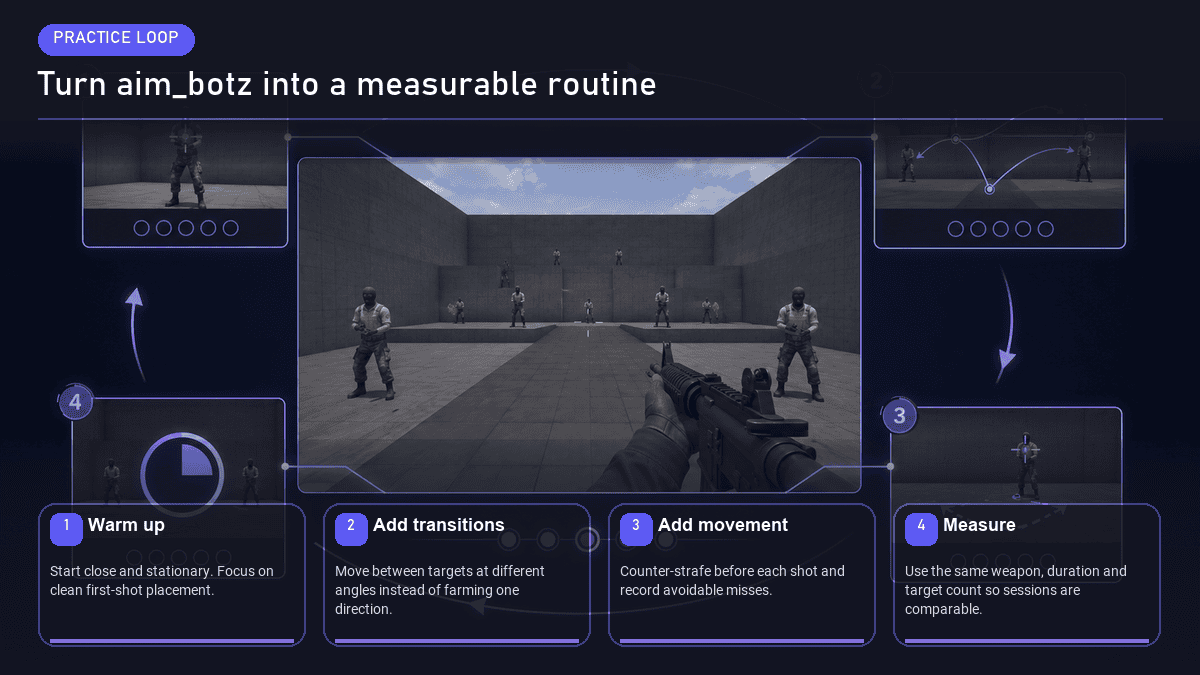
Aim Botz – Aim Training (CS2)
Aim Botz remains the cleanest place to build fast repetitions without waiting for a live opponent. Its CS2 version supports stationary or moving bots, armor, peek walls, unlimited ammunition, and quick weapon selection.
Best for: flicks, target switching, head-height discipline, and a five-minute pre-queue warm-up. Start slow for accuracy, then add moving bots or narrower openings. Stop when the movement stays clean rather than chasing a meaningless kill count. Open Aim Botz in Steam Workshop.
Recoil Master – Spray Training (CS2)
Recoil Master turns each weapon’s spray pattern into something you can see and repeat. The ghosthair and pattern guides make it much easier to diagnose where a spray starts drifting than firing at a blank wall and guessing.
Best for: AK-47 and M4 spray control, burst length, and rebuilding muscle memory after a break. Run three deliberate patterns, then three without the guide. Finish with shorter bursts; full-magazine sprays should not be the only skill you rehearse. Open Recoil Master in Steam Workshop.
crashz’ Crosshair Generator v4
This is a controlled showroom for crosshair styles, pro presets, colors, outlines, gaps, and live shooting checks. It is faster than changing five console variables, loading a match, disliking the result, and repeating the process.
Best for: building or comparing a crosshair before a real practice block. Pick one readable design and test it against bright and dark backgrounds. Tradeit’s best CS2 crosshair codes guide gives you current presets to bring into the map. Open Crosshair Generator in Steam Workshop.
Ancient Prefire
Ancient Prefire uses dynamic bot positions and selectable difficulty to turn site entries and route clearing into repeatable drills. It is more match-shaped than a bot arena because the challenge is deciding where the next threat can be.
Best for: crosshair placement, clearing order, common angles, and preparation that transfers to entries and retakes. Choose one route and prioritize clean first bullets. Raising difficulty before you can clear the basic route only makes rushed mistakes arrive faster. Open Ancient Prefire in Steam Workshop.
Ancient Utility
Ancient Utility complements the prefire map with interactive smoke, flash, and molotov practice. It is useful when a lineup video shows the result but not the exact position, aim reference, or failure state you need to reproduce it.
Best for: adding a small, usable utility set to one competitive map. Learn one grenade for a position you actually play, then load the normal map and reproduce it without the training prompts. Open Ancient Utility in Steam Workshop.
A 20-Minute CS2 Workshop Warm-Up
| Time | Map | Focus | Stop condition |
|---|---|---|---|
| 2 minutes | Crosshair Generator | Confirm visibility; do not redesign it every session. | The crosshair stays readable on light and dark surfaces. |
| 6 minutes | Aim Botz | Controlled first bullets, then target switching. | Your wrist and arm feel warm without forced speed. |
| 5 minutes | Recoil Master | AK or M4 pattern, then short bursts. | Three controlled sprays without the visual guide. |
| 7 minutes | Ancient Prefire | Crosshair placement and clearing order. | One route completed without panic swings. |
What About Retake Maps?
Retake is usually a server ruleset or plugin applied to bombsites rather than one definitive standalone Workshop map. For solo preparation, prefire and utility maps give you repeatable site-clearing work. For live 3v4, 4v4, or economy-based retakes, use the Community Server Browser and choose a server that explicitly runs a current Retake mode. That keeps a server mode from being mislabeled as a map category.
Best CS2 Workshop Maps for Movement (Surf, Bhop, KZ)
Movement maps train different mechanics, so best movement map is too broad to be useful. Surf is about preserving speed on angled ramps. Bhop is about repeated jumps and air-strafing. KZ combines precision jumps, climbs, ladders, and checkpoints. Movement Hub brings those ideas back to jumps found on ordinary 5v5 maps.
| Movement type | Core skill | Best first map here | Setup note |
|---|---|---|---|
| Match movement | Jumps and routes that transfer to official 5v5 maps. | Movement Hub | Good local starting point with built-in time trial and checkpoint tools. |
| Surf | Ramp control, air-strafing, and speed preservation. | surf_utopia_njv | Server air-acceleration settings can change the feel. |
| Bhop | Jump timing, air-strafing, and maintaining momentum. | Bhop_Colour | Dedicated servers often add consistent physics and timers. |
| KZ | Precision climbing, long jumps, ladders, and checkpoints. | kz_key | The creator recommends a CS2KZ server plugin, although the course is vanilla-completable. |
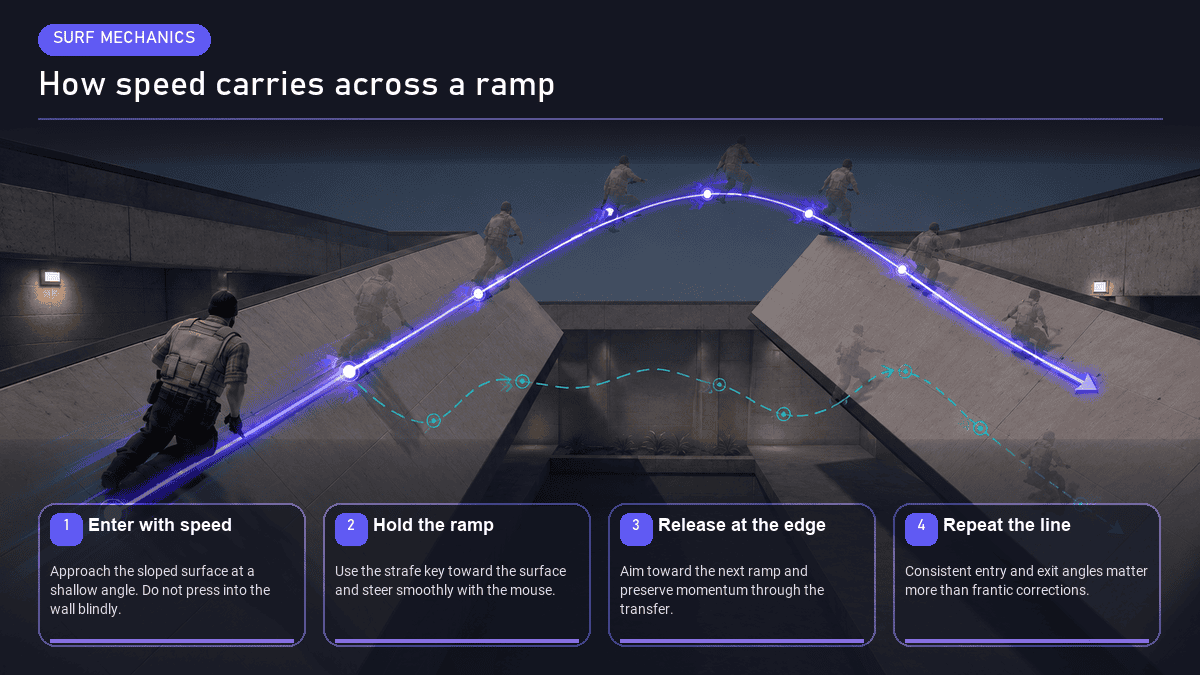
Movement Hub
Movement Hub practices jumps across official 5v5 maps instead of isolating movement in an abstract course. Its Time Trial mode adds a target, while Free Roam provides a KZ-style checkpoint and teleport system for repetition.
Best for: players who want movement practice that transfers directly to ordinary CS2 rounds. Pick one map you queue often, set checkpoints around a difficult jump, and repeat it from a realistic approach rather than spawning on the final ledge. Open Movement Hub in Steam Workshop.
surf_utopia_njv
This official CS2 port preserves a well-known linear surf course without the jail variant. The route is readable enough for beginners to understand ramp entry and air-strafing, while a clean run still rewards precise speed management.
Best for: learning how to stay on a ramp, carry speed, and connect sections without normal walking physics. Do not hold forward through every turn. Steer with air-strafes, press toward the ramp surface, and treat a smooth first stage as progress. Open surf_utopia_njv in Steam Workshop.
Bhop_Colour
Bhop_Colour is a straightforward bunnyhop course with a clear visual theme and enough spawns for group use. It is a better introduction than a maze-like expert map because the next landing is easy to read.
Best for: jump rhythm, air-strafing, and understanding how momentum carries between platforms. Follow the creator’s current setup notes. Local vanilla behavior may not match a plugin-backed bhop server, especially around jump assistance and timing. Open Bhop_Colour in Steam Workshop.
kz_key
kz_key was designed to introduce new players to KZ mechanics and scales beyond the opening lessons. The course can be completed in vanilla CS2, but its creator recommends the CS2KZ plugin and supplies offline commands for closer behavior.
Best for: precision jumps, ladders, checkpoints, and a first structured KZ session. Read the Workshop description before launching. A CS2KZ server gives you the intended timer and movement environment; offline mode is useful for exploration and practice. Open kz_key in Steam Workshop.
Surf, bhop, and KZ commonly rely on server variables, plugins, timers, or checkpoint systems. A map can load successfully in a local session and still behave differently from the server version its creator designed around.
Best CS2 Workshop Maps for Fun and Party Modes
Not every community map needs to improve your opening duel. The best party picks give a group an obvious premise, tolerate uneven skill levels, and create stories quickly. These four do that in different ways.
Only Up!
This CS2 remake turns the session into one long vertical climb through a large fantasy world. The appeal is simple: keep gaining height, find unusual routes, and try not to convert twenty careful minutes into one very educational fall.
Best for: solo exploration, friend races, and players who enjoy KZ ideas without a traditional timed course. Read the creator’s notes for current Source 2 behavior because some bounce interactions differ from older versions. Open Only Up! in Steam Workshop.
Bikinibottom
Bikinibottom brings a deliberately familiar cartoon-inspired location into CS2 and supports several combat formats. It works because the environment is immediately legible to a group, even when nobody has learned a serious callout.
Best for: Casual Classic, Deathmatch, Arms Race, Wingman, or custom sessions with friends. Agree on a mode before launching. A novelty map becomes less fun when half the lobby expects Arms Race and the other half expects a defusal match. Open Bikinibottom in Steam Workshop.
Rats (Counter-Strike Online ver.)
Rats uses the classic oversized-household idea: players feel tiny while ordinary furniture becomes cover, high ground, and traversal space. This port has no bombsites, so treat it as a custom combat playground rather than a normal defusal map.
Best for: Deathmatch-style fights, casual exploration, and a group that wants vertical nonsense more than competitive balance. Use a compatible custom mode and expect bots to behave imperfectly around unusual ladders or scale. Open Rats in Steam Workshop.
mg_escape_prison_cs2
This prison-escape minigame sends players through eleven trap and obstacle rooms. It is a course map rather than a standard Counter-Strike objective, which makes it a good reset after several serious queues.
Best for: friend groups that enjoy obstacle courses, timed runs, traps, and repeated failures that are funny instead of rating-costly. A configured minigame server provides the smoothest experience. The map includes timer-plugin zone triggers, so server features may add more than a basic local launch. Open mg_escape_prison_cs2 in Steam Workshop.
- Send the exact Workshop link so everyone subscribes to the same item.
- Read the creator’s description for required commands, plugins, or recommended modes.
- Let Steam finish the download before launching the lobby.
- Decide who is hosting and whether a dedicated community server is needed.
Grinding aim maps to climb ranks?
Give your setup a fresh look – browse CS2 skins on Tradeit while you warm up.
How to Install and Play Community Maps in CS2
The correct steps depend on which meaning of community map you are using. Official-queue maps require no subscription. Direct Workshop maps do. Follow the matching path below rather than mixing the two.
Play a Valve-selected community map
Play > supported official mode > select map > queue- Launch CS2 and select Play. You do not need to visit Steam Workshop first.
- Choose the supported mode. Use Competitive, Casual, or Deathmatch for Boulder, Fachwerk, and Shelter. Use Wingman for Debris, El Dorado, and Poseidon.
- Select the map or map group. Availability controls differ slightly by mode; make sure the wanted map is enabled before queuing.
- Queue normally. Valve hosts the match, and normal rules for that official mode apply.
Subscribe to a direct Workshop map
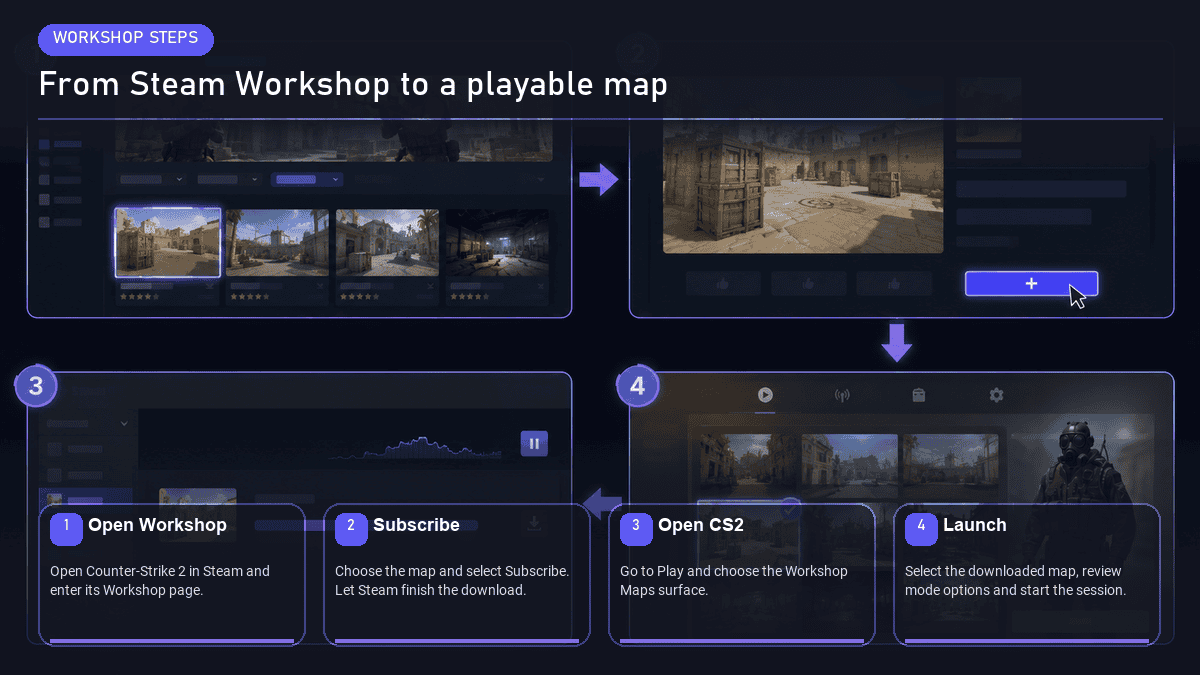
Steam Workshop > Subscribe > Play > Workshop Maps- Open the map’s Steam Workshop page. Sign in to the Steam account that owns or launches CS2.
- Select Subscribe. Steam adds the item to your account and downloads the current files.
- Launch or restart CS2. Restarting helps if you subscribed while the game was already open.
- Open Play > Workshop Maps. Select the map and start the session.
- Apply creator instructions. Movement, minigame, and server maps may require console variables, a plugin, or a particular mode.
How to Play a CS2 Workshop Map With Friends
For a simple map that supports local lobbies, invite friends to your CS2 lobby first, select the Workshop map, and launch. Every player should be subscribed and fully downloaded before the host starts. Support varies by map and mode, so check the creator’s page instead of assuming every training map was built for multiplayer.
For larger groups, persistent settings, movement plugins, map rotations, or reliable remote access, use a server. Tradeit’s guide to how to host a dedicated CS2 server covers the separate server setup rather than forcing it into a local Workshop walkthrough.
Where XP, Drops, and Rank Progress Count
| Session | Profile XP and weekly progress | Rank or CS Rating | Practical answer |
|---|---|---|---|
| Valve matchmaking on a community-created map | Yes, under the normal rules for that official mode. | Mode-specific progress can apply in Competitive or Wingman. These maps are not Premier, so they do not award CS Rating. | Use this route when you want both a new map and official progression. |
| Local Workshop map or private practice lobby | No official profile XP or Weekly Care Package progress. | No Competitive rank, Wingman rank, or CS Rating progress. | Use it for practice, testing, movement, and custom play. |
| Community server | Do not expect official progression. | No normal official rank or Premier progress. | Use it for server modes, plugins, social play, and custom rotations. |
Workshop Map Troubleshooting
The subscribed map does not appear in Workshop Maps
The map loads, but rounds, movement, or checkpoints behave incorrectly
Friends cannot join or load the same map
The map crashes, stutters, or takes unusually long to load
I subscribed to the wrong version or an old port
How Workshop Maps Get Promoted to the Official Pool
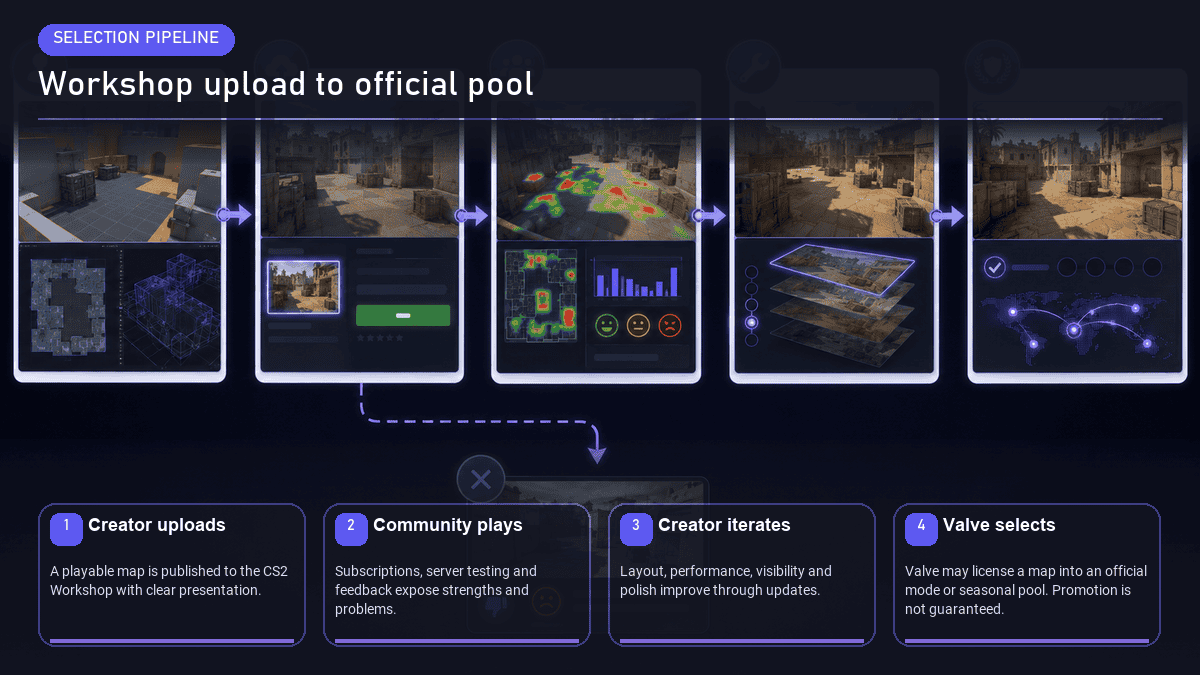
There is no public reach-this-many-likes-and-become-official threshold. Valve can discover, evaluate, license, and select a Workshop map for a specific rotation, but popularity is visibility, not a guaranteed vote. The practical pipeline has three stages.
- Create and publish. A mapper builds and tests the level with CS2 Workshop Tools and Hammer, packages the playable map, writes setup notes, and publishes it to Steam Workshop.
- Playtest and iterate. Players subscribe, host tests, report bugs, rate the item, and leave feedback. The creator can revise layout, visibility, clipping, performance, spawns, and presentation through Workshop updates.
- Valve selects a rotation. Valve may choose a map for specified official modes and distribute an official version with the game. Players then queue without subscribing, while later notes may update the live build to a newer Workshop revision.
What Official Promotion Changes, and What It Does Not
| Promotion can mean | Promotion does not automatically mean |
|---|---|
| The map is distributed through the live CS2 build and appears in named official queues. | The map joins Premier or Active Duty. |
| Players can access the official version without subscribing to the Workshop item. | The Workshop page becomes irrelevant; it still records creator credits, updates, and community history. |
| Valve may update the official build when the community version changes. | Every Workshop update reaches matchmaking immediately or unchanged. |
| The creator’s work reaches a much larger pool of players. | The map becomes permanent. Valve can rotate it out later. |
| Strong playtesting and presentation can make a map easier to evaluate. | A fixed rating, subscriber count, contest result, or public checklist guarantees selection. |
Boulder, Fachwerk, Shelter, Debris, and El Dorado are useful 2026 examples because their route is visible: each has a creator-owned Workshop page, and each now appears in an official mode. Poseidon shows the next part of the cycle, a community selection can survive one rotation while other maps leave.
The practical takeaway is simple. Queue the six current maps when you want official matchmaking on community-created layouts. Subscribe to Workshop maps when you want a specific practice tool, movement course, or party mode. Do not use community map as a reason to mix those access methods or to put an ordinary Valve-authored map into the list.
Ready to trade CS2 skins?
Trade, buy, or sell CS2 skins instantly on Tradeit – no Steam Wallet lock-in.
FAQ
Are community maps permanent in CS2, or do they rotate out?
Do I earn XP, drops, or rank progress on community maps?
Can I play CS2 community maps with bots?
Can I create and submit my own community map to Valve?
Do CS2 Workshop maps work on FACEIT or other third-party clients?