Rust camera codes have been a vital tool for base defense since their introduction in 2020. With the recent updates, setting up a CCTV camera system for your base offers more security than ever.
By utilizing the right Rust camera codes, you can easily monitor enemy movements and safeguard your resources. To increase the efficiency of your CCTV camera use, you should always employ CCTV camera codes.
When using your Rust cameras and configuring your computer station, these codes can make it easier for you to identify each camera that you’ve installed around your base.
Table of Contents
The Use of a CCTV Camera
Setting up CCTV cameras in strategic locations around your base is crucial for monitoring enemy movements.
Using Rust camera codes effectively lets you switch between feeds on your computer station, providing a clear view of every potential threat.
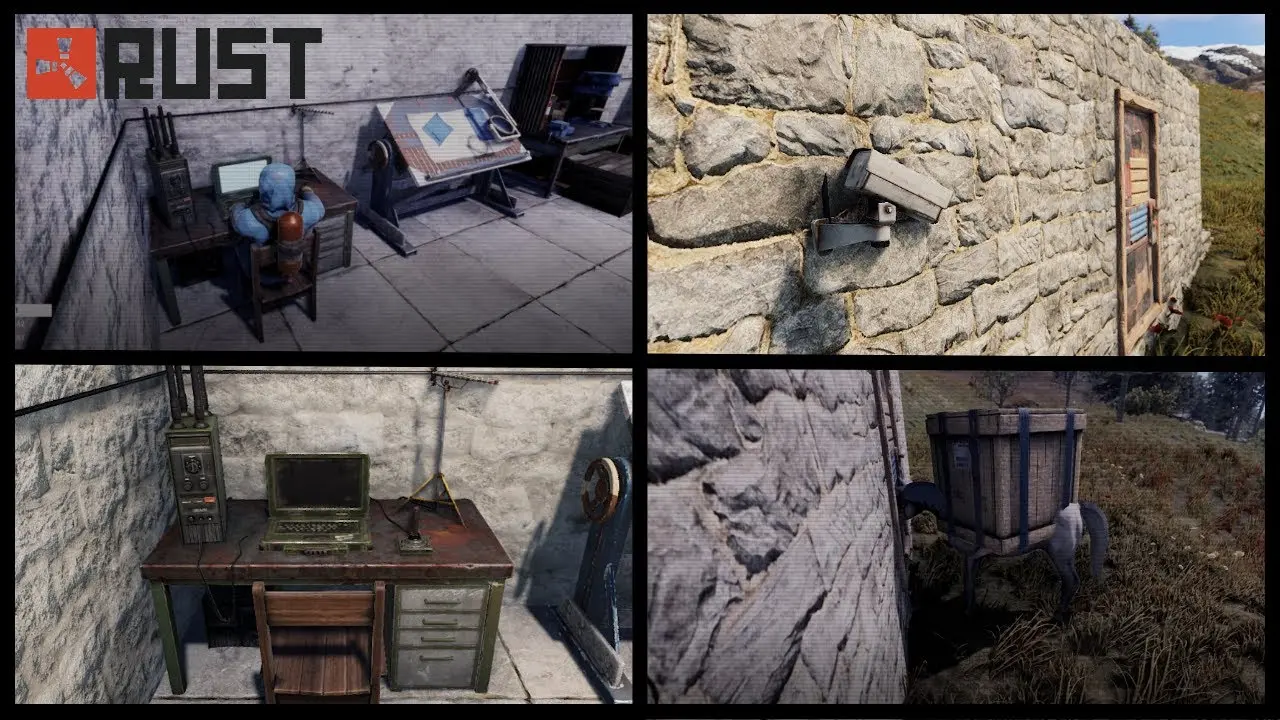
The camera works the way you’d expect. It provides video footage and sound. But it needs to be powered and paired with a computer station.
A camera has 150 HP and a decay time of 48h. Its number of consumption inputs is 3. Each camera has its unique ID. This ID can be used to connect it to your computer station. Without this connection, the camera is useless.
A CCTV camera must be powered with 3-5 rWm. Camera IDs should be randomized to prevent players from hacking your system and then using it against you.
In Rust, CCTV systems rely on computer stations, powered cameras, and unique identifiers working together.
How Computer Stations Work
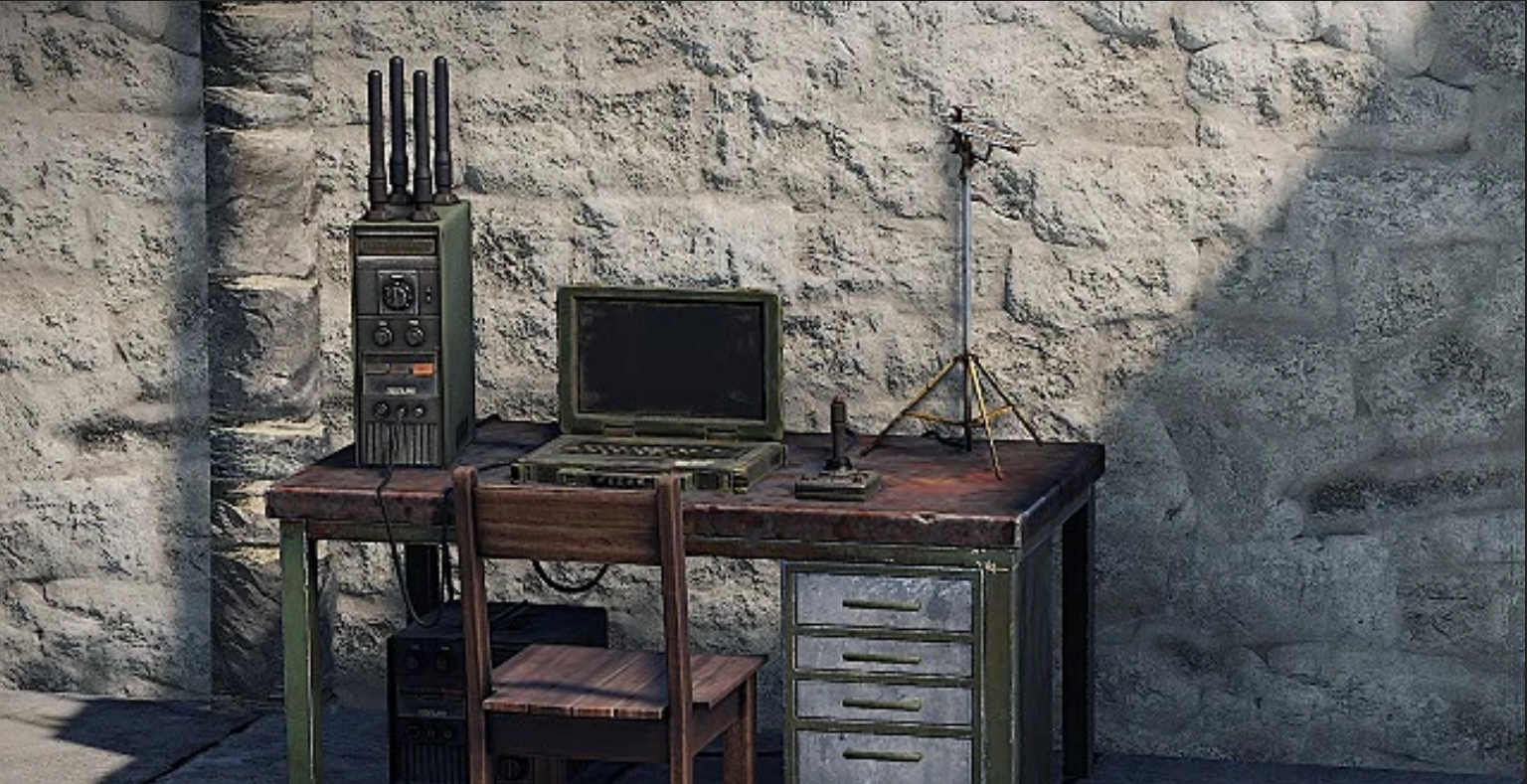
A computer station is the central hub for viewing camera feeds. After placing it in your base, you interact with it by pressing E. Inside the interface, you can:
Input CCTV camera codes to connect and access specific camera feeds.
Store and manage multiple camera connections within a single computer station.
Instantly cycle between camera views for live monitoring and quick decision-making.
Once a code is added, it remains saved, allowing quick access to all connected cameras whenever you use the station.
How Cameras Are Powered
CCTV cameras require electricity to function. You must connect them to a power source such as:
Generate renewable power during daylight, making them a reliable and low-maintenance energy source.
Provide continuous power based on wind strength, often producing higher output at elevated placements.
Store excess electricity and ensure your CCTV system stays powered during downtime or nighttime.
Without power, the camera will not transmit any video feed. For reliability, most players connect cameras to large batteries to ensure continuous operation, even at night.
How to Add Custom Camera IDs
Custom IDs allow you to create your own private camera network:
Hold your hammer tool to access camera settings.
Look at the placed CCTV camera and hold E.
Choose “Set Frequency” from the interaction wheel.
Input a case-sensitive code (max 32 characters, ideally shorter).
Click “Set Identifier” to confirm and apply the code.
You can then go to your computer station, type that same code, and press Add to link the camera.
Key Tip
Always keep a record of your custom IDs. Since they are case-sensitive and player-defined, forgetting them can make your camera system unusable until reset.
Where to Find CCTV Cameras
CCTV Cameras can be found in a lot of different places. However, less than a dozen crates provide a high chance of containing such items. Here’s a list of the containers you’re looking for and their associated chance of containing a CCTV camera or more:
| Crate Type | Drop Chance | CCTV Camera Amount |
|---|---|---|
| APC Crate | ~25% | 1–3 |
| Locked Crate | ~45% | 1–3 |
| Elite Tier Crate | ~28% | 1–3 |
| Underwater Lab Elite Crate | ~13% | 1–3 |
| Underwater Lab Tech Crate | ~31% | 1–2 |
| Military Crate | ~17% | 1 |
| Wagon Military Crate | ~17% | 1 |
| Underwater Lab Yellow Crate | ~17% | 1 |
| Treasure Box | ~21% | 1–3 |
| Tool Box | ~3% | 1 |
| Underwater Lab Tool Box | ~3% | 1 |
Camera Identifier Codes
In Rust, you will find cameras installed at various monuments. Their camera feeds can be accessed using unique camera identifier codes. These codes must be connected to your computer station.
There are 2 main types of RUST CCTV codes:
Created by Facepunch, these are hardcoded identifiers used for monument CCTV systems and cannot be changed by players.
Custom IDs created by players for base CCTV systems, allowing flexibility and adjustments based on security needs and personal setup.
To configure your RUST CCTV identifier codes, just follow these steps:
Hold your hammer tool and look directly at the CCTV camera.
Press E and select “Set Frequency” from the red and white wheel.
Type a case-sensitive code (max 32 characters), ideally 5–10 characters for practicality.
Click “Set Identifier” to confirm and store your CCTV camera input.
After a CCTV has been installed, has been connected to electrical power, and has been given an identifier, that identifier can be added to a computer station. From that point onward, you can use the camera to get information.
Setting Up a Computer Station with a Rust CCTV code
To configure your computer station with a Rust CCTV identifier code, follow these simple steps:
Hold E while looking at the terminal to access and mount the computer station.
Type the CCTV camera identifier in the lower-left input field, ensuring correct case sensitivity.
Click the “Add” button to save and connect the CCTV feed.
Any CCTV identified that you’ve added will now appear in a list on the screen. Clicking on it will show you its associated camera’s live feed.
A List of Rust CCTV Camera Codes
Here’s a list of the most important Rust camera codes that are available at the moment, in 2026:
| Monument / Location | CCTV Code |
|---|---|
| Abandoned Military Base | COMPOUND / OUTDOOR |
| Airfield | AIRFIELD |
| Airfield Helipad | HELIPAD |
| Bandit Camp | CASINO |
| Bandit Camp Town / Weapons Area | TOWN / WEAPONS |
| Dome | DOME1 |
| Dome Top | DOMETOP |
| Large Oil Rig (Heli) | OILRIG2HELI |
| Large Oil Rig Dock | OILRIG2DOCK |
| Large Oil Rig Exhaust | OILRIG2EXHAUST |
| Large Oil Rig Level 1 | OILRIG2L1 |
| Large Oil Rig Level 2 | OILRIG2L2 |
| Large Oil Rig Level 3A | OILRIG2L3A |
| Large Oil Rig Level 3B | OILRIG2L3B |
| Large Oil Rig Level 4 | OILRIG2L4 |
| Large Oil Rig Level 5 | OILRIG2L5 |
| Large Oil Rig Level 6A | OILRIG2L6A |
| Large Oil Rig Level 6B | OILRIG2L6B |
| Large Oil Rig Level 6C | OILRIG2L6C |
| Large Oil Rig Level 6D | OILRIG2L6D |
| Small Oil Rig (Heli) | OILRIG1HELI |
| Small Oil Rig Dock | OILRIG1DOCK |
| Small Oil Rig Exhaust | OILRIG1EXHAUST |
| Small Oil Rig Level 1 | OILRIG1L1 |
| Small Oil Rig Level 2 | OILRIG1L2 |
| Small Oil Rig Level 3 | OILRIG1L3 |
| Small Oil Rig Level 4 | OILRIG1L4 |
| Outpost Streets | COMPOUNDSTREET |
| Outpost Music Area | COMPOUNDMUSIC |
| Outpost Crude Area | COMPOUNDCRUDE |
| Outpost Chill Area | COMPOUNDCHILLS |
| Underwater Labs Auxiliary Power | AUXPOWER |
| Underwater Labs Brig | BRIG |
| Underwater Labs Cantina | CANTINA |
| Underwater Labs Captain Quarters | CAPTAINQUARTER |
| Underwater Labs Classified | CLASSIFIED |
| Underwater Labs Crew Quarters | CREWQUARTERS |
| Underwater Labs Hallway | HALLWAY |
| Underwater Labs Infirmary | INFIRMARY |
| Underwater Labs Lab | LAB |
| Underwater Labs Locker Room | LOCKERROOM |
| Underwater Labs Operations | OPERATIONS |
| Underwater Labs Security Hall | SECURITYHALL |
| Underwater Labs Tech Cabinet | TECHCABINET |
Each CCTV camera code can be used as part of your CCTV camera system. These CCTV codes should be utilized whenever you intend to go to a certain location and aren’t sure if someone else is already there.
Of course, you should always have your cameras around your base, because surveillance cameras are excellent tools that allow you to gain access to a lot more information than you can access directly, with your own eyes.
But cameras that are already installed around the map should not be neglected either.
Other Considerations
To set up and improve the functioning of your computer station, make sure you have a solar panel and high quality metal. Such resources are extremely valuable in Rust.
Place cameras only in key strategic locations so each feed provides meaningful coverage instead of overlapping views.
Only place multiple cameras in the same area if it is high-value or high-risk and single coverage may miss sneaky players.
Always record custom CCTV identifiers and their locations to avoid confusion and wasted time later.
Develop a consistent schedule for checking feeds so you balance awareness and active gameplay without wasting time at the computer station.
If you’re interested in buying skins for Rust items associated with cameras, you should check out Tradeit.gg.
FAQs
How do CCTV cameras work in Rust?
In Rust, CCTV cameras are networked devices that connect to computer stations using unique identifiers, allowing players to remotely view different monuments or base areas.
Where can I find CCTV camera codes in Rust?
CCTV codes are found at major monuments like Oil Rig, Airfield, Underwater Labs, and Outpost. Each location has a specific case-sensitive identifier used to access its camera feed.
Can I place multiple CCTV cameras in my base?
Yes, you can place multiple cameras, but it’s best to avoid redundancy. Each camera should cover a unique angle or entry point unless you need overlapping coverage for high-security areas.
Why isn’t my CCTV camera working in Rust?
Common issues include incorrect case-sensitive codes, not using a computer station properly, or entering a non-existent identifier. Make sure the camera is powered and the code is typed exactly.
Are custom CCTV codes safe to use?
Custom or player-created identifiers are safe and commonly used for base security. However, you should keep a written record of them to avoid losing access to your own camera network.