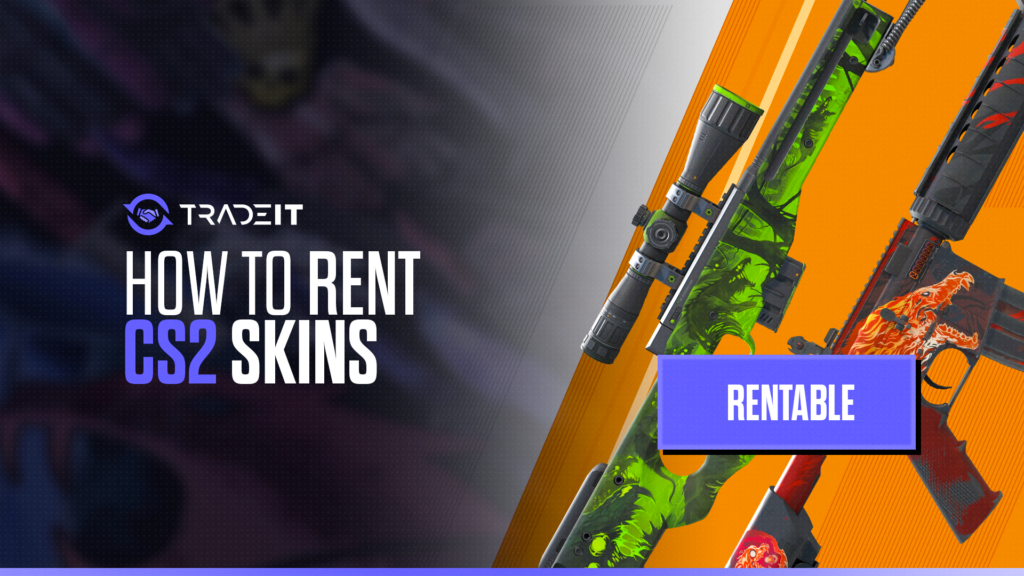
Looking to enhance your CS2 gaming experience with fresh skins? Renting skins lets you flex rare and exciting cosmetics without having to buy them.
In this guide, we’ll show you how to rent the best CS2 skins through reputable platforms, navigate the rental process, and avoid common pitfalls to ensure a safe and enjoyable experience.
Table of Contents
Choosing a Reputable CS2 Skin Rental Platform
Success in CS2 skin rentals hinges on your choice of a dependable platform. Now, you might ask: “What makes a platform reliable?”
Whether you’re fishing for the cheapest CS2 AK-47 or the most famous CS2 skins line, there are a few things to consider:
Trustworthy platforms prioritize user protection. They require Steam account registration with added security credentials and use advanced safeguards to protect rented items and user funds, ensuring a safe and reliable transaction environment.
A positive online reputation and a wide selection of skins signal platform reliability. A strong track record and diverse inventory not only simplify the rental process but also make the overall experience smooth and enjoyable.
Top Trusted Platform
For trustworthy platforms in CS2 skin rentals, the top choice is Lootbear. The service prioritizes user safety by assuring monetary reimbursement in the event of skin theft and securing a trusted environment for transactions.
Red Flags to Watch Out For
Despite the excitement of renting skins, it’s important to be cautious. Like any other online marketplace, the CS2 skin rental platform also has potential risks of scams.
These risks extend to potential devaluation of the skin market and encountering fraudulent transactions.
So, how do you identify these warning signs? Look out for platforms that have a lack of liquidity, resulting in unavailable assets, or a poor online reputation.
These should be considered warning signs. Reputable platforms like LootBear use a Risk evaluation AI system to assess each transaction’s risk level in real-time, aiming to prevent fraud.
Step-by-Step Guide to Renting CS2 Skins
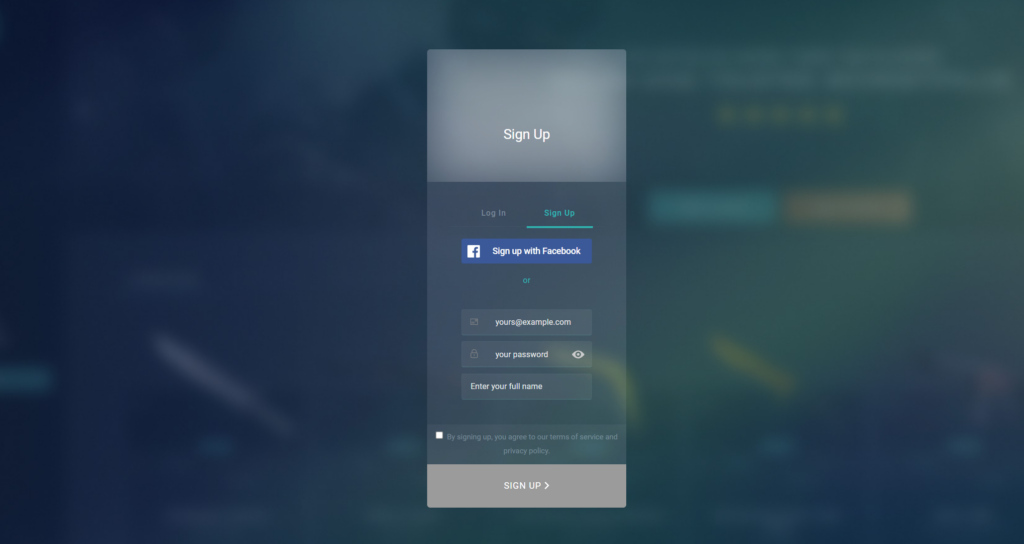
Equipped with knowledge on selecting a reliable platform and identifying potential pitfalls, you are now ready to venture into the thrilling process of CS2 skin renting. It’s a journey that begins with:
Start by selecting a trusted platform with strong security measures and a solid online reputation.
Register using your Steam account and complete any required security verification steps.
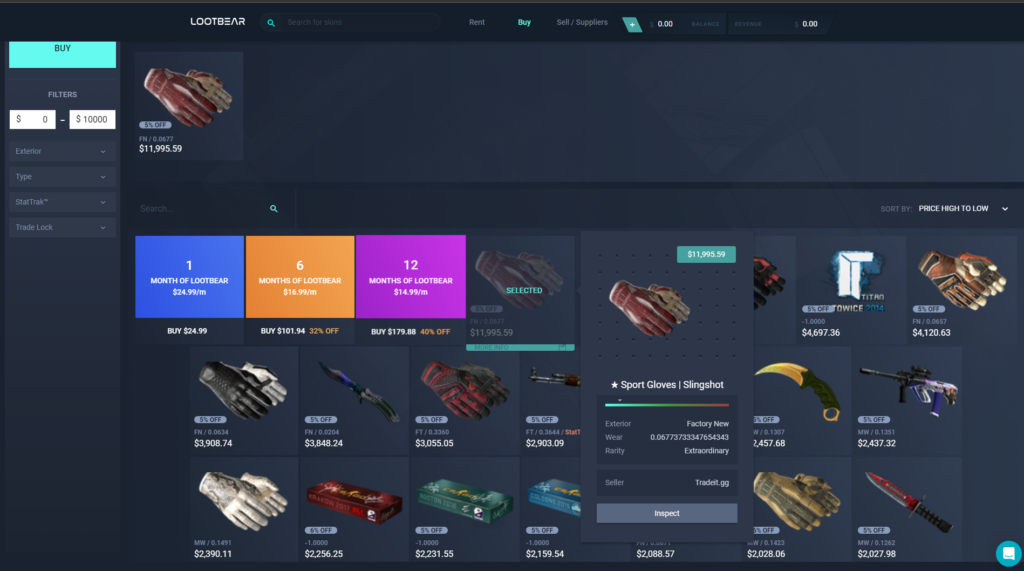
Explore the available inventory and choose the skin that fits your style and budget.
Confirm the rental period, review the terms, and finalize the transaction securely.
And voila! You can start using your rented skin in-game.
Creating an Account
Your first move in renting the CS2 skin of your choice is to establish an account on a rental platform. It typically involves:
Access the platform and complete the registration form by providing the necessary personal information.
Sign in through your Steam account to securely link your profile to the rental platform.
Make sure your Steam profile visibility is set to Public to meet platform requirements and enable smooth transactions.
Enter your credit card details or other required payment information to verify your account and ensure secure transactions.
This process is followed by a verification process, which may include bank account and email confirmation. This ensures that you are a real person and not engaged in fraudulent activities.
This might seem like a lot, but these steps are designed to provide a secure rental experience for all users.
Browsing and Selecting Skins
Perusing the vast array of CS2 skins can evoke the excitement akin to a child in a candy store. The choice of skins you opt to rent may be influenced by factors such as:
Evaluate the design, finish, and overall visual appeal to ensure it matches what you want in-game.
Consider how rare the skin is, as higher-tier items often carry greater prestige and demand.
Choose a skin that reflects your personality and complements your preferred loadout aesthetic.
Compare rental prices and ensure the cost fits comfortably within your budget.
Players often look for new skins that are not only rare but also align with their personal style, including rare and expensive skins, other skins, and in game items among the available skins, such as premium skins and weapon skins.
The price of the rental is another important consideration. You want to ensure that the skin you choose to rent matches your gaming preferences and budget.
Especially when it comes to high-value skins like the AWP Dragon Lore, it’s crucial to balance the skin’s value with the rental cost over time.
Completing the Rental Transaction
After you’ve selected your preferred skin, you can proceed to finalize the rental transaction. To do this, you typically select the skin, click ‘Rent’, and then immediately withdraw the skins to use in-game.
CS2 skin rental platforms often offer various payment methods such as credit or debit cards, PayPal, cryptocurrencies, and other online payment services.
Remember, if rented items are lost, you may be penalized and charged 110% of the item’s value. So, make sure to handle your rented skins with care!
Note that credit card authorization may be required to facilitate charges or the recovery of skins should there be a breach of rental terms.
Managing Your Rented CS2 Skins
When it comes to using your rented CS2 skins, there are certain guidelines you need to adhere to. For instance, rented skins are to be used solely by you, primarily for personal gameplay enhancement. They must not be exploited for commercial purposes.
You should also protect your rented CS2 skins from any in-game actions that might jeopardize their value or functionality, such as using them in ways not supported by the game or exposing them to potential hacks.
Violating these terms could lead to sanctions such as suspension from the rental platform or financial penalties.
Returning Rented Skins
As your rental period concludes, it becomes necessary to return the rent skins. To do this, you should initiate the process from the specified rentals section on the rental platform.
During this return process, you will go through security checks and confirm the legitimacy of the return trade to avoid scams. Remember, before conducting a return trade, you must set your Steam profiles to public as private inventories cannot engage in trades.
Troubleshooting Common Issues
Even though the CS2 skin rental process is typically seamless, there might be a few hurdles that you come across. This is where skin insurance comes in handy. Many rental platforms provide skin insurance to safeguard the rented new CS2 skins.
Skins may be lost due to mistakes, misclicks, or in-game theft if proper precautions and platform rules are not followed.
Certain in-game actions or improper handling may affect the perceived condition or value of the rented skin.
Weak account security can expose users to fraudulent trades or unauthorized transactions, making strong authentication essential.
In the event of a problem, skin insurance offers compensation equivalent to the item’s market value. It’s important to review the terms of skin insurance so you understand how to claim compensation if necessary.
Renting Out Your Own CS2 Skins
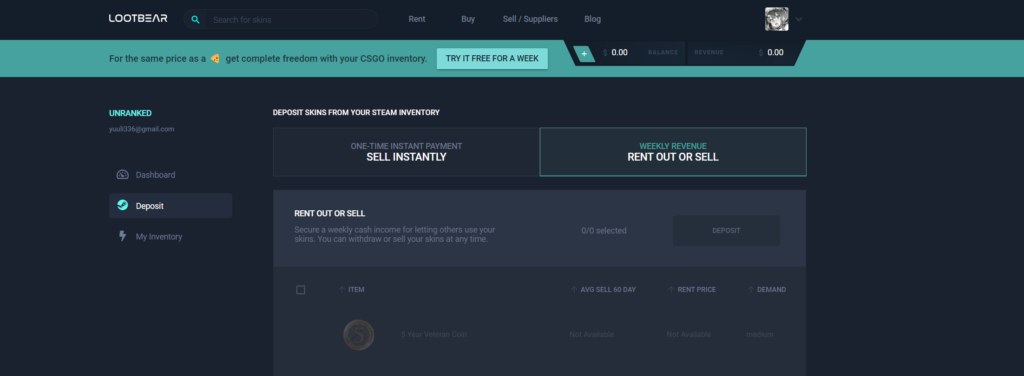
Offering your own CS2 skins for rent can serve as a lucrative source of additional income, especially when compared to selling items. But, just like renting skins, renting out your own involves a few important steps. Here are the steps to follow:
Study the most in-demand skins on the market to understand trends, rarity tiers, and player preferences.
Choose flexible rental durations and clear conditions that appeal to potential renters.
Analyze similar listings and price your skins competitively to attract renters while maximizing profit.
Provide clear descriptions, condition details, and high-quality visuals to make your skins stand out.
By following these steps, you can successfully rent out your own CS2 skins and earn extra income. Owners who rent out their CS2 skins are typically compensated with weekly cash payments.
Once the earnings from the rented skins are ready to be withdrawn, the funds are transferred to the owners via payment methods like PayPal.
Summary
Renting CS2 skins is an exciting prospect that offers a plethora of opportunities for gamers.
Whether you’re looking to rent skins or rent out your own, it’s important to choose a reputable platform, understand the terms and conditions, and manage your transactions efficiently.
FAQs
What is the safest way to rent CS2 skins?
Use reputable skin rental platforms with strong security measures, Steam account integration, and positive online reviews.
Do I need a public Steam profile to rent CS2 skins?
Yes, most rental platforms require your Steam profile to be set to Public for verification and smooth transactions.
How can I avoid scams when renting CS2 skins?
Only use trusted platforms, verify payment methods, and avoid unofficial third-party transactions.
Can rented CS2 skins be lost or stolen?
Yes, accidental loss, in-game theft, or unauthorized transactions can occur, so always follow platform guidelines and enable strong account security.
How do I choose the right CS2 skin to rent?
Consider the skin’s appearance, rarity, personal style, and rental cost to ensure it fits your preferences and budget.